Preview




Description
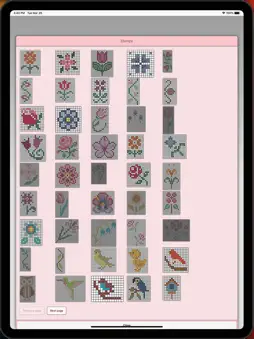
Crochet Graphghan Pattern Creator for your mobile device. Comes with 4 free Crochet Graphghan patterns. Download is free. A one time create activation is $2.99 Create Crochet Graphghan patterns on your mobile device. Written Graphghan crochet instructions are automatically generated for your Graphghan crochet patterns. Included are the amount of thread/yarn needed and approximate finished sizes for your graphghan crochet pattern. To create a Graphghan crochet pattern, select Create a Crochet Graphghan pattern button. The Graphghan crochet pattern editor will appear. Fill in the squares with any Graphghan color you want. You also can select from over 400 stamps, inserts and borders to apply to your Graphghan crochet pattern. Buttons left to right in the Button Bar. 1. Select color button - select any color to draw with 2. Save button- save your Graphghan crochet pattern 3. Pencil button- fill in square on your Graphghan crochet pattern using your selected color 4. Eraser button- erase filled in squares 5. Trim button- remove squares from your pattern 6. Stamps button- selectable display of small stamp patterns to add to your Graphghan crochet pattern 7. Borders button- selectable display of borders to add to your Graphghan crochet pattern. . Borders automatically wrap around your pattern. 8. Dropper button- lets you extract a color from your pattern and add more of that color to your pattern 9. Bucket button- use to fill selected area with your selected current color 10. Bucket+ button- use to change all filled squares of one color to another color. 11. Undo button- undo each last change you made to the pattern 12. Redo button- redo each change you undid 13. Selection button- select the area of the Graphghan crochet pattern you want to cut/copy and paste. 14. Cut button- clear the filled squares under the selected area (see option 13) 15. Copy button- copy the squares under the selected area (see option 13) 16. Past button- paste cut or copied squares to the Graphghan crochet pattern 17. Rotate button- rotate whole pattern or selected area of pattern (see option 13) 18. Flip Horizontally button - flip horizontally whole pattern or selected area of pattern (see option 13) 19. Flip Vertically button - flip vertically whole pattern or selected area of pattern (see option 13) 20. Zoom in button- magnify the Graphghan crochet pattern 21. Zoom out button- minify the Graphghan crochet pattern 22. Symbols button- display a unique symbol for each different color in your pattern. 23. Picture button- select a picture from your device and convert it to a pattern 24. Trace button- select a picture from your device to trace. 25. Print button - print your pattern to a printer. 26. Social media button- share your pattern using email, chat etc. 27. Help button- learn how to use the feature of this app. 28. Resize bars - resize bars are display at the bottom right corner of your pattern. Drag them to resize your pattern Happy Crocheting. From all of us at CrochetDesigns.com to all of you who love to crochet.
What's New
Version 12 2026-07-30
Minor fixes Technical Analysis
Package Overview Basic metadata
Bundle ID
com.crochetdesigns.graphghan Current Version 12
Minimum iOS 13.0
Package Size App Store Size
Package Metadata 0 / 12 version records
Detailed binary, privacy manifest, framework, and Info.plist results have not been indexed for this package yet. The verified App Store and archive metadata above remains available.
Known Version Records
0 version records with stored package metadata • 12 known version records
Stored metadata does not guarantee a package is currently available to download.
| Details | Version / IDs | Version date | Action |
|---|---|---|---|
| Not archived | App Store ID: 888474109 | Unknown | Request Version |
| Not archived | App Store ID: 878375690 | Unknown | Request Version |
| Not archived | App Store ID: 877943736 | Unknown | Request Version |
| Not archived | App Store ID: 874998955 | Unknown | Request Version |
| Not archived | App Store ID: 868600657 | Unknown | Request Version |
| Not archived | App Store ID: 867555718 | Unknown | Request Version |
| Not archived | App Store ID: 864740677 | Unknown | Request Version |
| Not archived | App Store ID: 862657635 | Unknown | Request Version |
| Not archived | App Store ID: 861510773 | Unknown | Request Version |
| Not archived | App Store ID: 860975537 | Unknown | Request Version |
| Not archived | App Store ID: 860227501 | Unknown | Request Version |
| Not archived | App Store ID: 856609516 | Unknown | Request Version |