Preview


Description
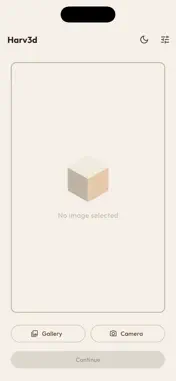
Harv3d turns your photos into layered, multicolour 3D printable OBJ files - no 3D modelling experience required. Whether you're a hobbyist, maker, or running a 3D print business, Harv3d does the heavy lifting. Import an image, let the app detect and map the dominant colours, assign layer heights, and export a ready-to-slice OBJ file complete with MTL colour data. HOW IT WORKS Import any photo from your gallery or camera Harv3d automatically detects the dominant colours using perceptual colour analysis Adjust layer heights, hide layers you don't need, and fine-tune the colour mapping Preview your model in the built-in 3D viewer Export an OBJ + MTL file ready for your slicer KEY FEATURES Intelligent colour detection - perceptual analysis finds the most visually distinct colours, not just the most common ones Layered 3D model output - each colour becomes its own printable layer with individually adjustable height Built-in 3D preview - inspect your model with pinch-to-zoom, rotate, and pan before exporting Edit mode - paint over misdetected areas to correct the colour mapping manually Base plate control - add an optional base layer for easier bed adhesion Universal OBJ export - compatible with all major slicers and 3D printing software FREE & PRO Harv3d is free to download and use. The free tier supports up to 3 colour layers - perfect for simple designs and to give you a taste of the app. Upgrade to Harv3d Pro with a single one-time purchase (no subscription) to unlock: • Up to 10 colour layers for complex, detailed prints • Higher mesh resolution for finer, sharper models PERFECT FOR • Multicolour 3D printing (Bambu Lab AMS, Prusa MMU, Mosaic Palette) • Lithophanes and portrait prints • Logo and artwork reproductions • Personalised gifts and custom merchandise • Makers and small 3D print businesses SLICER COMPATIBILITY Exports standard OBJ + MTL files compatible with Bambu Studio, PrusaSlicer, Ultimaker Cura, Simplify3D, and any slicer that supports OBJ import. Download Harv3d and start turning your photos into prints today.
What's New
Version 1.1.0 2026-10-05
Fixed non-manifold edges bug. Generates dramatically smoother and smaller obj files. Technical Analysis
Package Overview Basic metadata
Bundle ID
com.o2tech.harv3d Current Version 1.1.0
Minimum iOS 15.0
Package Size App Store Size
Package Metadata 1 / 1 version records
Detailed binary, privacy manifest, framework, and Info.plist results have not been indexed for this package yet. The verified App Store and archive metadata above remains available.
Developer Information
Known Version Records
1 version record with stored package metadata
Stored metadata does not guarantee a package is currently available to download.
| Details | Version / IDs | Version date | Action |
|---|---|---|---|
| 33.19 MB | v1.0 App Store ID: 886557268Build: 1.0 | 2026-07-15 21:13:34 | Get Version |