Preview







Description
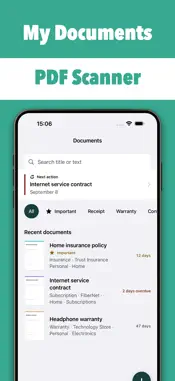
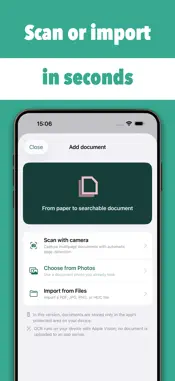
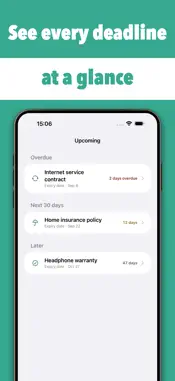
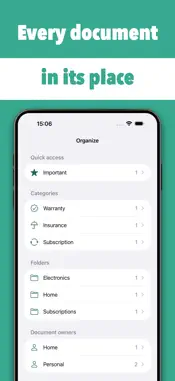
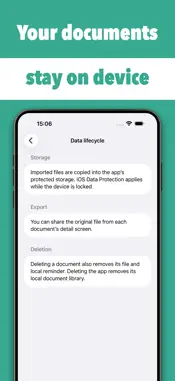
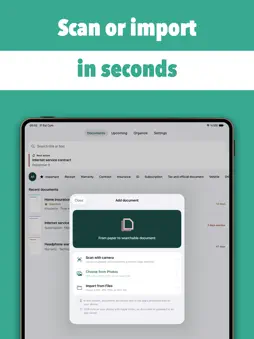
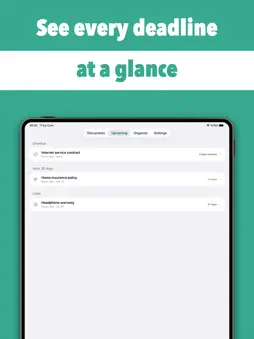
My Documents turns paper records and scattered files into an organized, searchable document library you can actually use. Scan a multipage document, import an existing file, find words inside it and keep important expiry or cancellation dates visible in one private place. SCAN OR IMPORT • Scan multipage documents with the camera and automatic edge detection. • Import PDF, JPG, PNG and HEIC files from Photos or Files. • Keep the original attachment available from the document detail screen. • Review the document before saving so you stay in control of every record. SEARCH WITH ON-DEVICE OCR • Apple Vision OCR recognizes text directly on your device. • Search both document titles and recognized text. • Find a warranty by its serial number, a receipt by a store name or a contract by a phrase inside the page. • Reviewable suggestions can prefill a title, category, institution and relevant future date; nothing is accepted without your confirmation. ORGANIZE THE WAY REAL DOCUMENTS WORK • Group documents by category, folder, label, institution and document owner. • Mark important records for quick access. • Keep warranties, receipts, invoices, contracts, insurance policies, identity documents, tax records and other files together without losing their context. • Open the original file whenever you need to inspect or share it. NEVER LOSE TRACK OF A DATE • Add an expiry date or cancellation deadline to a document. • See overdue items, the next 30 days and later dates in a focused timeline. • Create an optional local reminder before the selected date. • Lock Screen notifications avoid showing the document name or document contents. BUILT FOR PRIVACY Documents, recognized text and organization details stay in the app’s protected local storage. My Documents has no account system, advertising network, analytics tracker or developer document server. OCR runs on device. Imported document content is not uploaded to a My Documents server because no such server exists. Apple and RevenueCat process purchase identifiers and subscription status only to provide and restore Pro access. When you export a file, the privacy rules of the destination app apply. YOUR FILES, YOUR DECISIONS Edit a title, category, institution, owner, folder, labels, notes and important dates at any time. Deleting a document also removes its locally stored attachment and scheduled reminder. Deleting the app removes its local My Documents library from the device. SUPPORTED WORKFLOW My Documents is designed for personal document capture, organization, search and deadline tracking. It does not modify the contents of the original document, provide legal or financial advice, or replace the issuing institution’s official records. Always verify OCR suggestions and important dates against the original file. Start with one receipt, warranty, contract or policy. Build a document library that is faster to search, easier to understand and ready before the next important date arrives. Terms of Use: https://www.apple.com/legal/internet-services/itunes/dev/stdeula/ Privacy Policy: https://developing-comet-b87.notion.site/privacy-policy-habit-tracker-3001f542e1a380d0b061e3bb78291ab0?source=copy_link
Technical Analysis
Package Overview Basic metadata
Bundle ID
com.kasamapp.evrakca Current Version 1.0
Minimum iOS 18.0
Package Size App Store Size
Package Metadata 0 / 0 version records
Detailed binary, privacy manifest, framework, and Info.plist results have not been indexed for this package yet. The verified App Store and archive metadata above remains available.
Known Version Records
0 version records with stored package metadata
Stored metadata does not guarantee a package is currently available to download.
| Details | Version / IDs | Version date | Action |
|---|