Preview








Description
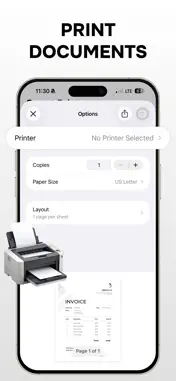
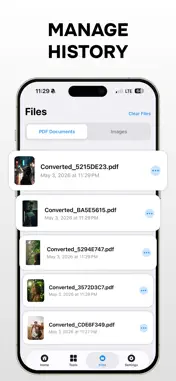
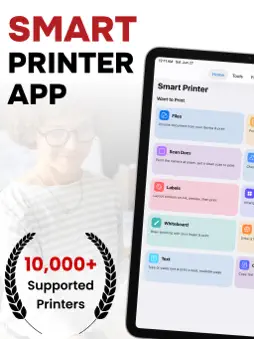
Smart Printer App & Scanner Smart Printer is an all-in-one productivity app that combines printing, scanning, editing, and creative tools into one simple and easy-to-use experience. Whether you’re managing study notes, office documents, or personal photos, Smart Printer helps you handle tasks quickly and efficiently. - Smart Printing Made Easy Print documents, images, PDFs, and files directly from your device with a smooth and hassle-free experience. Designed for everyday convenience, Smart Printer makes printing fast, simple, and reliable. - Scan Documents Instantly Convert physical papers into digital files using your device camera. Easily scan notes, receipts, invoices, assignments, and important documents while keeping everything organized in one place. - Edit & Sign Documents Quickly edit documents, highlight important information, or add your signature whenever needed. Ideal for forms, office work, contracts, and study materials on the go. - Enhance Your Photos Improve image quality with simple editing tools like brightness, contrast, filters, and adjustments before printing or sharing your photos. - Create Beautiful Photo Collages Combine multiple photos into stylish and printable layouts. Perfect for memories, creative projects, and social sharing. - Draw, Sketch & Create Use built-in drawing tools to sketch ideas, make quick notes, or create simple designs directly inside the app. - Printable Layouts & Labels Choose from multiple layouts to organize content for printing. Great for labels, notes, study sheets, and structured pages. - Built for Everyday Productivity Smart Printer is designed with simplicity and performance in mind: * Clean and modern interface * Smooth and reliable performance * Easy-to-use tools without unnecessary complexity * All essential features in one app Smart Printer helps you stay productive without switching between multiple apps. Note: A subscription plan is required to unlock unlimited access to all premium features. Download Smart Printer today and simplify the way you print, scan, edit, and manage your documents. Privacy Policy & Terms of Use https://sites.google.com/view/app-info-privacypolicy https://sites.google.com/view/app-info-termsofuse
What's New
Version 1.3 2026-06-29
- Ipad Optimization - Improved printing performance and stability - Fixed minor bugs and UI issues Technical Analysis
Package Overview Basic metadata
Bundle ID
com.prynto.smart.tool.app Current Version 1.3
Minimum iOS 16.0
Package Size App Store Size
Package Metadata 1 / 4 version records
Detailed binary, privacy manifest, framework, and Info.plist results have not been indexed for this package yet. The verified App Store and archive metadata above remains available.
Known Version Records
1 version record with stored package metadata • 4 known version records
Stored metadata does not guarantee a package is currently available to download.
| Details | Version / IDs | Version date | Action |
|---|---|---|---|
| 14.34 MB | v1.3 App Store ID: 885773905Build: 1.3 | 2026-06-29 10:16:54 | Get Version |
| Not archived | App Store ID: 885460267 | Unknown | Request Version |
| Not archived | App Store ID: 885341679 | Unknown | Request Version |
| Not archived | App Store ID: 885244880 | Unknown | Request Version |