Preview
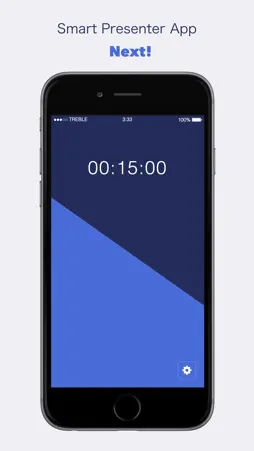
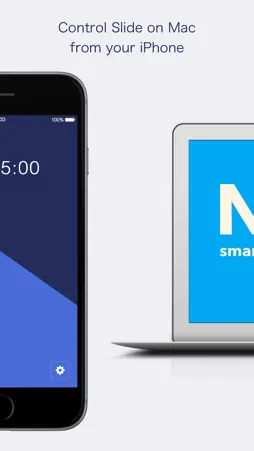
Description
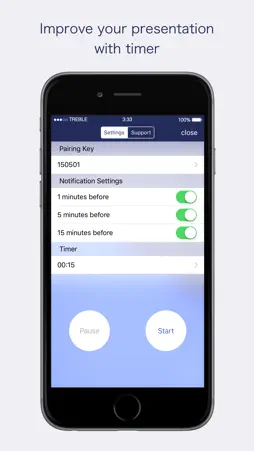
Do you give a presentation in front of your audience? Or in front of you Mac?? Next! Remote helps your presentation with your iPhone, and Mac. With this application, you can give a presentation in front of your audience. No need for expensive remote. What you use are iOS device, Mac, and your passion. - Easy setup with your iPhone, Mac. - Next! Remote notify remaining time by vibration! - Next! Remote supports various presentation tool like Keynote, PowerPoint and so on. ------------------------------ ● Feature - Remote feature(move on to next/previous page) By using Next! Remote, you can change slides page. Only what you have to do is tap remote button on iPhone. - Timer feature Have you ever experienced that you don't know remaining time for your presentation? Next! Remote show remaining time on iOS device, so you don't need to confirm it. Give a smart presentation with Next!. - Notification for remaining time(1min, 5min, and 15min). For better presentation, Next! Remote provide notification feature for remaining time. Next! Remote notify remaining time with vibration. You don't have to need to grasp remaining time. - Supported Application Next! Remote supports applications as below. Enjoy your presentation with Next! and your favorite application. * Keynote * PowerPoint * iBooks * Preview * Kindle * Google Slides(Google Chrome) * Deckset ------------------------------ ● How to use - Install Next! Remote(iOS app) to your iOS device, Next!(Mac app) to your Mac. - Activate their Bluetooth, then launch iOS/Mac app. - Input pairing key on your iOS device and connect them. - After connection established, launch presentation app which you like(e.g. Keynote, PowerPoint, and so on.). - You can move on to the next page by tapping iOS app right side button, also move on to the previous page by tapping left side button. - By tapping settings button on bottom right corner, you can open Settings View, and you can adjust Settings on it. ------------------------------
What's New
Version 1.0.3 2017-02-19
- improve stability - support Deckset Technical Analysis
Package Overview Basic metadata
Bundle ID
io.saib-stud.NextRemote Current Version 1.0.3
Minimum iOS 9.0
Package Size App Store Size
Package Metadata 0 / 4 version records
Detailed binary, privacy manifest, framework, and Info.plist results have not been indexed for this package yet. The verified App Store and archive metadata above remains available.
Known Version Records
0 version records with stored package metadata • 4 known version records
Stored metadata does not guarantee a package is currently available to download.
| Details | Version / IDs | Version date | Action |
|---|---|---|---|
| Not archived | App Store ID: 820979247 | Unknown | Request Version |
| Not archived | App Store ID: 818882317 | Unknown | Request Version |
| Not archived | App Store ID: 818637487 | Unknown | Request Version |
| Not archived | App Store ID: 815478210 | Unknown | Request Version |