
Preview




Description
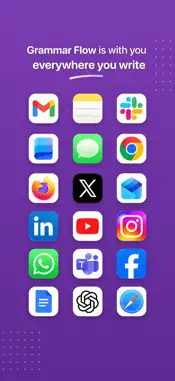
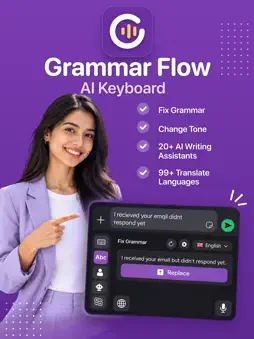
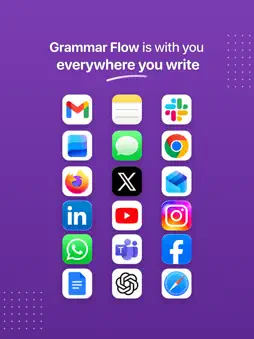
Write better in every app. Grammar Flow is an AI keyboard for iPhone and iPad that fixes grammar and spelling, rewrites your message in the right tone, translates it and turns your voice into text, right where you type. Use it in messaging, email, social, notes and work apps that allow third-party keyboards. No copying and pasting between apps. FIX GRAMMAR AND SPELLING Tap Fix Grammar to correct grammar, spelling and punctuation in one step while keeping your meaning. Check the suggestion, then tap Replace. CHANGE YOUR TONE Rewrite a message as Professional, Casual or Polite, or simply rewrite it to read more clearly. Add your own tones, such as Confident, Friendly, Empathetic, Persuasive, Diplomatic, Academic or Witty. Short texts get three versions to choose from. ASK AI: 30+ WRITING ASSISTANTS • Reply: draft an answer to a message you received • Humanise: make stiff or AI-sounding text read naturally • Summary, Explain, ELI5 and Study Notes • Essay, Blog Ideas, Blog Post, Poem and Continue Writing • Social media captions, posts, video titles and descriptions • Emojify, Idioms, Keywords, Math Solver, Explain Code and Convert Code • Create your own assistant with custom instructions for tasks you repeat TRANSLATE INTO 79 LANGUAGES Translate what you wrote before you send it. You can also choose the output language for grammar fixes, tone changes and AI results. VOICE TYPING IN 60 LANGUAGES Tap the mic and speak. Grammar Flow turns your speech into text with punctuation, capitalization and spacing. Switch languages mid-sentence, or pick a language to translate everything you say as you speak. Recording starts in the Grammar Flow app; swipe back and your text is ready. A FAST EVERYDAY KEYBOARD • Autocorrect, word completions and next-word predictions, processed on your device • Type in English, Spanish, French, German, Italian and Portuguese, with up to 4 languages active • QWERTY, AZERTY, QWERTZ, Dvorak, Colemak and Workman layouts • Emoji search, emoji suggestions, recents and skin tones • Smart Formatting for quick math, unit, number and time conversions • Text shortcuts, synonyms, space-bar cursor control and swipe-to-delete words • 18 gradient keyboard themes or your own photo, light and dark mode • Haptic and sound feedback, and a dedicated iPad layout • App available in 40 languages PRIVATE BY DESIGN Typing, predictions and autocorrect run on your device and work without Full Access. Full Access is needed only for the AI tools and voice typing, and your text is sent for processing only when you use them. Password fields always use the iOS system keyboard. FREE TO START Get 10 free credits when you sign up. A credit is used when you tap Replace on an AI result or use voice typing. Earn more credits by inviting friends (you each get 10) or by watching an optional ad. Premium gives you unlimited use of every AI tool. SET UP IN A MINUTE 1. Open Settings > General > Keyboard > Keyboards > Add New Keyboard and choose Grammar Flow. 2. Turn on Allow Full Access to use the AI tools and voice typing. 3. While typing, tap the globe key to switch to Grammar Flow. Premium is an auto-renewing subscription; plan options and prices are shown in the app. Payment is charged to your Apple Account when you confirm your purchase. The subscription renews automatically unless canceled at least 24 hours before the end of the current period. Manage or cancel it in your App Store account settings. AI and voice features need an internet connection. AI suggestions can contain mistakes, so review them before you send. Privacy Policy: https://miracleapps.in/grammarify/privacy/ Terms of Use: https://miracleapps.in/grammarify/terms/
What's New
Version 2.3 2026-11-20
• Smarter typing: the keyboard now anticipates the next letter, so quick taps near the edge of a key land on the letter you meant. • Better stability and lower ...• Smarter typing: the keyboard now anticipates the next letter, so quick taps near the edge of a key land on the letter you meant. • Better stability and lower memory use, so the keyboard stays fast and responsive while you type. • Bug fixes and performance improvements. Technical Analysis
Package Overview Basic metadata
Bundle ID
com.vectorinfo.grammarify Current Version 2.3
Minimum iOS 18
Package Size App Store Size
Package Metadata 0 / 0 version records
Detailed binary, privacy manifest, framework, and Info.plist results have not been indexed for this package yet. The verified App Store and archive metadata above remains available.
Developer Information
Known Version Records
0 version records with stored package metadata
Stored metadata does not guarantee a package is currently available to download.
| Details | Version / IDs | Version date | Action |
|---|