
Preview







Description
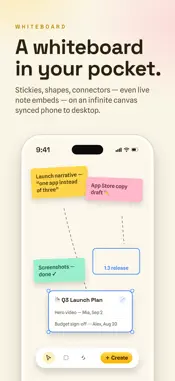
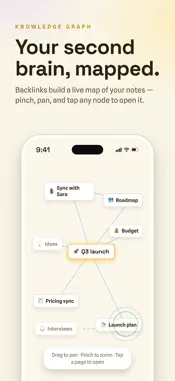
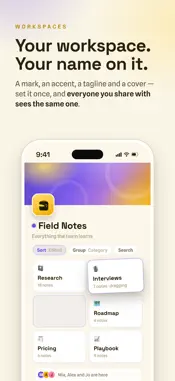
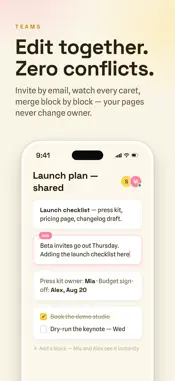
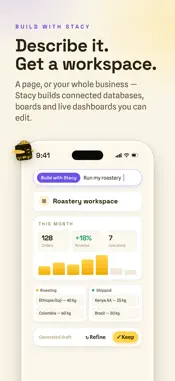
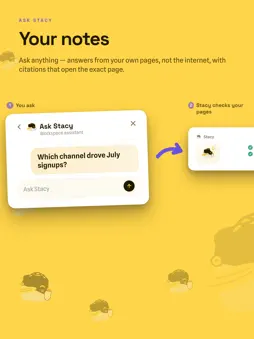
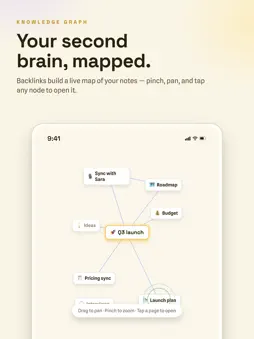
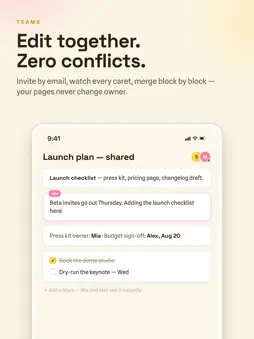
Stacy is a flexible workspace for notes, projects, journals, databases, whiteboards, and connected ideas. Write with a block editor, organize information into structured pages, link related work, and collaborate on shared documents. Sketch on an infinite whiteboard canvas with stickies, shapes, and connectors — the same canvas as Stacy on desktop. Record a voice memo or a whole meeting right on your phone — Stacy transcribes it into a structured page with the summary, decisions, and action items. Capture a web link or text from the iOS Share Extension and finish organizing it when Stacy opens. After one successful sign-in and sync, previously available workspace data and cached shared pages can open without a connection. Supported local edits and new attachments, plus supported shared-page edits, stay on the device and retry after Stacy reconnects and revalidates access. Hosted AI, live presence, first sign-in, incoming collaborator changes, and files that have not yet been cached still require internet access. Hosted AI is optional. Before the first hosted request on iOS, Stacy explains which prompt or selected content is sent and which provider categories process it. Declining hosted AI does not remove notes, sync, or collaboration. Public pages include a Report action. Account holders can review connected devices, withdraw hosted-AI permission, and permanently delete their account from the app. Stacy is free to use. An optional Stacy Pro subscription unlocks higher AI limits, unlimited email-gated shared pages, and more attachment storage. Stacy Pro (optional auto-renewable subscription) • Stacy Pro Monthly — $7.99 per month • Stacy Pro Yearly — $79.99 per year Payment is charged to your Apple Account at confirmation of purchase. The subscription renews automatically unless auto-renew is turned off at least 24 hours before the end of the current period, and your account is charged for renewal within 24 hours before the period ends. You can manage or cancel your subscription in your Apple Account settings after purchase. Privacy Policy: https://stacy.page/privacy Terms of Use (EULA): https://www.apple.com/legal/internet-services/itunes/dev/stdeula/ Stacy Terms of Service: https://stacy.page/terms
What's New
Version 1.8 2026-09-27
Links you can shape yourself, and Undo that's always within reach. • Paste a link and it turns into a tidy link box on its own. Finish a line that holds only a... Technical Analysis
Package Overview Basic metadata
Bundle ID
page.stacy.app Current Version 1.8
Minimum iOS 15.0
Package Size App Store Size
Package Metadata 0 / 0 version records
Detailed binary, privacy manifest, framework, and Info.plist results have not been indexed for this package yet. The verified App Store and archive metadata above remains available.
Developer Information
Known Version Records
0 version records with stored package metadata
Stored metadata does not guarantee a package is currently available to download.
| Details | Version / IDs | Version date | Action |
|---|