Preview




Description
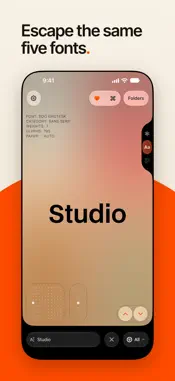
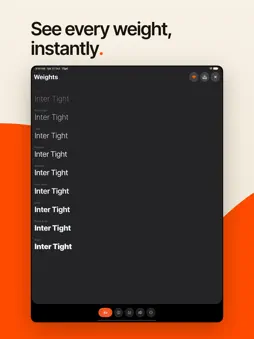
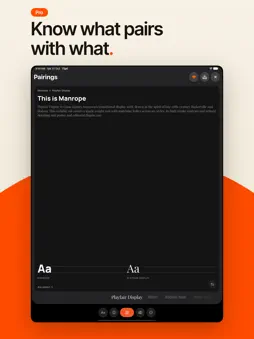
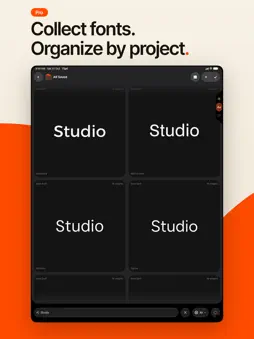
Escape the same five fonts. 72pt is a font app for iPhone and Mac. It has 880+ free fonts, all picked by hand and all cleared for commercial use. Try them on your iPhone with your own text, then, with 72pt Pro, install the ones you like on your Mac. Most design ends up in the same few fonts, like Inter, Poppins and Montserrat, because finding anything better is a chore. More than half of the fonts in 72pt come from independent foundries like The League of Moveable Type and Velvetyne, straight from the GitHub and GitLab pages where they publish them. The rest are from Google Fonts. Among them are well-known ones like Playfair Display, and monospace fonts for code like JetBrains Mono. Nearly all of them (94%) use the SIL Open Font License, and the others use MIT, Apache or similar licenses. Any of them is fine for client work. On your iPhone, fonts fill the screen one at a time. Swipe up for the next one. Type a headline or your project name and you'll see it in that font right away. Scrub the size and spacing with your finger and double-tap to save. Swipe left to see every weight, who designed the font, what it's good for and how it's licensed. Fonts you save on your iPhone show up on your Mac through iCloud, and they stay downloaded, so they work offline. The Mac app is a narrow window you keep next to Figma, Sketch or Photoshop. Type your text once and read it in all your saved fonts at the same time, or browse every font in the app. With Pro you can install the ones you want, and they'll work in every app on your Mac. 72pt doesn't install fonts on the iPhone itself. On your iPhone there are also three widgets: a different font every day, one that lets you flip through fonts, and a clock that shows the time in whichever of twelve fonts you pick. Ask Siri for a font by name and it shows you a sample. Search from your Home Screen and Spotlight finds any font in 72pt. Without paying, you can browse every font on iPhone and Mac, try it with your own text and save up to 25 fonts in one folder. The widgets, Siri and iCloud sync are free too. You pay for Pro once. There's no subscription, and Family Sharing is included. Pro gives you unlimited saves and folders, installing on your Mac, and downloading the font files as a ZIP. It also adds a grid of every character in a font, font pairings, saved sample texts you can switch between, and custom background colors. And you can copy a font's CSS for your website, or a prompt that gets an AI tool to use the font in what it makes for you. With Pro on an iPhone with Apple Intelligence, 72pt can also write sample text for you, figure out what you meant when a search comes up empty, and turn a project description into a folder of six fonts. There are no ads, and you don't need an account.
What's New
Version 2.2.1 2026-11-11
A performance update, plus new and updated fonts. • When the font list hasn't changed, the app doesn't download it again. • While you browse, the app saves the ...A performance update, plus new and updated fonts. • When the font list hasn't changed, the app doesn't download it again. • While you browse, the app saves the font it will open with next time, so the first font appears sooner. • As you swipe, the app keeps downloading the fonts coming up next, and the font on screen downloads first. • Fonts swap faster when you swipe, and the app writes to your phone's storage less often. • New fonts: Bertioga Sans Narrow and four new Firjar widths. • Ten fonts updated, including LXGW WenKai and D2Coding. • Font pairing updates now arrive even when no fonts have changed. Technical Analysis
Package Overview Basic metadata
Bundle ID
com.goodfreefonts.app Current Version 2.2.1
Minimum iOS 26.0
Package Size App Store Size
Package Metadata 0 / 0 version records
Detailed binary, privacy manifest, framework, and Info.plist results have not been indexed for this package yet. The verified App Store and archive metadata above remains available.
Developer Information
Known Version Records
0 version records with stored package metadata
Stored metadata does not guarantee a package is currently available to download.
| Details | Version / IDs | Version date | Action |
|---|