
Preview


Description
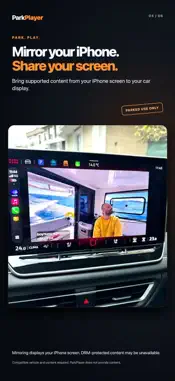
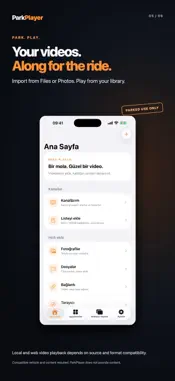
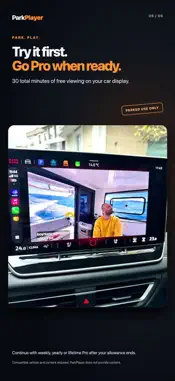
Park. Play. ParkPlayer brings your videos to a compatible in-car display while your vehicle is parked. CHOOSE HOW YOU WATCH • Open YouTube or a video website in the built-in browser. • Watch directly from the compatible car interface without mirroring your phone screen. • Mirror your iPhone screen to the car display. • Import videos from Files or Photos and play them from your library. • Enjoy full-screen viewing and resume supported local videos where you left off. Direct car-browser playback and screen mirroring are separate modes. When mirroring, the car displays what is on your iPhone. Website playback, protected content and background behavior depend on the provider and your system. TRY CAR VIEWING Enjoy 30 minutes of total free viewing on the car display. Paused playback and ordinary phone-only browser viewing do not consume this allowance. After it ends, an active ParkPlayer Pro purchase is required to continue car viewing. PARKPLAYER PRO Choose a weekly or yearly auto-renewing subscription, or a one-time lifetime purchase. Prices and billing periods are shown before purchase. Subscriptions renew automatically unless canceled through your Apple Account settings. Canceling renewal keeps access through the paid period; access ends when that period expires unless renewed. Restore eligible purchases from the app. IMPORTANT Video and mirroring are for parked use only. A compatible vehicle/display and iPhone are required. Not every vehicle or website supports every feature. ParkPlayer does not provide movies, channels or streaming subscriptions. DRM-protected content may block playback or mirroring. Services marked Coming Soon are unavailable as built-in shortcuts. Support: [email protected] Privacy: https://parkplayer-support.jrhfmnfjt6.chatgpt.site/en/privacy/ Terms of Use: https://www.apple.com/legal/internet-services/itunes/dev/stdeula/
What's New
Version 1.0.1 2026-11-02
• A slimmer CarPlay browser gives your videos more screen space. • Scroll with a swipe on the side strip or tap its up/down arrows. • Search YouTube and Google ...• A slimmer CarPlay browser gives your videos more screen space. • Scroll with a swipe on the side strip or tap its up/down arrows. • Search YouTube and Google using the on-screen keyboard, with Turkish characters, a wider space bar and a larger delete key. • Improved full-screen browsing, including hiding app controls when the website enters full screen. • Added an explicit safety confirmation for watching only while safely parked. • Refreshed service icons and simplified CarPlay shortcuts. Technical Analysis
Package Overview Basic metadata
Bundle ID
com.parkplayer.app Current Version 1.0.1
Minimum iOS 17.0
Package Size App Store Size
Package Metadata 0 / 0 version records
Detailed binary, privacy manifest, framework, and Info.plist results have not been indexed for this package yet. The verified App Store and archive metadata above remains available.
Developer Information
Known Version Records
0 version records with stored package metadata
Stored metadata does not guarantee a package is currently available to download.
| Details | Version / IDs | Version date | Action |
|---|