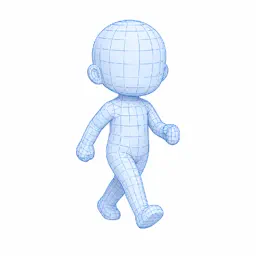
Preview


Description
Walk Sprite Maker is a production tool for creating reference images and underdrawings for character walk animations from 3D models. It does not automatically draw finished pixel art. Instead, it helps you establish body proportions, motion, direction, and camera angle before you complete the artwork yourself. It is designed for pixel artists, indie game developers, and creators of RPG or top-down game assets. BODY TYPES AND MODELS • Six built-in proportions: 2-, 3-, 4-, 5-, 6-, and 8-head characters • Import your own OBJ model • Adjust head, torso, arm, and leg size or length independently WALK MOTION • Choose from 2 to 64 animation frames • Select loop, start-idle, end-idle, or end-before-idle patterns • Fine-tune arm resting angle, arm swing, leg swing, body bounce, foot angle, and head movement • Preview the animation in real time at an adjustable playback speed DIRECTION, CAMERA, AND DISPLAY • Generate a sheet for the current direction or all four cardinal directions • Adjust the top-down camera angle from 0 to 90 degrees and apply yaw correction • Use separate colors for each body part or one uniform color • Switch between sketch, outline, wireframe, silhouette, shadow, and opacity modes • Export with a transparent or white background SAVE AND SHARE • Save sprite sheets as PNG • Export each frame as an individual PNG inside a ZIP archive • Save and load settings as JSON • Store projects, presets, and export history on your device • Share files with Photos, Files, and compatible drawing apps such as CLIP STUDIO PAINT, Procreate, and ibisPaint PRO FOREVER The one-time Pro purchase removes ads and unlocks eight-direction output, including diagonals; custom and high-resolution output up to 4096 px; storage for up to 100 projects, 100 presets, and 100 history items; output templates for padding, frame spacing, columns, and file naming; and advanced sketch customization for grids, line color, line width, and background color. A separate one-time Remove Ads purchase and a discounted Pro upgrade for existing Remove Ads owners are also available. There is no subscription. Important: The app creates guides and source images for artwork. It does not automatically produce finished pixel art.
What's New
Version 1.1.1 2026-09-18
Fixed minor bugs. Technical Analysis
Package Overview Basic metadata
Bundle ID
com.mkproject.SpriteKit Current Version 1.1.1
Minimum iOS 15.0
Package Size App Store Size
Package Metadata 1 / 1 version records
Detailed binary, privacy manifest, framework, and Info.plist results have not been indexed for this package yet. The verified App Store and archive metadata above remains available.
Developer Information
Known Version Records
1 version record with stored package metadata
Stored metadata does not guarantee a package is currently available to download.
| Details | Version / IDs | Version date | Action |
|---|---|---|---|
| 25.67 MB | v1.1.0 App Store ID: 887830963Build: 1.1.0 | 2026-09-02 21:37:46 | Get Version |