Preview






Description
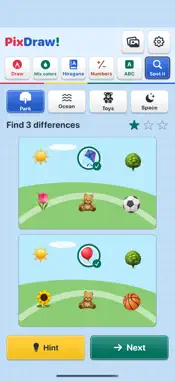
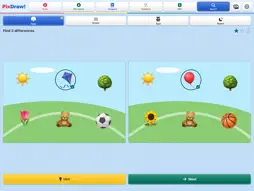
Draw, mix, trace, count, and spot the differences with PixDraw! Explore six creative and learning modes in one playful studio. DRAW WITH YOUR FAVORITE TOOLS Choose from 11 tools, including pencil, brush, crayon, and spray. Try rainbow and sparkle brushes, six shapes, emoji stamps, and letter stamps. Pick from 20 colors and four brush sizes, then draw with your finger or Apple Pencil. DISCOVER NEW COLORS Choose two paints from 50 colors and adjust the amounts. Tap Mix to watch and hear them swirl together before the new color appears. Change the ratio to explore the result, or use your new color to draw. PRACTICE 46 HIRAGANA CHARACTERS Trace Japanese hiragana one stroke at a time, with numbered starting points, animated demonstrations, and Japanese pronunciation. Completed characters are saved on your device. PLAY WITH NUMBERS Tap objects to count, then try addition and subtraction. Choose numbers up to 5 or 10 and pick from three answers. Picture groups help you see what each number means. EXPLORE THE ALPHABET Discover all 26 uppercase and lowercase letters with pictures and words. Tap Letters to hear only the letter name, or Word to hear only the English word. Both controls are available in letter-finding quizzes, so you can replay exactly what you want to hear. SPOT THE DIFFERENCES Compare two pictures and find three differences in each of four scenes: Park, Ocean, Toys, and Space. Tap either picture to mark a difference. Use a hint when needed, with no timer or penalty for mistakes. KEEP YOUR ARTWORK Restore your drawing in progress, save creations to the local gallery, and export to Photos. Undo and redo make it easy to try something different. The fixed bomb at the top clears the paper in one tap, and Undo brings your artwork back. MAKE IT YOUR OWN Layouts adapt to the size and orientation of your iPhone, iPhone Duo, or iPad. Switch sound effects, pronunciation, and haptic feedback on or off separately. The interface follows your device's Japanese or English language setting. Hiragana pronunciation is Japanese; alphabet pronunciation is English. No ads, no in-app purchases, and no account required. Artwork and practice progress stay on your device. All six modes work offline.
What's New
Version 2.2.1 2026-10-31
Clearer ABC pronunciation controls. - Listen to letter names and words separately with two large buttons. The letter button says only the letter name; the word...Clearer ABC pronunciation controls. - Listen to letter names and words separately with two large buttons. The letter button says only the letter name; the word button says only the English word. - Selecting a letter or moving to the next or previous letter plays only its name. - Both pronunciation buttons are also available in letter quizzes. - Starting a new pronunciation stops the previous one instead of queuing more speech. Keep enjoying Numbers, Spot it, Draw, Mix colors, and Hiragana. Supports iPhone Duo, with no ads or in-app purchases. All six modes work offline. Technical Analysis
Package Overview Basic metadata
Bundle ID
com.kidpixdraw.app Current Version 2.2.1
Minimum iOS 16.0
Package Size App Store Size
Package Metadata 0 / 2 version records
Detailed binary, privacy manifest, framework, and Info.plist results have not been indexed for this package yet. The verified App Store and archive metadata above remains available.
Developer Information
Known Version Records
0 version records with stored package metadata • 2 known version records
Stored metadata does not guarantee a package is currently available to download.
| Details | Version / IDs | Version date | Action |
|---|---|---|---|
| Not archived | App Store ID: 885552572 | Unknown | Request Version |
| Not archived | App Store ID: 884215926 | Unknown | Request Version |