
Preview




Description
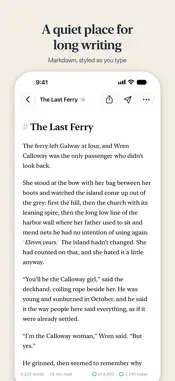
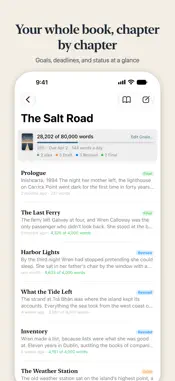
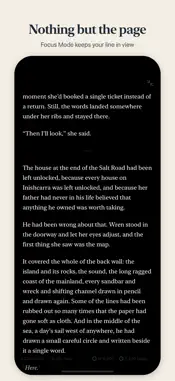
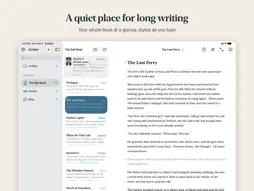
Scriptio is a quiet place for long writing: novels, memoirs, essays, and blog posts. Everything you write is a plain Markdown file in your iCloud Drive, so it follows you to your Mac, iPhone, and iPad, and it opens in any other app you like. One purchase covers your Mac, iPhone, and iPad. No subscription. WRITE WITHOUT DISTRACTIONS • Type Markdown and watch it styled as you go. The symbols stay visible but fade into the background. • A clean page set in the New York serif, in light or dark mode. • Focus Mode hides everything but the page, and typewriter scrolling keeps the line you're writing in the middle of the screen. • A formatting bar above the iPhone keyboard, and familiar shortcuts on a keyboard. • Optional typewriter sounds, recorded from a real typewriter. ORGANIZE A WHOLE BOOK • Give each book its own project and each chapter its own document. Drag chapters into order. • Mark chapters as Idea, Draft, Revised, or Final, and see where the whole project stands at a glance. • Add a cover, choose an icon for each project, and keep loose notes in Unfiled until they find a home. • Quick Open jumps to any document, and Find and Replace works across a whole project. • Paste or drop pictures into your writing, or add them from Photos. REACH YOUR GOALS • Set a word goal and a deadline for a project, and Scriptio tells you how many words a day will get you there. • Give chapters their own goals and due dates. • Set a daily goal, and watch your streak grow in Writing History. • Only the words you type count: pasted text doesn't inflate your total. • Widgets for your Home Screen, Lock Screen, and desktop show today's words and your project's progress. FINISH AND SHARE • Compile Manuscript shows a project as one book. • Export to PDF, EPUB, a web page, or Markdown, with your cover first, and to Word on the Mac. • Standard Manuscript Format for agents and editors: a title page with your contact details, double-spaced Times New Roman, and page headers, ready to submit. • Publish straight to WordPress, Ghost, and Micro.blog, with tags, excerpts, and a featured image. For any other site, Scriptio gets your post ready to copy and paste. KEEP YOUR WORK SAFE • Your writing is plain text you own, not locked in a database. • Save snapshots of a document before big changes, compare them word by word, and restore any of them. • Autosave, and a clear warning if anything ever fails to save. • If you edit the same document on two devices, Scriptio shows you both versions and lets you choose. PRIVATE BY DESIGN Scriptio has no accounts, no ads, and no tracking, and it collects no data. Your writing goes only to your iCloud Drive and to the blogs you choose to publish on. Buy Scriptio once and it's yours on Mac, iPhone, and iPad.
Technical Analysis
Package Overview Basic metadata
Bundle ID
com.ryanegli.Scriptio Current Version 1.0
Minimum iOS 26.0
Package Size App Store Size
Package Metadata 0 / 0 version records
Detailed binary, privacy manifest, framework, and Info.plist results have not been indexed for this package yet. The verified App Store and archive metadata above remains available.
Developer Information
Known Version Records
0 version records with stored package metadata
Stored metadata does not guarantee a package is currently available to download.
| Details | Version / IDs | Version date | Action |
|---|