Preview







Description
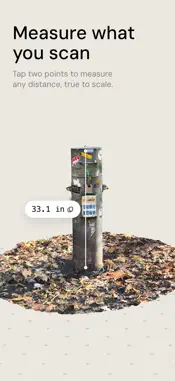
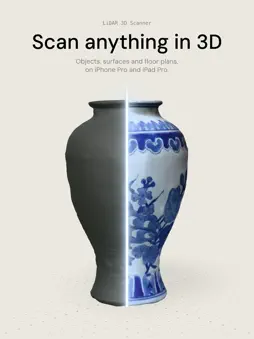
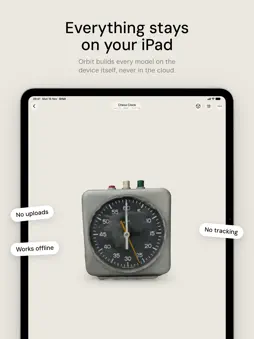
Orbit turns real objects into detailed 3D models and rooms into measured floor plans, right on your iPhone or iPad. It needs the LiDAR Scanner: iPhone 12 Pro or later Pro models, or iPad Pro with M1 or later. Other models can install Orbit but can't scan. Scan as much as you like, for free. There's no account to create, nothing is uploaded and you never pay per scan. Made for 3D printing, AR, game assets, planning a renovation and keeping a true-to-scale record of the things you make or find. THREE WAYS TO SCAN • Object: walk around an object while Orbit photographs it from all around. • Area: scan what you can't walk around, like a wall, a carving or a patch of ground. • Floor Plan: walk through a room to get a measured plan with its walls, doors, windows and furniture. Save one room, or keep adding adjoining rooms to the same plan. For Object and Area, Orbit takes the photos automatically, or you can tap the shutter yourself. Save a capture as a draft and build the 3D model later. ON YOUR DEVICE • Everything is built on your iPhone or iPad: 3D models with Apple's Object Capture, which combines photogrammetry with LiDAR depth, and floor plans with Apple's RoomPlan. • Your scans are never uploaded. No ads and no tracking. Analytics are off unless you turn them on. • Works offline, so you can scan anywhere. VIEW, MEASURE AND EDIT • A 3D viewer with studio lighting, wireframe and real-world dimensions. • Measure: tap two points on a scan to see the distance between them, true to scale. • View in AR to see a scan in the real world. • Floor plans open as a 2D drawing with room areas and wall lengths. Areas show in square metres, with square feet alongside. Tilt the plan into a 3D cutaway to look inside. • Turn, crop, resize, move and recolour a 3D model. Crop cuts away what the model stands on, leaving a flat base, and trims what's around it. Saving edits needs Orbit Pro. EXPORT • USDZ, GLB and OBJ export is free, for AR, the web, Blender and most 3D apps. • With Orbit Pro: STL and 3MF for 3D printing (true scale, in millimetres or inches, upright on the build plate), FBX for game engines and PLY with colour. • Floor plans export as USDZ for free. With Orbit Pro, share a measured PDF drawn to scale for A4 or US Letter, in metric or feet and inches. • Share in one tap, or drag a scan into another app on iPad. AND MORE • Smart names: on devices with Apple Intelligence, Orbit names each new scan for you. • Siri and Shortcuts: start a scan, open one, or export one as a step in your own shortcut. • Find your scans in Spotlight. ORBIT PRO Scanning, measuring and USDZ, GLB and OBJ export are free, with no limit. Orbit Pro is an optional one-time purchase that adds: • STL, 3MF, PLY and FBX export • Measured floor plan PDFs • Saving edits • Process Again: rebuild a model from its photos with different settings • Source Photos: export your original capture photos • File names without the "Scanned for free with Orbit" suffix Pay once and keep Pro forever. No subscription. Terms of Service: https://rutgerschimmel.notion.site/Terms-of-Service-0480a6b6c00e418ebcc3086bd953155e Privacy Policy: https://rutgerschimmel.notion.site/Privacy-Policy-ab97c3f64c59434d8c36c1349452068f
What's New
Version 2.1 2026-11-16
Orbit 2 is rebuilt from the ground up, with a new design and lots of new features. Your scans and Orbit Pro purchase carry over automatically. NEW IN 2.1 • Flo...Orbit 2 is rebuilt from the ground up, with a new design and lots of new features. Your scans and Orbit Pro purchase carry over automatically. NEW IN 2.1 • Floor Plan: walk through a room to get a measured plan with its walls, doors, windows and furniture. Keep adding adjoining rooms to the same plan, and view it as a 2D drawing or a 3D cutaway. Areas show in square metres, with square feet alongside. • Measured floor plan PDFs (Pro): drawn to scale for A4 or US Letter, in metric or feet and inches. • Crop: cut away what a model stands on, leaving a flat base, and trim what's around it. • Shadow: show a soft shadow under the model, next to Grid. • Orbit Pro is now a one-time purchase: pay once, keep Pro forever. Yearly subscriptions continue as before. ALSO NEW IN ORBIT 2 • Area mode: scan what you can't walk around, like a wall, a carving or a patch of ground. • Manual capture: tap the shutter yourself, or let Orbit take the photos automatically. • Drafts: save a capture and build the 3D model later. Models keep building while you browse your scans. • A new 3D viewer with studio lighting and real-world dimensions. • Measure: tap two points on a scan to see the distance between them. • Edit: turn, resize, move and recolour a scan. Saving edits needs Orbit Pro. • Process Again (Pro): rebuild a model from its photos with different settings. • GLB export, free. With Orbit Pro: 3MF and FBX, STL and 3MF at true scale and upright on the build plate, and PLY with colour. • Source Photos (Pro): export your original capture photos. • Share in one tap, or drag a scan into another app on iPad. • Sort, filter and select several scans at once. Recently Deleted keeps deleted scans for 30 days. • Smart names: with Apple Intelligence, Orbit names each new scan in your language. • Siri, Shortcuts and Spotlight: start, open, export and find your scans. • A Liquid Glass design, better VoiceOver and Dynamic Type support, and better translations. Technical Analysis
Package Overview Basic metadata
Bundle ID
nl.rutgerschimmel.orbit Current Version 2.1
Minimum iOS 27.0
Package Size App Store Size
Package Metadata 0 / 5 version records
Detailed binary, privacy manifest, framework, and Info.plist results have not been indexed for this package yet. The verified App Store and archive metadata above remains available.
Known Version Records
0 version records with stored package metadata • 5 known version records
Stored metadata does not guarantee a package is currently available to download.
| Details | Version / IDs | Version date | Action |
|---|---|---|---|
| Not archived | App Store ID: 872202880 | Unknown | Request Version |
| Not archived | App Store ID: 865228452 | Unknown | Request Version |
| Not archived | App Store ID: 863592699 | Unknown | Request Version |
| Not archived | App Store ID: 862787068 | Unknown | Request Version |
| Not archived | App Store ID: 862678150 | Unknown | Request Version |