Preview





Description
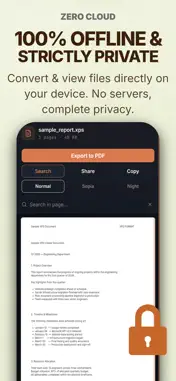
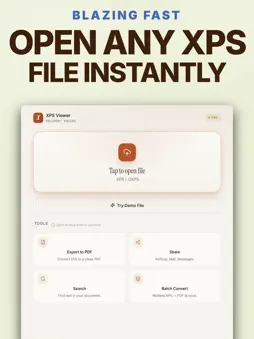
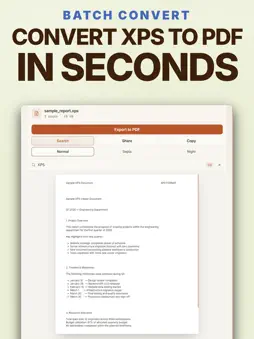
Did you receive an important XPS or OXPS document and are having trouble viewing it? You need to view it right now, but uploading confidential company contracts, personal forms, or sensitive files to random online converters is a massive privacy risk. Meet XPS Viewer · XPS to PDF. Built from the ground up with our proprietary Rush Tools Engine, this app gives you desktop-grade processing power to instantly read and convert any XPS format completely offline. Your sensitive files never leave your device, ensuring 100% absolute privacy. XPS OPENER: POWERFUL OUTCOMES FOR YOUR WORKFLOW: • Instant Access: Open and read XPS/OXPS files instantly without any lag or formatting errors. • Flawless XPS convert into PDF: Convert your documents to highly standard PDF 1.7 formats in seconds. Fast XPS Files to PDF. • Batch Processing: Stop wasting time. Convert multiple files to PDF all at once with a single tap. • Work Like a Pro: Use full-text search to find exact clauses, and copy important text directly to your clipboard. • Eye-Care Reading: Enjoy Normal, Sepia, or Night modes, plus 50% to 300% smart zoom for the finest print. Eye-Care XPS Reader. • Universal Ecosystem: Download once and use it seamlessly across your iPhone, iPad, and Mac. Share instantly via AirDrop or Mail. HOW DO I OPEN A OXPS / XPS FILE? • Download our app to your device. Select/drag and drop your document. It's that simple. Don't let an unopenable XPS document file slow down your day or put your data at risk. Get the software now, regain full control over your documents, and experience the ultimate desktop-grade performance in your pocket. Privacy Policy: https://rush.tools/privacy Terms of Use: https://rush.tools/terms
What's New
Version 2.0.10 2026-10-30
Minor refinements. (XPS Viewer · XPS to PDF) Technical Analysis
Package Overview Basic metadata
Bundle ID
tools.rush.xpsviewer Current Version 2.0.10
Minimum iOS 15.0
Package Size App Store Size
Package Metadata 1 / 3 version records
Detailed binary, privacy manifest, framework, and Info.plist results have not been indexed for this package yet. The verified App Store and archive metadata above remains available.
Developer Information
Known Version Records
1 version record with stored package metadata • 3 known version records
Stored metadata does not guarantee a package is currently available to download.
| Details | Version / IDs | Version date | Action |
|---|---|---|---|
| 21.73 MB | v2.0.8 App Store ID: 886720559Build: 2.0.8 | 2026-09-15 17:56:03 | Get Version |
| Not archived | App Store ID: 886630668 | Unknown | Request Version |
| Not archived | App Store ID: 885886792 | Unknown | Request Version |