Preview




Description
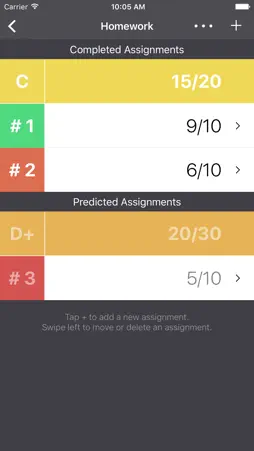
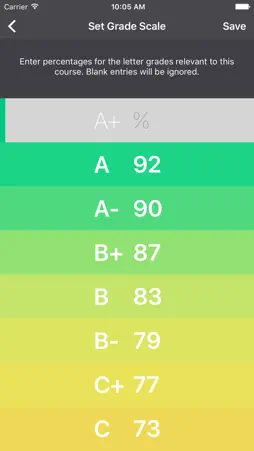
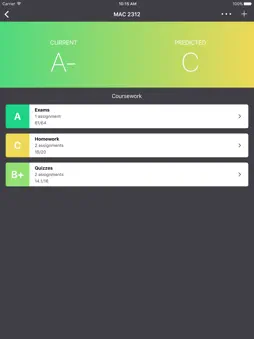
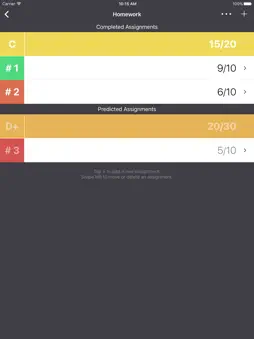
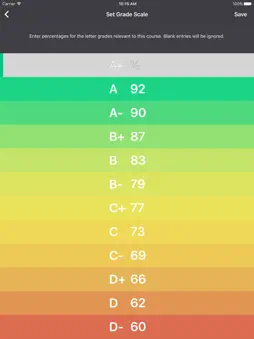
Gradient keeps track of your current and predicted grades. Ever wonder what score you need on an exam to get an A in the class? Of course you have. Because whether you're acing a class or failing, it feels better to know where you stand. Now you can see what scores you need for the grade you want. Use Gradient to record your current grades –– and predict your final grades based on assignments that you have yet to complete. Here's how it works: 1. Set parameters for a course you want to track: things like grading scale and whether certain sections of the course are weighted differently. 2. Enter scores for assignments you've completed ... and enter predicted scores for assignments you haven't done yet. 3. As you complete coursework, mark predicted assignments as "completed" and adjust your scores accordingly. 4. Keep up with your Gradient and experiment with predicted scores. The goal is all green! Technical mumbo-jumbo: All grades are calculated using numbers rounded to three decimal places. The percent value shown for grades does not display decimals. This is just to save space. The values are truncated, NOT rounded. For example, an 87.4 and an 87.5 will both show up as an 87. The letter grade depends on the grade scale you set. So, if you set a B+ as an 87.5, an 87.5 would show up as a B+ and an 87.4 would show up as a B. Please send questions, suggestions, and comments to: [email protected].
What's New
Version 1.1 2015-10-13
Welcome to the official release of the Gradient iOS app. Technical Analysis
Package Overview Basic metadata
Bundle ID
com.rsscstllo.Gradient Current Version 1.1
Minimum iOS 9.0
Package Size Latest Recorded Package Size
Package Metadata 1 / 2 version records
4.1 / 5.0 (40 ratings)
Detailed binary, privacy manifest, framework, and Info.plist results have not been indexed for this package yet. The verified App Store and archive metadata above remains available.
Known Version Records
1 version record with stored package metadata • 2 known version records
Stored metadata does not guarantee a package is currently available to download.
| Details | Version / IDs | Version date | Action |
|---|---|---|---|
 3.77 MB | v1.1 App Store ID: 841531685Build: 3 | 2021-04-17 10:59:10 | Get Version |
| Not archived | App Store ID: 813646067 | Unknown | Request Version |