Preview




Description
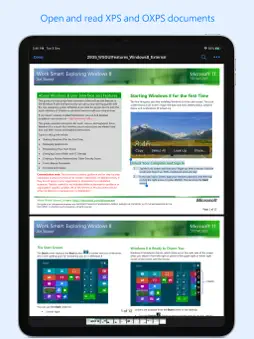
XPSView allows you to open and read XPS (XML Paper Specification, *.xps) and OpenXPS (*.oxps) documents on iOS device. It offers you fantastic reading experience using document outlines, page thumbnails and text search features. In addition, XPSView allows you to convert XPS and OXPS documents into PDF and make it available for any PDF viewing application. Are you having plenty of XPS/OXPS files that no decent viewer available to open on your iPhone and iPad? Do you receive XPS/OXPS documents as email attachments on your iPhone and iPad? The easiest way to circumvent these problems is this XPSView app. * * * XPSView is also available for macOS on the Mac App Store * * * READING FEATURES: - Fully selectable and searchable text contents. Select and copy text to clipboard for further use. - Pinch out and Pinch in to ZoomIn and ZoomOut view. - Navigate through topics by document outlines, if exist. - Search text feature to find a character, word or sentence any where in a document. - Scroll through your document by Page Thumbnails or Go to page feature. XPS/OXPS to PDF CONVERSION FEATURES: - Converts XPS/OXPS to fully vector-PDF documents. Preserves text, vector graphics and raster images as editable PDF contents. - Preserves Bookmarks (Outline). - Preserves XPS internal and external topic hyperlinks into PDF. It automatically maintains XPS topic and page navigation links into PDF compatible annotations. - Preserves metadata properties. DOCUMENT MANAGEMENT - The inbuilt document browse view automatically gives you the option to share documents using the Share button or a drag-and-drop action. It also provides a standard interface for browsing and managing documents. - Automatically handles access to iCloud for you within the app. It also provides access to documents managed by third-party storage service extensions installed on your device. - Browse, find and sort documents to help you locate the document you want. Tap the file that you want to open. - You can move, delete, duplicate and rename a document with document manager in browser view. - In the document manager, you can group related documents into folders so they’re easy to find. Note: XPSView is standalone application running natively to convert XPS and OXPS to PDF securely on your device. You can refer User Manual for any assistance Or Contact Support. Privacy Policy: http://rootrisetech.com/xpsview-privacy-policy Terms of Use(EULA): https://www.apple.com/legal/internet-services/itunes/dev/stdeula/
What's New
Version 4.0 2026-01-25
- Bug fixes and UI improvements to streamline with latest iOS. We are thankful to all users for their valuable feedback :) Technical Analysis
Package Overview Basic metadata
Bundle ID
com.RootRiseTechnologies.Pvt.Ltd.XPSView Current Version 4.0
Minimum iOS 15.6
Package Size App Store Size
Package Metadata 1 / 10 version records
4.5 / 5.0 (55 ratings)
Detailed binary, privacy manifest, framework, and Info.plist results have not been indexed for this package yet. The verified App Store and archive metadata above remains available.
Developer Information
Known Version Records
1 version record with stored package metadata • 10 known version records
Stored metadata does not guarantee a package is currently available to download.
| Details | Version / IDs | Version date | Action |
|---|---|---|---|
| 3.48 MB | v4.0 App Store ID: 880593119Build: 4.0 | 2026-01-25 20:08:39 | Get Version |
| Not archived | App Store ID: 857259870 | Unknown | Request Version |
| Not archived | App Store ID: 851973682 | Unknown | Request Version |
| Not archived | App Store ID: 851625896 | Unknown | Request Version |
| Not archived | App Store ID: 833993757 | Unknown | Request Version |
| Not archived | App Store ID: 833846701 | Unknown | Request Version |
| Not archived | App Store ID: 769082677 | Unknown | Request Version |
| Not archived | App Store ID: 749093325 | Unknown | Request Version |
| Not archived | App Store ID: 563785110 | Unknown | Request Version |
| Not archived | App Store ID: 329832642 | Unknown | Request Version |