Preview











Description
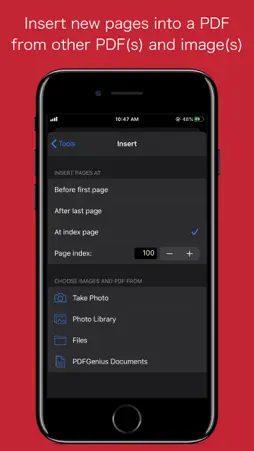
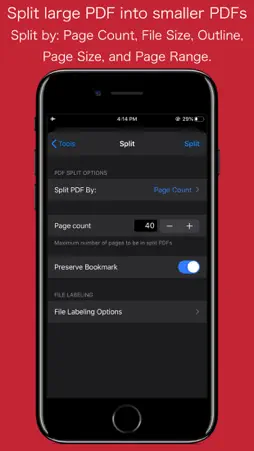
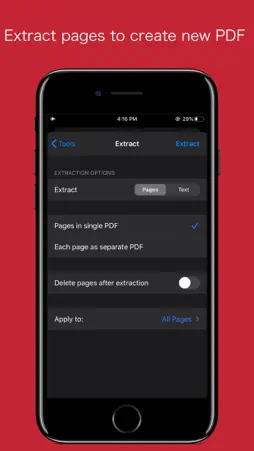
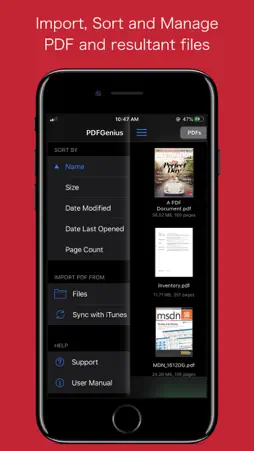
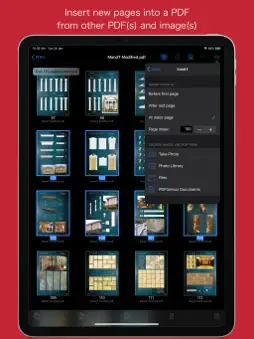
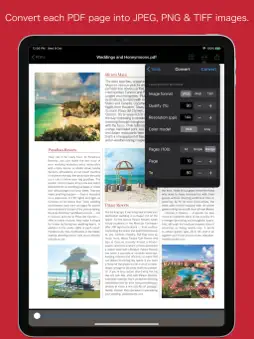
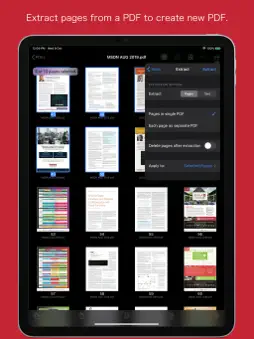
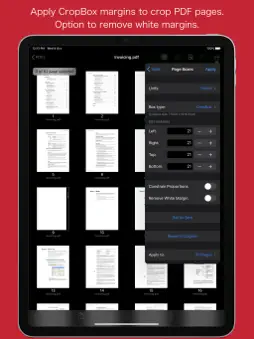
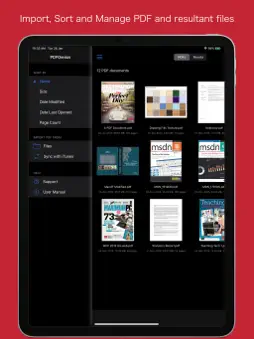
PDFGenius is an easy-to-use, intuitive and powerful PDF manipulation utility app that you will ever need. PDFGenius offer features like combining PDFs, splitting PDFs into multiple files, PDF compression to reduce file size, convert PDF into images, extract pages from a PDF to create another PDF and extract text from PDF document. * * * PDFGenius for Mac is also available on the Mac App Store. * * * PDF editing features that allows you to insert new pages from images and PDF files, delete, rotate and reorder pages within PDF. In addition, you can crop and divide PDF pages, remove links, modify metadata, add/remove password security. PDFGenius performs all manipulating operations on PDF by preserving contents (i.e. structure of the file, color profiles, fonts, links, bookmarks) without losing document’s integrity and does it very fast. ◆ MERGE : Combine multiple files into single PDF document. Alternate page merge supported. ◆ SPLIT : Split PDF into multiple PDF files. Five divide criteria along with file labelling options 1) Split by number of pages per file. 2) Split by file size. 3) Split by outline level. Use outline titles as PDF filenames. 4) Split by page size. 5) Split by comma separated page range. ◆ CONVERT: - Convert PDF into each page as images (JPG, PNG, TIFF). - Specify JPEG image quality, resolution and color model. - You can save converted images into Photos Album. - Include annotations control to enable display annotations into converted images. ◆ COMPRESSION: - Compress large image and graphics heavy PDF using extensive set of options. - Controls to change JPEG quality, color model, image resolution and Optimise graphics level to decrease the file size dramatically. New Optimize graphics option removes superfluous information to reduce vector graphics heavy PDF. - Inbuilt side-by-side preview to compare original and compressed PDF for iPad. ◆ COPY/PASTE PDF pages between PDF documents. You can duplicate selected pages within PDF. ◆ EXTRACT PAGES: Reuse selected pages from one PDF document to create new PDF document. - Open to extract each PDF page as separate PDF document. ◆ INSERT: Insert new pages into existing PDF by inserting images and pages from another PDF. - Tool to insert blank page. ◆ DELETE: Delete pages from PDF file. Tool to delete blank pages. ◆ PASSWORD SECURITY: - Add or remove password security with file restriction controls. ◆ PAGE BOXES: Set CropBox and other display box margins of the PDF pages. - Options to remove white margins. - Option to divide(cut) PDF pages horizontally and vertically. ◆ REMOVE LINKS: Remove annotations, internal links, external hyperlinks. ◆ PAGE SELECTION: Most helpful page selection variations to speed up page manipulations. ◆ ARRANGE, SHUFFLE, REORDER and ROTATE PAGES ◆ Modify PDF document METADATA. ◆ Extract plain text. Much more… PDF VIEWER: - Very powerful and fast PDF reader with fully selectable and searchable text contents. - Pinch out and Pinch in to ZoomIn and ZoomOut view. - Navigate within PDF using slide over thumbnail view, outlines and Go to page feature. ◆ TRANSFER AND SHARE FILES - You can share new generated files or archive multiple files into zip. You can send file(s) as Mail attachment, Open In… another app and Send to cloud storage. - Use Copy to iTunes to save and share files with your computer. - Fully supports iPad Drag & Drop feature across the app to transfer files and images between apps. Note: PDFGenius is standalone application running natively to manipulate PDF documents securely on your iOS device. *The free version allow you to open, view and work with PDF using various operations and manipulating tools. Get Premium to enable sharing of resultant PDFs, Images and text documents without any restrictions. Privacy Policy: http://rootrisetech.com/app-privacy-policy Terms of Use(EULA): https://www.apple.com/legal/internet-services/itunes/dev/stdeula/
What's New
Version 3.0 2026-01-26
- Bug fixes and UI improvements to streamline with latest iOS. We are thankful to all users for their valuable feedback :) Technical Analysis
Package Overview Basic metadata
Bundle ID
com.RootRiseTechnologies.Pvt.Ltd.PDFGenius Current Version 3.0
Minimum iOS 15.6
Package Size App Store Size
Package Metadata 1 / 15 version records
4.2 / 5.0 (34 ratings)
Detailed binary, privacy manifest, framework, and Info.plist results have not been indexed for this package yet. The verified App Store and archive metadata above remains available.
Developer Information
Known Version Records
1 version record with stored package metadata • 15 known version records
Stored metadata does not guarantee a package is currently available to download.
| Details | Version / IDs | Version date | Action |
|---|---|---|---|
 Not archived | App Store ID: 881772278 | Unknown | Request Version |
| 11.42 MB | v2.0 App Store ID: 856808343Build: 2023.0515.1428 | 2023-05-15 05:10:38 | Get Version |
| Not archived | App Store ID: 852624645 | Unknown | Request Version |
| Not archived | App Store ID: 846678258 | Unknown | Request Version |
| Not archived | App Store ID: 845021601 | Unknown | Request Version |
| Not archived | App Store ID: 843624146 | Unknown | Request Version |
| Not archived | App Store ID: 843576325 | Unknown | Request Version |
| Not archived | App Store ID: 840955594 | Unknown | Request Version |
| Not archived | App Store ID: 834511395 | Unknown | Request Version |
| Not archived | App Store ID: 833965914 | Unknown | Request Version |
| Not archived | App Store ID: 833087173 | Unknown | Request Version |
| Not archived | App Store ID: 827291241 | Unknown | Request Version |
| Not archived | App Store ID: 826850465 | Unknown | Request Version |
| Not archived | App Store ID: 825567068 | Unknown | Request Version |
| Not archived | App Store ID: 820510760 | Unknown | Request Version |