
Preview





Description
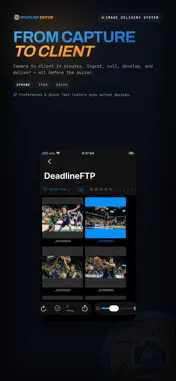
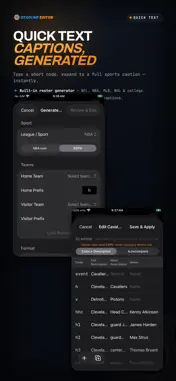
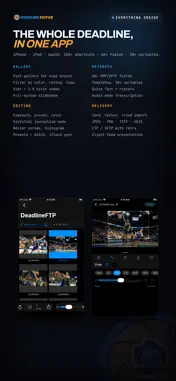
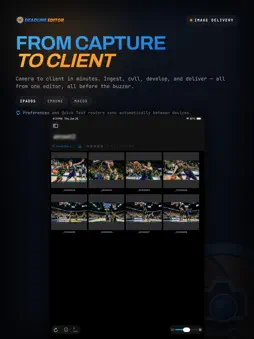
Deadline Editor is a professional photo management and editing app for photographers working under pressure — in sports, events, and editorial photography. Browse & Organize Browse thousands of images in a fast, GPU-accelerated thumbnail grid. Filter by star rating, color code, or favorite status. Pair RAW+JPEG automatically and view them together or separately. Edit JPEG/RAW Files Non-Destructively Process 15+ RAW formats with a full suite of professional adjustments — exposure, contrast, highlights, shadows, white balance, clarity, texture, dehaze, sharpening, noise reduction, vignette, and film grain. All edits are stored as XMP metadata, so your original files are never modified. Shoot Track Record where you have been working. Your route appears on a map with a pin for every photograph, and each frame is written with the position it was taken at — RAW included, through its XMP sidecar. Frames imported from a card later are placed by their own capture time. Export a session as a GPX file for Lightroom or Photo Mechanic, or share a picture of the map. Tracks stay on your iPad, are never uploaded, and are deleted on a schedule you set. Voice Tags & Transcription Attach voice memos and have them transcribed on device. Transcriptions flow into your chosen metadata field — field notes, player IDs, or scene descriptions without typing. Sports Photography Workflows Build game rosters by fetching live data for 20+ professional and college leagues, or paste roster data from any source. In Batch Mode, type a jersey number and the app expands it to the player's full name and position using Quick Text. Auto-advance moves you to the next image after each tag. Quick Text Automation Load TSV/CSV files with shorthand-to-caption mappings. Type a trigger key and it expands to full text. Combine sources and see live match previews as you type. Import From Anywhere Tether to a Wi-Fi camera over FTP and receive frames as you shoot. Import from card readers with verified checksums and automatic rollback on failure. Sync from FTP servers on a schedule. Connect to DeadlineFTP.com for real-time file delivery. Apply XMP metadata templates during any import. Comprehensive Metadata Editing Edit 66+ XMP and IPTC fields organized into categories — description, creator, content, people, location, rights, workflow, and camera info. Choose which fields are visible, pin your most-used, and reorder everything. Edit across multiple images at once. Deliver Fast Export to JPEG, PNG, TIFF, or HEIC with quality control, optional resizing, and metadata handling. Upload directly to FTP, FTPS or SFTP with batch support and progress tracking. Save delivery presets for one-click repeat workflows. Rename on export using pattern-based naming with EXIF date, metadata fields, and sequence variables. Built for Professionals Extensive hardware keyboard shortcuts let you rate, color-code, protect, navigate, filter, and tag without touching the screen. A dedicated photographer database stores contact information for embedding in image metadata. Use the iPad as a read-only client display for a photographer working on a Mac — no subscription needed. Supports JPEG, PNG, TIFF, HEIC, WebP, and RAW formats from Canon, Nikon, Sony, Fujifilm, Olympus, Panasonic, Pentax, and Samsung. Requires iPadOS 17.0 or later. Subscription 7-day free trial, then Deadline Editor Monthly at $9.99/month or Deadline Editor Annual at $79.99/year. Payment is charged to your Apple Account at confirmation of purchase. Subscriptions renew automatically unless cancelled at least 24 hours before the end of the period. Manage or cancel in Settings > your Apple Account > Subscriptions. Works with an existing Deadline subscription — sign in to activate. Privacy Policy: https://deadlineftp.com/privacy.html Terms of Use (EULA): https://deadlineftp.com/terms.html
What's New
Version 1.0.113 2026-11-04
Deadline Editor 1.0.113 — What's New (iPad) ------------------------------------------- **Delivery** - A frame the server refuses no longer stalls the batch. ... Technical Analysis
Package Overview Basic metadata
Bundle ID
com.roningroupinc.deadlineimageeditor Current Version 1.0.113
Minimum iOS 17.0
Package Size App Store Size
Package Metadata 0 / 9 version records
Detailed binary, privacy manifest, framework, and Info.plist results have not been indexed for this package yet. The verified App Store and archive metadata above remains available.
Developer Information
Known Version Records
0 version records with stored package metadata • 9 known version records
Stored metadata does not guarantee a package is currently available to download.
| Details | Version / IDs | Version date | Action |
|---|---|---|---|
| Not archived | App Store ID: 890044804 | Unknown | Request Version |
| Not archived | App Store ID: 889513950 | Unknown | Request Version |
| Not archived | App Store ID: 888571088 | Unknown | Request Version |
| Not archived | App Store ID: 888191480 | Unknown | Request Version |
| Not archived | App Store ID: 888135615 | Unknown | Request Version |
| Not archived | App Store ID: 887803662 | Unknown | Request Version |
| Not archived | App Store ID: 887741541 | Unknown | Request Version |
| Not archived | App Store ID: 887692274 | Unknown | Request Version |
| Not archived | App Store ID: 883477326 | Unknown | Request Version |