Preview


Description
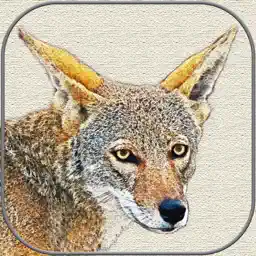
Canvas Art is both an application and a Photos editing extension so you can create you can also create canvas art right in the Photos app. Users are able to choose a canvas, tan, white, or gray, and set the transparency of your image on the canvas with looks ranging from washed out to photo like. After that the special charcoal outline effect is added and users have a wide range of intensities to work from. The finished product looks like canvas painting or charcoal sketch. iPad users also enjoy the new "Draw" feature where they can sketch their own art using finger tip or stylus device to make pencil lines. Once a masterpiece has been created Canvas Art allows users, with augmented reality capable iPhones and iPads, to see their own artwork with AR. When viewing images with AR, users have the option of three frame styles, light colored oak, cherry wood, or dark walnut, with the choice of no frame, thin, regular, and thick frame styles. Users can also choose from five different overall picture sizes to get an accurate feel for what large prints would look like mounted on a wall. Take your iPhone and iPad photography to a new level with Canvas Art.
What's New
Version 1.3.0 2025-05-19
Updates for the latest operating systems and devices. Improved performance. Technical Analysis
Package Overview Basic metadata
Bundle ID
com.ronboyddesign.Canvas-Art Current Version 1.3.0
Minimum iOS 15.5
Package Size App Store Size
Package Metadata 1 / 7 version records
5.0 / 5.0 (1 ratings)
Detailed binary, privacy manifest, framework, and Info.plist results have not been indexed for this package yet. The verified App Store and archive metadata above remains available.
Developer Information
Known Version Records
1 version record with stored package metadata • 7 known version records
Stored metadata does not guarantee a package is currently available to download.
| Details | Version / IDs | Version date | Action |
|---|---|---|---|
| 99.37 MB | v1.3.0 App Store ID: 872670719Build: 1.3.0 | 2025-05-19 15:21:47 | Paid / Arcade |
| Not archived | App Store ID: 845894295 | Unknown | Paid / Arcade |
| Not archived | App Store ID: 829023530 | Unknown | Paid / Arcade |
| Not archived | App Store ID: 828099975 | Unknown | Paid / Arcade |
| Not archived | App Store ID: 827328985 | Unknown | Paid / Arcade |
| Not archived | App Store ID: 826651406 | Unknown | Paid / Arcade |
| Not archived | App Store ID: 823094417 | Unknown | Paid / Arcade |