
Preview






Description
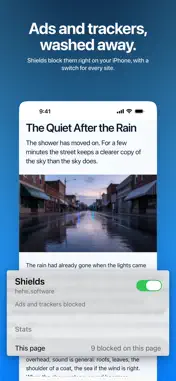
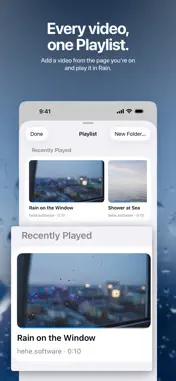
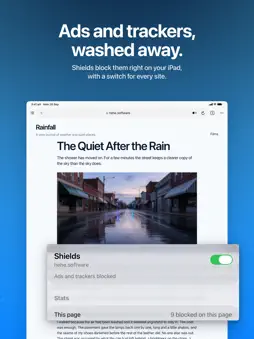
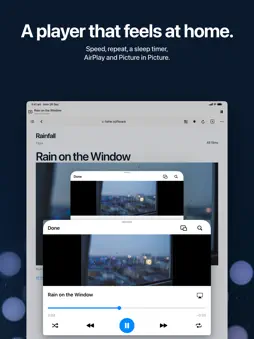
Browse the web with ads and trackers blocked on your device. Rain is a browser for iPhone and iPad, with familiar navigation, private tabs and a Playlist for videos you open on the web. Make the start page yours. Open Favorites, Playlist and Reading List from their own sections. Choose the sections you want, arrange their order, and choose a background or a photo from your library. Reading List brings article links and previews together. Swipe up from the address bar to see your tabs, or swipe sideways to switch between them. Ordinary tabs return when you reopen Rain. Profiles separate browsing sessions, Favorites and history. Named tab groups organize tabs inside a profile. Private tabs use a temporary session and do not add browsing history. Reader presents the main text of supported articles with a choice of fonts, text sizes and backgrounds. Adjust text size on other sites too. Choose your search engine in Settings, or use voice search when on-device speech recognition is available for your language. Shields block ads and trackers on the device. Per-site controls let you adjust protection for an individual page. Filter lists are included for first launch and refresh from their publishers. The Shields panel shows blocking counts for the current page. Add a video you open in the browser to Playlist and play it in Rain. Organize items in folders, resume playback, adjust speed, shuffle, repeat or set a sleep timer. AirPlay and Picture in Picture are available when supported by the system and the media. If a stream link expires, Rain can revisit its source page to recover playback; some sites require opening the page again. Playlist holds 10 items. Rain has no account requirement or in-app purchases.
What's New
Version 1.3 2026-11-13
• Vertical tabs on iPad: set Tab Layout to Vertical in Rain's Settings to list your tabs in a column beside the page. Tap the arrows at the bottom of the column...• Vertical tabs on iPad: set Tab Layout to Vertical in Rain's Settings to list your tabs in a column beside the page. Tap the arrows at the bottom of the column to show page titles. • Pinned tabs: press and hold a tab and choose Pin Tab. Pinned tabs stay first and stay open when you close all tabs. • Fixes a dark strip that could appear at the bottom of web pages. Technical Analysis
Package Overview Basic metadata
Bundle ID
hehe.software.rain Current Version 1.3
Minimum iOS 18.0
Package Size App Store Size
Package Metadata 0 / 0 version records
Detailed binary, privacy manifest, framework, and Info.plist results have not been indexed for this package yet. The verified App Store and archive metadata above remains available.
Developer Information
Known Version Records
0 version records with stored package metadata
Stored metadata does not guarantee a package is currently available to download.
| Details | Version / IDs | Version date | Action |
|---|