
Preview



Description
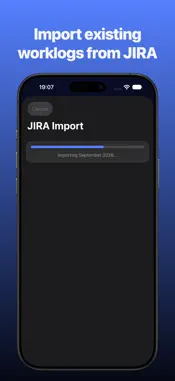
Flux Log is the no-frills time tracker for everyone who books their working hours as worklogs directly on Jira tickets — which Atlassian is currently renaming to "work items", by the way. Flux Log handles both. TRACK WITHOUT DETOURS • Search tickets from your Jira instance and pin them as cards • Start and stop timers with one tap — including widget and Live Activity on the lock screen • Add, edit and comment entries after the fact AUTOMATIC WORKLOG SYNC • Tracked time is written back to the ticket as a worklog • Per-entry sync status with conflict handling • Works with Jira Cloud (API token) and self-hosted Jira servers STAY ON TOP OF YOUR HOURS • Daily and weekly statistics at a glance • Calendar view with target-vs-actual comparison and public holidays • Multiple Jira accounts, each with its own color theme PRIVATE BY DESIGN • Your data stays on your device and in your Jira instance • Credentials stored securely in the keychain, no ads, no tracking • Optional anonymous usage statistics (TelemetryDeck) — can be disabled in Settings anytime Flux Log is built for developers, agencies and teams who have to book their hours in Jira anyway — just without the friction. Note: Flux Log is an independent project and is not affiliated with Atlassian. Jira is a trademark of Atlassian Pty Ltd.
What's New
Version 1.1.2 2026-10-20
New in 1.1.2: • New App Store screenshots show Flux Log in action. • Improved Live Activity readability on the Lock Screen. • Compact elapsed time display and l... Technical Analysis
Package Overview Basic metadata
Bundle ID
de.robware.flux Current Version 1.1.2
Minimum iOS 18.5
Package Size App Store Size
Package Metadata 0 / 0 version records
Detailed binary, privacy manifest, framework, and Info.plist results have not been indexed for this package yet. The verified App Store and archive metadata above remains available.
Known Version Records
0 version records with stored package metadata
Stored metadata does not guarantee a package is currently available to download.
| Details | Version / IDs | Version date | Action |
|---|