Preview






Description
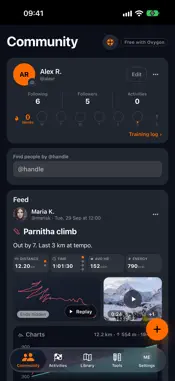
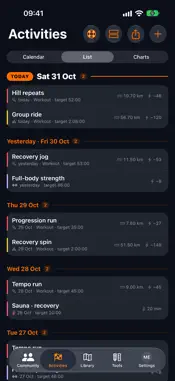
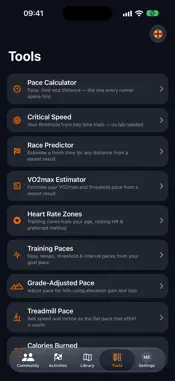
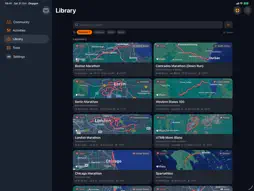
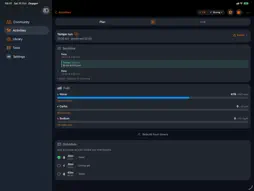
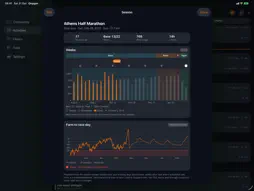
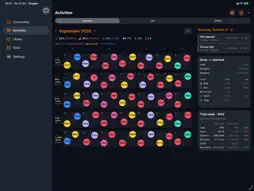
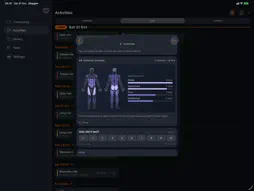
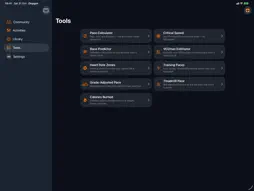
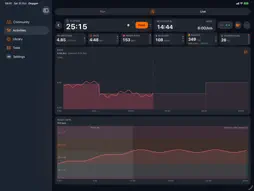
Oxygon plans what you will eat, drink and run — checkpoint by checkpoint — plans the course you will run it on, coaches the weeks before, and then measures whether it worked. COURSE PLANNER Draw a course on real roads, or have one suggested from where you stand: how far, loop or out-and-back, flat or hilly, quiet roads, trails. See distance, climb, surface and your own estimated time as you draw. Save it, attach it to a race plan, export a GPX for your watch. Garmin through intervals.icu, Strava and Apple Health bring your training in. FUELLING BY CHECKPOINT Set your hourly water, carbohydrate and sodium, attach the course, and Oxygon spreads the doses across the stops with the clock time you should reach each one. Scan a gel or drink and its nutrition arrives from Open Food Facts; a catalogue of products is built in. LIVE GPS distance and pace, heart rate from a Bluetooth strap, auto-pause that knows a red light from a slow climb, glucose from a CGM. Share a link and your crew follows your position, pace and heart rate. Ask the race assistant a question mid-run and it answers against your own plan — with no signal it keeps answering from rules on the phone. CONDITIONS Pull the forecast for your course and your race day, and the fuelling is built against the heat you will actually meet. AFTER Pace, cardiac drift, energy burned split into carbohydrate and fat, heart rate against the course profile, power on rides, the route you ran and the shoes you ran it in. Calendar, list and charts of everything planned and everything done. COMMUNITY Follow the people you train with and share your activities with photos and captions. Each post shows its numbers, its chart and its route, and plays back as a 3D replay with your heart rate, pace and glucose alongside. From a finished activity you can also share a 3D video, or a sticker for Stats, Route, Splits, Day, a big number, or a Map card. You choose what goes out: hide the ends of the route or the whole map, and keep back any chart. CALCULATORS Pace, critical speed, a race predictor from your best recent run, VO2max, heart-rate zones, training paces, grade-adjusted pace, treadmill pace and calories burned. Every one works offline, with no account. A LIBRARY OF REAL RACES Courses with their distance, elevation and typical conditions, ready to plan against. Oxygon is free. There are no ads, no analytics and no tracking. An account is optional and exists to back your plans up and sync them between your iPhone, iPad and the web at my.oxygon.app. Community, Library, Tools, unlimited activity planning and crew live tracking are free. Free race fuelling includes Water, Gel, Sodium tab and Caffeine gel. Oxygon Pro adds Course Planner and additional race-fuelling products. Pro costs €4.99/month or €49.99/year in the euro storefront; local prices are shown before purchase, auto-renews unless cancelled at least 24 hours before the end of the period, and is charged to your Apple ID. Terms of Use: https://www.apple.com/legal/internet-services/itunes/dev/stdeula/ Privacy Policy: https://oxygon.app/privacy.html
What's New
Version 1.3.11 2026-11-02
Drift shows after the second interval, in every sport. The sauna controls and the live screen answer as you tap. A finished upload keeps the heart-rate trace. A... Technical Analysis
Package Overview Basic metadata
Bundle ID
com.robertozanon.oxygon Current Version 1.3.11
Minimum iOS 18.0
Package Size App Store Size
Package Metadata 0 / 0 version records
Detailed binary, privacy manifest, framework, and Info.plist results have not been indexed for this package yet. The verified App Store and archive metadata above remains available.
Developer Information
Known Version Records
0 version records with stored package metadata
Stored metadata does not guarantee a package is currently available to download.
| Details | Version / IDs | Version date | Action |
|---|