
Preview







Description
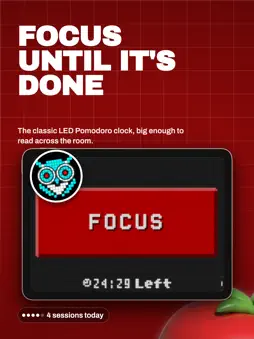
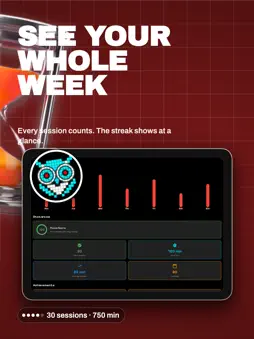
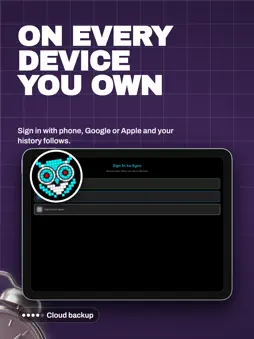
A POMODORO TIMER FOR YOUR DESK Turn your phone into a retro LED focus clock for studying or working. Set it on your desk, start a focus session, and follow the countdown at a glance. Pixel Focus combines customizable Pomodoro sessions, automatic breaks, and progress tracking in a landscape-first display. POMODORO TECHNIQUE MADE SIMPLE • Customizable focus sessions (default 25 minutes) • Short breaks (5 minutes) and long breaks (15-30 minutes) • Visual and audio notifications to keep you on track • Automatic cycle progression through work and break periods TRACK YOUR PROGRESS • Session history with detailed statistics • Visual charts showing your productivity patterns • Daily, weekly, and monthly focus insights • Completed session counter and streak tracking RETRO LED MATRIX DESIGN • Authentic pixelated aesthetic inspired by classic LED displays • Glowing red text effects that mimic real LED lighting • Minimalist black background for reduced eye strain • Landscape-first design optimized for focus sessions PERSONALIZE YOUR EXPERIENCE • Adjust timer durations to match your workflow • Choose from multiple pixelated fonts (Pixelify Sans, Press Start 2P) • Customize notification sounds and vibration patterns • Dark theme optimized for any lighting condition MULTILINGUAL SUPPORT Available in English and Spanish, with more languages coming soon. PERFECT FOR: • Students during study sessions • Remote workers and freelancers • Anyone looking to improve focus and time management • Fans of retro gaming and pixel art aesthetics • Professionals using the Pomodoro Technique WHY CHOOSE PIXEL FOCUS? Unlike generic timer apps, Pixel Focus combines proven productivity techniques with a unique visual identity. The retro LED aesthetic isn't just beautiful - it's designed to minimize distractions while keeping you engaged with your focus goals. Start your journey to better productivity today. Download Pixel Focus and experience the perfect blend of nostalgia and efficiency.
What's New
Version 1.1.2 2026-10-31
This release keeps Pixel Focus up to date. If the LED clock helps your sessions, a rating on the App Store means a lot to us. Technical Analysis
Package Overview Basic metadata
Bundle ID
dev.rart.pixel.focus Current Version 1.1.2
Minimum iOS 15.0
Package Size App Store Size
Package Metadata 0 / 1 version records
Detailed binary, privacy manifest, framework, and Info.plist results have not been indexed for this package yet. The verified App Store and archive metadata above remains available.
Developer Information
Known Version Records
0 version records with stored package metadata • 1 known version records
Stored metadata does not guarantee a package is currently available to download.
| Details | Version / IDs | Version date | Action |
|---|---|---|---|
| Not archived | App Store ID: 880199709 | Unknown | Request Version |