
Preview







Description
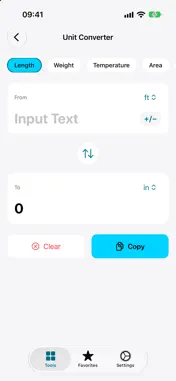
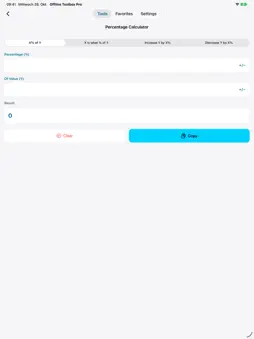
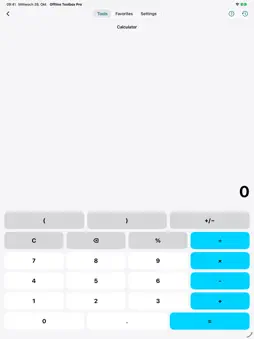
Handle small everyday tasks right on your device: calculate, convert units, work out time spans, create and scan QR codes or generate passwords. The tool overview with search, recently used tools and favorites gets you to the right function quickly. Fourteen tools in one app: • Calculator with history and parentheses. % works like the iOS calculator (50 + 10% = 55), and you can copy results with a tap. • Percentage Calculator: percentage of a value, percentage rate, increase and decrease. • Unit Converter for length, weight, temperature, area, volume, speed, pressure, fuel economy, data, time, energy, power and angle. Negative values with the +/− key, recently used conversions are saved automatically. • QR Generator for text, links, Wi-Fi, phone, email, SMS and contacts. Save QR codes with a white border to Photos or share them. • QR Scanner with flashlight, scan history and scanning from photos. Recognizes Wi-Fi codes and barcodes and warns about unsafe links. • Date & Time: calculate the duration between two points in time in years, months and days, show the weekday, or add and subtract time from a date. • World Time that updates live, with your local time, search across all time zones and city names such as Beijing or Vienna. • Password Generator with 4 to 32 characters, a strength indicator and an option to avoid look-alike characters. • Text Tools: count characters, words and lines, change upper and lower case, sort lines, remove duplicates, with undo. • Random Picker: draw a number, roll a die, flip a coin or decide yes/no. • Tip & Split: work out the tip, the total and each person's share, with optional rounding up. • Timer & Stopwatch: countdown timer, stopwatch with laps, and the screen stays on while it runs. • Number Bases: convert between decimal, binary, octal, hexadecimal and Roman numerals. • Color Converter: switch between HEX, RGB and HSL with a live preview. Numbers follow your region's format, including its decimal and thousands separators. Copied passwords stay on this device only and are removed from the clipboard after 2 minutes. Reorder favorite tools and cities by drag and drop. Choose light, dark or system appearance and your own accent color. Larger text and VoiceOver are supported, and the app is available in 15 languages. The tools work without a network connection, without an account and without ads. For quick tasks, Siri shortcuts are ready: “Calculate offline”, generate a password, roll a die and flip a coin.
What's New
Version 3.3 2026-10-30
What's new in version 3.3: • Four new tools: Tip & Split, Timer & Stopwatch, Number Bases with Roman numerals, and a Color Converter • The App Store page is now... Technical Analysis
Package Overview Basic metadata
Bundle ID
com.roberto.Offline-Toolbox-Pro Current Version 3.3
Minimum iOS 18.6
Package Size App Store Size
Package Metadata 1 / 2 version records
Detailed binary, privacy manifest, framework, and Info.plist results have not been indexed for this package yet. The verified App Store and archive metadata above remains available.
Known Version Records
1 version record with stored package metadata • 2 known version records
Stored metadata does not guarantee a package is currently available to download.
| Details | Version / IDs | Version date | Action |
|---|---|---|---|
| 3.62 MB | v1.3 App Store ID: 881320492Build: 1.3 | 2026-01-08 21:22:19 | Paid / Arcade |
| Not archived | App Store ID: 881198008 | Unknown | Paid / Arcade |