Preview






Description
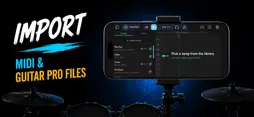
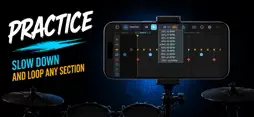
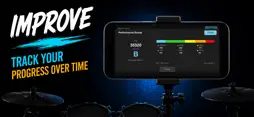
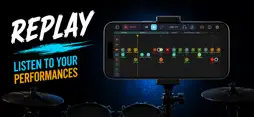
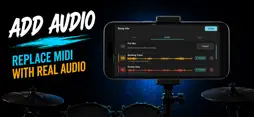
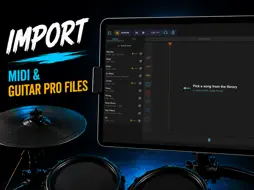
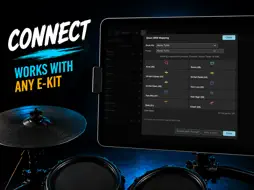
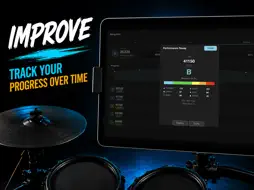
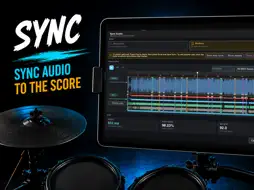
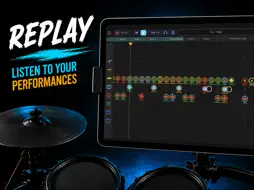
Practice drums with your own MIDI and Guitar Pro files. Turn your electronic drum kit into a personal practice studio for the song files you already have. Import a standard MIDI or supported Guitar Pro file, press play, and follow your drum part on screen with live timing feedback. Score Drummer does not include a song catalog, not even with Pro. Your library contains only the songs you import from your own files, plus the built-in lessons and demo song. You can also play directly on your iPhone or iPad with the eight-pad touch drum kit, with score-aware Hi-Hat articulation and optional light haptic feedback. Start immediately with five guided Drum Kit Basics lessons and the included Rock Demo Song. Choose an Easy or Full drum arrangement, then import your own MIDI or Guitar Pro files for focused practice. HOW IT WORKS • Learn Kick, Snare, Hi-Hat, Crash, Toms, and Ride through five guided lessons. • Try Rock Demo Song in Easy or Full. • Import one of your own MIDI or supported Guitar Pro files. • Let Score Drummer detect the drum track automatically, or choose it yourself. • Follow the drum part in a lane-based visual score. • Play with the eight-pad touch drum kit, an electronic drum kit, or keyboard input. • Get live timing feedback as you practice. The Input screen helps you choose touch input, keyboard input, or an electronic drum kit, and map its pads. PRACTICE MODE Slow songs down and work through difficult sections without starting over. • Adjust tempo from 10% to 100%. • Loop specific bar ranges. • Tap a drum lane to mute it while you practice smaller parts. • Resume with a metronome count-in. • Navigate by song sections and the progress bar. PERFORMANCE MODE Play a full-tempo run and measure the result. • See your score, accuracy, and hit counts during playback. • Receive a letter grade at the end of the performance. • Review detailed stats, history, and replays with Pro. MIXING AND PLAYBACK • Built-in drum and General MIDI SoundFonts. • Full mixer with per-track and per-instrument volume, mute, and solo controls. • MIDI controller auto-detection with hot-plug support. • Touch and keyboard input modes for practice without a drum kit. FREE VERSION • Play five Drum Kit Basics lessons and Rock Demo Song. • Keep one imported song in your library at a time. • Delete or replace that song whenever you want. • Practice Mode and Performance Mode included. • Timing feedback included. • No ads, no time limits, no account needed. PRO FEATURES Score Drummer Pro is a one-time purchase. No subscription. One purchase unlocks Pro on Mac, iPad, and iPhone, and can be shared with your family through Apple Family Sharing. Pro includes: • Unlimited library for the songs you import. • Detailed performance recap with stats breakdown. • Performance history for reviewing past sessions. • Replay mode for reviewing past performances. • Audio backing track import with Auto-Sync to the score. • Drum separation: split a song's full mix into drums and backing tracks, on your iPhone or iPad. • Use your own SoundFont for backing-instrument playback. • Library export/import for backup and device transfer. • Export a Reference Video showing a perfect instructional playthrough. • Export a Performance Video of a saved take with recorded timing and feedback. Video exports are rendered offline and do not record your screen or camera. Completed videos are saved to Photos. PRIVACY No account or sign-in is required. Your songs and imported files stay on your device and are never uploaded. Score Drummer sends limited anonymous product analytics and crash diagnostics, never linked to your identity.
What's New
Version 1.5.0 2026-11-04
A big update: drum separation, a faster Auto-Sync, full Guitar Pro playback, a better way to organize the songs you import, and a redesigned Input screen: • Pro...A big update: drum separation, a faster Auto-Sync, full Guitar Pro playback, a better way to organize the songs you import, and a redesigned Input screen: • Pro users can split a song's full mix into drums and backing tracks, right on the device. • Auto-Sync is faster and more accurate, follows tempo changes, and shows where the recording and the score don't match. • Guitar Pro scores now play as performed, with repeats, endings, D.C., D.S. and Coda. • A redesigned library for the songs you import, with search, filters, multiple selection and collections. • A redesigned Input screen and an illustrated drum mapping editor make connecting and mapping an electronic kit easier. On the Input kit, the Hi-Hat now opens and closes with the pedal. • New metronome options: subdivisions and three click sounds. • Your drums are now clearly audible over backing tracks, with a separate mixer strip for every drum sound. • Swiping to scroll no longer triggers buttons or list rows by mistake. • General performance, stability, and usability improvements. Technical Analysis
Package Overview Basic metadata
Bundle ID
com.scoredrummer.app Current Version 1.5.0
Minimum iOS 15.0
Package Size App Store Size
Package Metadata 0 / 3 version records
Detailed binary, privacy manifest, framework, and Info.plist results have not been indexed for this package yet. The verified App Store and archive metadata above remains available.
Developer Information
Known Version Records
0 version records with stored package metadata • 3 known version records
Stored metadata does not guarantee a package is currently available to download.
| Details | Version / IDs | Version date | Action |
|---|---|---|---|
| Not archived | App Store ID: 888305330 | Unknown | Request Version |
| Not archived | App Store ID: 887965936 | Unknown | Request Version |
| Not archived | App Store ID: 883782953 | Unknown | Request Version |