
Preview


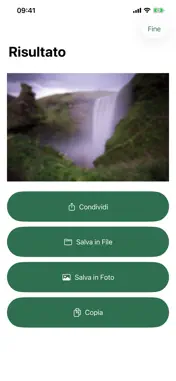


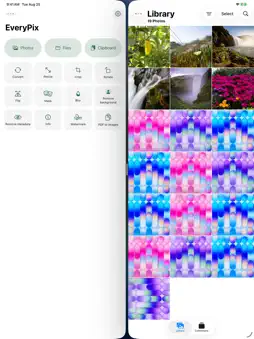


Description
EveryPix is the multi-tool for images: twenty-one operations on image files, from the app or straight from the iOS share sheet, without opening anything. It comes from an everyday annoyance - a PNG edited in Photos always comes back as JPEG and loses its transparent background - and grew from there into everything you ask of an image before sharing it. THE TWENTY-ONE OPERATIONS Convert, from one format to another, keeping the transparent background and the color profile. Resize, by long side, by percentage or to an exact size. Crop, dragging the frame with your fingers. Rotate, by any angle and not just by ninety degrees. Flip, horizontally or vertically. Mask, with rounded corners, an ellipse or a second image. Blur, with the strength you choose. Remove background, which becomes transparent or a color. Watermark, a text or a mark, in one of nine positions. Remove metadata the file carries around. Info, what is inside the file without touching it. PDF to images, one per page. Images to PDF: many images, one page each, a single document. Images to GIF: stacked into an animation, with the speed and width you choose. Video to GIF: trim the part you want and an animation comes out. Annotate: write and draw on the photo with your finger or Apple Pencil, with arrows, shapes, numbers and text you can move afterwards, a magnifier and a spotlight. Carousel: many photos at the same size for Instagram - square, 4:5, 3:4 or story - in the order you choose. The app crops by looking at faces and subjects, or keeps the whole photo with a blurred or colored border. Split: a panorama in slices to swipe through, or a photo in a grid for a profile puzzle. You see the lines before cutting and the app tells you if one runs through a face. Instant photo: your photo in an instant-print card, square, tall or wide, with a note and the date taken in six fonts and five colors. Inside a carousel too. Panorama: several photos in a row that flow from one slide to the next as you swipe. Looks: 80 styles in eight groups, tried on your own photo. LOOKS The 80 Looks are drawn and adapted from my own Lightroom presets, picked from more than five hundred and tuned one by one. They work on color and light area by area, with microcontrast, vignetting and, where it fits, film grain, at the intensity you choose. COVER FOR REAL To hide something before sharing a photo - a number plate, an address, a name - Annotate has three covers: a solid rectangle, a mosaic and a blur. They do not veil the photo, they replace its pixels. The app also tells you what is left underneath: nothing with the solid rectangle, the average color of each block with the other two. TWO ROADS, EQUALLY GOOD The app, with images coming from Photos, from Files or from the clipboard. The share extension, which works inside the iOS share sheet. When the batch is too large for that window, EveryPix hands over to the app. Videos and Annotate are handled inside the app only, for the same reason. PRESETS AND WATERMARKS A whole job is kept aside and repeated with one tap, together with its destination: share, save to Files, save to Photos, copy. Presets live in the app, in the share extension, under a long press on the icon and inside Shortcuts, where they return the files produced. Siri can call them out loud. The logo or signature you always use is kept once, then picked from a list. WHAT IT DOES NOT DO It never touches the network: there is not one network call in the whole project. It collects nothing, has no analytics, has no accounts. Processed images and drawings are not kept. The only image EveryPix keeps is the watermark you asked it to keep. Presets and watermarks sync over iCloud, which is the system and not the app. Italian and English. iPhone, iPhone Duo and iPad, from iOS 18.
What's New
Version 4.3 2026-11-01
4.3 A complete review of the app, line by line, with dozens of fixes. The most important: - Photos taken in portrait now come out upright from Remove metadata a... Technical Analysis
Package Overview Basic metadata
Bundle ID
dev.robertobonfa.everypix Current Version 4.3
Minimum iOS 18.0
Package Size App Store Size
Package Metadata 0 / 0 version records
Detailed binary, privacy manifest, framework, and Info.plist results have not been indexed for this package yet. The verified App Store and archive metadata above remains available.
Developer Information
Known Version Records
0 version records with stored package metadata
Stored metadata does not guarantee a package is currently available to download.
| Details | Version / IDs | Version date | Action |
|---|