Preview







Description
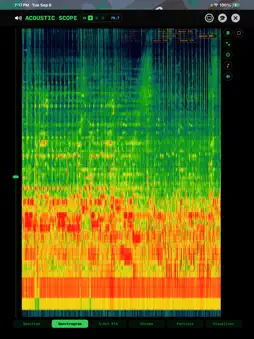
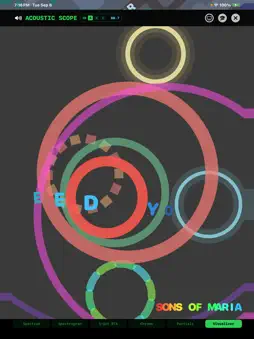
THE DIRECTION A SOUND CAME FROM — AND HOW FAR AWAY That is what other sound-alert tools leave out. Vigilant Ear turns the iPhone you already own into a sound radar for the Deaf, hard-of-hearing, and CODA community: sirens, alarms, knocks, a crying baby, severe weather, and the voices around you — each one placed on a live map with its direction, rough distance, and a haptic buzz, the moment it happens. It also tells you WHO is speaking. Live captions separate the people around you by voice, and link nearby iPhones into one shared picture of the room. All on-device. Designed for Deaf and hard-of-hearing users who rely on visual captions and alerts. It's a visual, haptic tool - not built for blind users. The interface is high-contrast dark by design, and every alert is distinguished by shape and icon — never by color alone — so it works for color-blind users, too. Using on-device AI, it identifies hundreds of everyday and emergency sounds in real time and estimates their direction and rough distance — nothing is sent to the cloud or off your device. Vigilant Ear is an experimental research and accessibility aid — not a certified or life-saving device. Always use your own situational awareness. ALWAYS FREE: • Live captions of nearby speech (Speaker Mode), separated by voice • Live text to speech of captions to any Bluetooth audio device (Beats, AirPods, hearing aids) • Real-time alerts — alarms, sirens, knocks, doorbells, a crying baby, a person approaching • Official Weather warnings and alerts — US (NWS), Europe (MeteoGate), Japan (JMA), China (CMA), Korea (KMA), India (NDMA), Canada (ECCC), Australia (BOM), and Brazil (INMET) — gated by geographic position of your device. Fed by our relay so you never connect directly to a foreign government's servers. • Live radar map with directional guidance, multi-target tracking, and haptics • Alerts appear on your Apple Watch too, even when your iPhone is asleep as long as the app is running (even minimized) • Name Called — when someone says your name, your iPhone and Apple Watch tap and the watch points toward the voice. Needs Speaker Mode on. • Siri, Shortcuts & Action Button — ask "What's around me?" (or type it to Siri) for a spoken-and-on-screen summary of nearby sounds, and start or stop listening hands-free • 300+ on-device sound classifications — your audio or telemetry data never leaves your device • Earthquake alerts if a deep rumble (infrasounds nobody can hear) is recorded with later confirmation from the USGS. POWER PACK+ — optional, one-time charge • Translation — captions converted into your language, on-device • Constellation — link nearby iPhones into a shared, more precise picture of sounds (acoustic mesh/biangulation/triangulation) • Music ID — name the songs playing around you • Remote Link — reach someone who isn't with you, using video and text. No audio at any point, so nothing depends on hearing at either end — and it gives you a way to sign with someone. You send a code; they join free, without Power Pack+. • Bring Your Own Model (BYOM) — Load your own sound model of classifications using data you can also collect in-app. Power Pack+ is free to try for your first 90 days; after that, captions and alerts stay free forever and a small one-time fee keeps the glamorous extras. No subscription, ever. Privacy first: all listening, transcription, translation, and sound classification run entirely on your device. The only exception: if you use Music ID, a short audio fingerprint — never raw audio — goes to Apple's Shazam service to name the song. Compare that to other apps! Built for the Deaf and hard-of-hearing community. Stay aware. THE UNIVERSAL TRANSLATOR, FOR REAL Science fiction promised a device that simply understands — no setup, no picking languages. Vigilant Ear is the closest thing yet: it detects the language being spoken on its own, separates the voices, and captions every speaker in the room in your language, live and entirely on your device.
What's New
Version 1.1.18 2026-11-03
Privacy and security are the focus of this release, so Vigilant Ear now opens with a new lock mark. • Phrase cards: your name card now carries ready-made cards... Technical Analysis
Package Overview Basic metadata
Bundle ID
com.rpalm01-star.VigilantEar Current Version 1.1.18
Minimum iOS 26.0
Package Size App Store Size
Package Metadata 0 / 4 version records
Detailed binary, privacy manifest, framework, and Info.plist results have not been indexed for this package yet. The verified App Store and archive metadata above remains available.
Developer Information
Known Version Records
0 version records with stored package metadata • 4 known version records
Stored metadata does not guarantee a package is currently available to download.
| Details | Version / IDs | Version date | Action |
|---|---|---|---|
| Not archived | App Store ID: 887171549 | Unknown | Request Version |
| Not archived | App Store ID: 885974057 | Unknown | Request Version |
| Not archived | App Store ID: 885847317 | Unknown | Request Version |
| Not archived | App Store ID: 884353227 | Unknown | Request Version |