Preview


Description
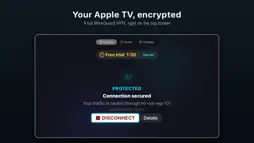
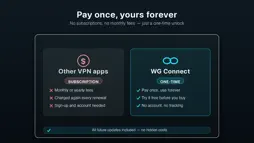
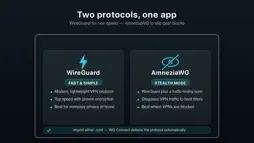
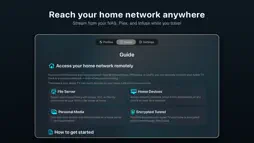
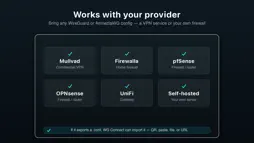
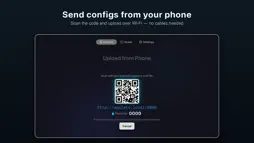
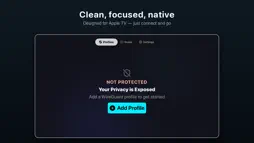
Use your own WireGuard or AmneziaWG VPN on Apple TV for secure streaming, home network access, and private connections at home or while traveling. Set up in minutes by importing your WireGuard or AmneziaWG profile with a QR code, URL, or .conf file. Use your phone or computer to send configs quickly, save multiple profiles, and switch between them whenever needed. WG Connect works with your existing VPN setup, including Firewalla, pfSense, OPNsense, UniFi, any WireGuard provider, or your own self-hosted server. It also works with commercial WireGuard providers such as Mullvad, IVPN, and ProtonVPN — just import the .conf file they provide. AmneziaWG configurations are automatically detected and handled with full obfuscation support. Stream securely while traveling by using Apple TV with your own VPN away from home. It works well for travel setups, remote stays, and portable streaming, so you can keep one familiar setup wherever you are. You can also access your home network through WireGuard. This lets Apple TV connect to your home LAN and reach services on your network. It is useful for Plex, Infuse, VLC, NAS, and other self-hosted media setups. Privacy is built in by default. WG Connect encrypts Apple TV traffic at home and on the road. No account is required, there is no tracking or analytics, and credentials are stored securely in Keychain. Designed specifically for Apple TV, WG Connect has a native tvOS interface, Siri Remote-friendly navigation, real-time connection status, and one-click connect and disconnect. Try it free with 120-second sessions for testing, then unlock unlimited access with a one-time purchase. Family Sharing is included. WG Connect is a WireGuard and AmneziaWG client. It does not provide VPN servers or VPN service. Use your own configuration from a provider or a self-hosted setup. Terms of Use (EULA): https://www.apple.com/legal/internet-services/itunes/dev/stdeula/ Privacy Policy: https://wgconnect-support.netlify.app/privacy.html
What's New
Version 1.4.4 2026-11-02
A deleted Demo Server no longer comes back when the Apple TV restarts. If it is still in your list, delete it once more after updating. Technical Analysis
Package Overview Basic metadata
Bundle ID
com.wireguardtv.WireGuardTV Current Version 1.4.4
Minimum iOS 17.0
Package Size App Store Size
Package Metadata 0 / 11 version records
Detailed binary, privacy manifest, framework, and Info.plist results have not been indexed for this package yet. The verified App Store and archive metadata above remains available.
Price History (USA store)
3 recorded price change points. These are historical observations, not a guarantee of the current price.
| Recorded at | Price | Currency |
|---|---|---|
| 0.0 | USD | |
| 8.99 | USD | |
| 0.0 | USD |
Developer Information
Known Version Records
0 version records with stored package metadata • 11 known version records
Stored metadata does not guarantee a package is currently available to download.
| Details | Version / IDs | Version date | Action |
|---|---|---|---|
| Not archived | App Store ID: 886955065 | Unknown | Request Version |
| Not archived | App Store ID: 885284786 | Unknown | Request Version |
| Not archived | App Store ID: 885121417 | Unknown | Request Version |
| Not archived | App Store ID: 885085050 | Unknown | Request Version |
| Not archived | App Store ID: 884940179 | Unknown | Request Version |
| Not archived | App Store ID: 884905780 | Unknown | Request Version |
| Not archived | App Store ID: 884879200 | Unknown | Request Version |
| Not archived | App Store ID: 884847649 | Unknown | Request Version |
| Not archived | App Store ID: 884715394 | Unknown | Request Version |
| Not archived | App Store ID: 884584860 | Unknown | Request Version |
| Not archived | App Store ID: 883628664 | Unknown | Request Version |