Preview





Description
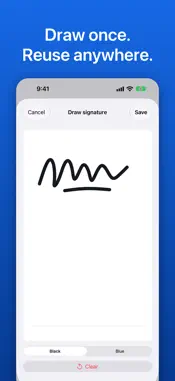
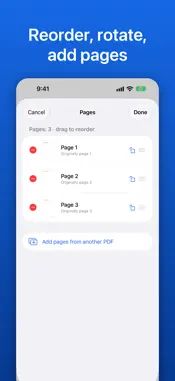
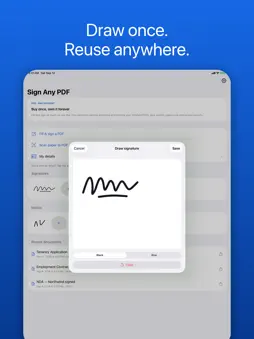
Fill in and sign any PDF on your iPhone or iPad. Buy once, own it forever — one payment, no subscription, nothing to renew. Sign Any PDF is for the moment a form lands in your inbox and has to go back today. Open it straight from Mail, Files or Messages, drop your signature on the line, and send it. Everything happens on your device, and your documents are never uploaded. TRY THE WHOLE THING FIRST, FREE • Open any PDF and fill it in completely before you decide to buy • Draw your signature once and place it exactly where it goes • Add initials, typed text, dates, checkmarks and crosses on every page • Scan paper to PDF with the camera, with edges and shadows handled • Keep 2 saved signatures and 1 set of initials Exporting and sharing the finished PDF is what Pro unlocks. PRO — ONE PAYMENT, YOURS FOREVER • Export and share your signed PDFs, as many as you like • Autofill: save your name, email, phone and address, then tap them into any form • Page tools: reorder, rotate and delete pages, or add pages from another PDF • Lock filled fields so the recipient cannot change what you entered • Password-protect an export with AES-256 encryption • Unlimited saved signatures and sets of initials One purchase, covering every device on your Apple ID, for good. It is not a subscription and there is nothing to renew. BUILT FOR REAL PAPERWORK Your signature is flattened into the page itself, so what you see is exactly what your bank, landlord or HR portal sees. There are no live annotations to render differently in Preview, Acrobat or a web viewer. Page size is preserved too: Letter stays Letter, A4 stays A4, and a landscape scan stays landscape. YOUR DOCUMENTS STAY ON YOUR DEVICE No accounts. No ads. Your PDFs, signatures and saved details are stored on your device and are never uploaded. Sign Any PDF does share product usage analytics, such as which features are used, to help improve the app. The screens that show your documents, signatures and saved details are excluded, and you can switch analytics off in Settings. Full privacy policy: https://mackgrissom.github.io/signfast-site/privacy.html GOOD TO KNOW Sign Any PDF places visible signatures and text on a document. It does not create certificate-based digital signatures, and does not verify anyone else's. SUPPORT Email [email protected], or tap Settings then Email support.
What's New
Version 2.3.1 2026-11-09
Better on wide screens, including iPhone with two displays: documents use the full width for signing, and lists keep a comfortable column. Small fixes and poli... Technical Analysis
Package Overview Basic metadata
Bundle ID
com.signfast.app Current Version 2.3.1
Minimum iOS 17.0
Package Size App Store Size
Package Metadata 0 / 1 version records
Detailed binary, privacy manifest, framework, and Info.plist results have not been indexed for this package yet. The verified App Store and archive metadata above remains available.
Developer Information
Known Version Records
0 version records with stored package metadata • 1 known version records
Stored metadata does not guarantee a package is currently available to download.
| Details | Version / IDs | Version date | Action |
|---|---|---|---|
| Not archived | App Store ID: 885957720 | Unknown | Request Version |