
Preview





Description
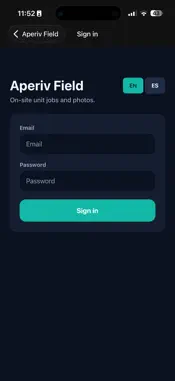
Aperiv Field is the on-site companion for property teams running unit turnovers. Walk the unit once and leave with a structured record. Aperiv Field takes your tech through the space room by room — measurements, photos, notes, and condition findings — instead of a camera roll full of pictures nobody can match back to a room. WHAT IT DOES • Room-by-room capture — record square footage, photos, and notes per room, organized as you walk. • Condition findings — mark each room good, watch, or issue so turnover and billing decisions have something structured behind them. • LiDAR room scanning — on iPhone and iPad models with a LiDAR sensor, scan room geometry directly with RoomPlan. Scan files are saved on your device and included when you choose Send to manager. • Drafts on device — a walkthrough saves locally as you go, so a dead spot in a stairwell doesn't cost you the walk. • Send to manager — send a saved walkthrough, including photos, notes, findings, measurements, and scan files, to the property and unit you select. Local copies remain on your device. • Aperiv account sign-in — sign in with your Aperiv credentials to start a walkthrough. WHO IT'S FOR Property managers, turnover crews, maintenance techs, and inspection contractors who need field capture that produces a record worth keeping. REQUIREMENTS An Aperiv account is required to sign in. LiDAR room scanning requires a device with a LiDAR sensor; manual room capture works on any supported iPhone or iPad.
Technical Analysis
Package Overview Basic metadata
Bundle ID
com.aperiv.field Current Version 1.0
Minimum iOS 16.4
Package Size App Store Size
Package Metadata 0 / 0 version records
Detailed binary, privacy manifest, framework, and Info.plist results have not been indexed for this package yet. The verified App Store and archive metadata above remains available.
Developer Information
Known Version Records
0 version records with stored package metadata
Stored metadata does not guarantee a package is currently available to download.
| Details | Version / IDs | Version date | Action |
|---|