Preview








Description
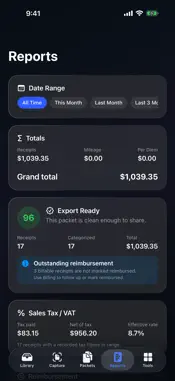
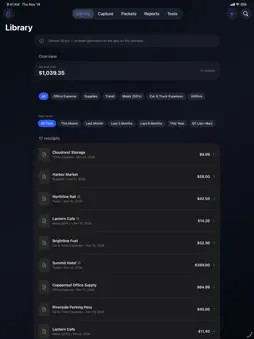
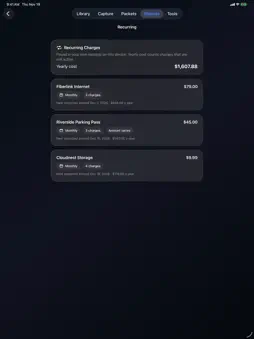
Scan paper receipts, import PDF e-receipts and photos, and turn them into clean PDFs, expense reports and reimbursement packets, all on your iPhone or iPad. One purchase, no subscription, no account. NEW IN 5.0 • Better receipt reading: hotel and motel names are recognized, a card or approval number on the total line is no longer taken as the total, whole-yen and European amounts (1.234,50) read correctly, and a printed time or opening hours no longer replace the purchase date. German, Spanish and French total and tax words (Summe, MwSt, IVA, TVA) are recognized. • Currency from the receipt: €, £, ¥, CA$, A$, MX$ and codes such as EUR or CAD are suggested for you to confirm. Otherwise a new receipt starts in the currency you use most, not always US dollars. • Totals per currency: sales tax, outstanding reimbursement, budgets, the monthly chart, merchant insights and the audit report no longer add different currencies together. Mileage and per diem stay in US dollars. Nothing is converted. • Recently Deleted: deleting a receipt asks first, and deleted receipts can be restored with their pages for 30 days. • Safer CSV: dates use your own time zone, and cells a spreadsheet could run as a formula are neutralized. • PDF paper size: A4 or US Letter for the summary PDF, audit report and packet cover. • Large libraries: ZIP export, audit report and backup use much less memory. CAPTURE AND READ • Apple's document scanner with perspective correction, or import PDF e-receipts, screenshots and photos. • On-device text recognition suggests merchant, date, total, tax and currency for you to review before saving. • Smart filing suggests a category from your own history. • Duplicate warning before saving. ORGANIZE • Searchable library with Schedule C categories, clients, projects and billable/reimbursed status. • Date filters: this month, last month, quarters, this year, custom. • Warranty and return-window tracking with optional reminders. • Mileage log and per diem entries. REPORT AND HAND OFF • Reports: totals, audit readiness, sales tax/VAT, budgets, merchant insights, monthly chart and category share. • Export CSV, summary PDF, audit report PDF, or a ZIP of every receipt PDF. • Reimbursement packets: one PDF with a cover, totals per currency, an index and every proof page, plus a manifest. Up to 100 receipts and 300 pages per packet; no currency conversion; building a packet does not mark receipts reimbursed. • Backup & Restore: one file with your receipts and their original pages, mileage, per diem, clients, projects and budgets. Restoring only adds what is missing, and a safety copy is saved first. • Recurring Charges finds subscriptions and regular bills in your own receipts. • Shortcuts: scan a receipt, a monthly spending summary, and open Reports. PRIVATE BY DESIGN • No account, no servers, no analytics. Receipts stay on your device until you share them. • Optional 4-digit passcode covers the whole app. Text recognition can misread a receipt, so check the suggested values. Schedule C categories and mileage rates are based on public IRS materials for organization only, not tax advice. iPhone and iPad.
What's New
Version 5.0 2026-11-20
Receipt to PDF 5.0: • Receipt reading: hotel and motel names are recognized; a card or approval number on the total line is no longer read as the total; whole-y...Receipt to PDF 5.0: • Receipt reading: hotel and motel names are recognized; a card or approval number on the total line is no longer read as the total; whole-yen and European amounts (1.234,50) read correctly; a printed time or opening hours no longer replace the purchase date; German, Spanish and French total and tax words are recognized. • Currency: read from the receipt when it is printed (€, £, ¥, CA$, EUR…). New receipts otherwise start in the currency you use most instead of always US dollars. • Totals per currency: sales tax, outstanding reimbursement, budgets, the monthly chart, merchant insights and the audit report no longer add different currencies together. • Recently Deleted: deleting asks first, and deleted receipts can be restored for 30 days. • CSV: dates use your time zone (evening receipts could show the next day), and formula-like cells are neutralized. • Choose A4 or US Letter for report PDFs. • Lower memory use when exporting or backing up large libraries. Your receipts, backups and packets from 4.x open unchanged. Technical Analysis
Package Overview Basic metadata
Bundle ID
com.realbobcorbin.ReceiptToPDF Current Version 5.0
Minimum iOS 17.0
Package Size App Store Size
Package Metadata 0 / 8 version records
Detailed binary, privacy manifest, framework, and Info.plist results have not been indexed for this package yet. The verified App Store and archive metadata above remains available.
Price History (USA store)
6 recorded price change points. These are historical observations, not a guarantee of the current price.
| Recorded at | Price | Currency |
|---|---|---|
| 2.99 | USD | |
| 0.99 | USD | |
| 1.99 | USD | |
| 3.99 | USD | |
| 0.99 | USD | |
| 3.99 | USD |
Developer Information
Known Version Records
0 version records with stored package metadata • 8 known version records
Stored metadata does not guarantee a package is currently available to download.
| Details | Version / IDs | Version date | Action |
|---|---|---|---|
| Not archived | App Store ID: 887542461 | Unknown | Paid / Arcade |
| Not archived | App Store ID: 887467295 | Unknown | Paid / Arcade |
| Not archived | App Store ID: 887239711 | Unknown | Paid / Arcade |
| Not archived | App Store ID: 887122732 | Unknown | Paid / Arcade |
| Not archived | App Store ID: 886968178 | Unknown | Paid / Arcade |
| Not archived | App Store ID: 886924122 | Unknown | Paid / Arcade |
| Not archived | App Store ID: 886261085 | Unknown | Paid / Arcade |
| Not archived | App Store ID: 884248680 | Unknown | Paid / Arcade |