
Preview






Description
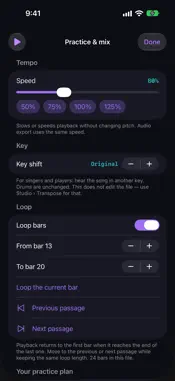
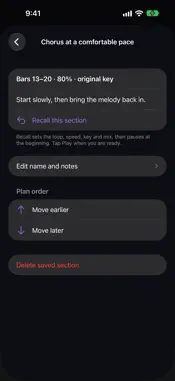
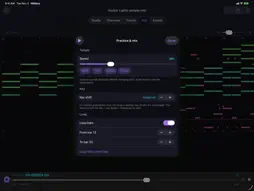
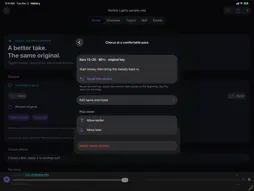
Turn a MIDI file into a focused rehearsal. Slow down a difficult passage, loop its bars, mute your part and practise with the rest of the arrangement. Keep the imported original intact while you explore, edit and export. YOUR PRACTICE PLAN Save named sections with their bar range, speed, key shift, muted and solo parts, and rehearsal notes. Recall a section after reopening the app; it pauses at the beginning, ready when you are. Move to the previous or next passage without shrinking the loop. Reorder your sections and share a text checklist with their settings and notes. Saved sections stay on this device and belong to the exact musical revision. If you edit the music, return to that revision or save a new section. The shared checklist contains no audio or MIDI and is not a backup. HEAR AND UNDERSTAND YOUR MUSIC - Change playback speed from 25% to 200%, shift the key up or down 12 semitones, and mute or solo individual parts. Drums stay untransposed. - See an estimated key and chords by bar. Tap a bar to play from it or touch and hold to loop that bar. Share the chord chart. - Follow embedded lyrics and .kar files during playback. - Inspect tracks, instruments, channels, note ranges, tempo changes, time signatures, markers and MIDI events. Explore a piano roll with bars and beats. EDIT WITHOUT LOSING THE ORIGINAL Convert format 1 to format 0, split tracks by channel, change tempo or resolution, and set a channel's instrument. Review edits before saving. Select notes, transpose, adjust velocity, quantise timing or edit an individual note. Extract a passage and chosen parts to a new MIDI file. Groove Bench captures timing and velocity from a passage for reuse on another part. The imported MIDI bytes remain unchanged. Local editing sessions retain undo and redo within their storage limits. Restore the original as an undoable step. PLAY AND EXPORT Render M4A or WAV with your current speed, key and mix. Share edited MIDI, the untouched original, a cleaned copy or an event CSV. Send MIDI to a compatible USB or Bluetooth instrument; SysEx is off unless you enable it. Shortcuts actions support file information, conversion, transpose and tempo. KNOW WHAT TO EXPECT Built-in voices sketch instrument families and drums; they do not reproduce a complete General MIDI sound set. Chords and keys are estimates. Saved bar sections require a metrical, non-sequential file; SMPTE timing and format 2 sequences retain their inspection and playback workflows. Imports support up to 8 MB, 1,024 tracks and 100,000 events. Playback runs in the foreground. Start with your own .mid, .midi or .kar file, or use the included piano and band samples. Interface and screenshots are in English. One purchase. No subscription, in-app purchases, advertising or account. Files and practice sections stay on your device unless you export or share them. No microphone recording.
What's New
Version 6.0 2026-11-03
Build a reusable practice plan: save named passages with their loop, speed, key, mix and notes; recall them after reopening the app; reorder sections and share ... Technical Analysis
Package Overview Basic metadata
Bundle ID
com.realbobcorbin.Midiary Current Version 6.0
Minimum iOS 17.0
Package Size App Store Size
Package Metadata 0 / 0 version records
Detailed binary, privacy manifest, framework, and Info.plist results have not been indexed for this package yet. The verified App Store and archive metadata above remains available.
Developer Information
Known Version Records
0 version records with stored package metadata
Stored metadata does not guarantee a package is currently available to download.
| Details | Version / IDs | Version date | Action |
|---|