Preview


Description
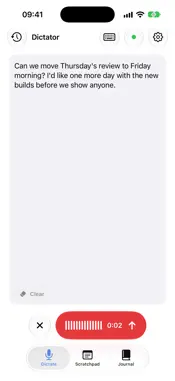
Dictator turns your voice into clean, punctuated text, on your iPhone, without sending a word of it anywhere. Tap the mic, say what you mean, and tap again. Dictator transcribes with a speech model that runs on your device, tidies the result with Apple Intelligence, and puts it on the clipboard ready to paste. No account, no subscription, no uploads. DICTATE IN ANY APP Add the Dictator keyboard and dictate straight into Messages, Mail, Notes or anything else with a text field. After your first dictation, the keyboard can record in place without leaving the app you’re in. The microphone indicator and a Live Activity show whenever it’s listening, with a button to turn it off. KEEPS GOING WHEN YOU LEAVE Switch apps or lock your phone mid-sentence and the recording carries on. A Live Activity on the Lock Screen and in the Dynamic Island shows it’s listening, and Stop finishes it there. ASSIST Speak an instruction instead of the words themselves: “reply saying Friday works”, “make this shorter”, “turn this into a list”. Assist works on what you’ve dictated or on text you’ve highlighted in the keyboard. JOURNAL Talk to add to today’s entry, or write by hand and add photos. Browse a calendar of earlier days and search everything you’ve written. SCRATCHPAD A quick note you can dictate into, reword and tidy, which syncs with the Scratchpad in Dictator for Mac when you connect a shared folder. MADE FOR EVERY SCREEN Runs on iPhone, iPad and iPhone Duo, in any orientation, with split view and Slide Over. On a wide screen your history sits in a column beside what you’re writing. PRIVATE BY DESIGN Speech recognition runs entirely on your device. Your recordings are never stored or uploaded, and there’s no analytics. The speech model is a one-time download of around 460 MB. Dictator is free and open source.
What's New
Version 2026.10.0 2026-10-28
A big update. Dictator now runs on iPad and iPhone Duo, in any orientation, including split view and Slide Over. On a wide screen, History sits beside Dictate ... Technical Analysis
Package Overview Basic metadata
Bundle ID
net.robgough.DictatorIOS Current Version 2026.10.0
Minimum iOS 26.0
Package Size App Store Size
Package Metadata 0 / 3 version records
Detailed binary, privacy manifest, framework, and Info.plist results have not been indexed for this package yet. The verified App Store and archive metadata above remains available.
Developer Information
Known Version Records
0 version records with stored package metadata • 3 known version records
Stored metadata does not guarantee a package is currently available to download.
| Details | Version / IDs | Version date | Action |
|---|---|---|---|
| Not archived | App Store ID: 887316547 | Unknown | Request Version |
| Not archived | App Store ID: 886550256 | Unknown | Request Version |
| Not archived | App Store ID: 886083327 | Unknown | Request Version |