Preview


Description
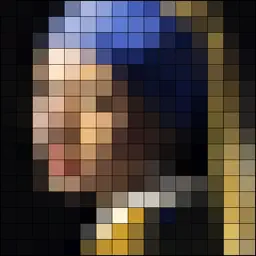
The central idea of Pixel Map is that you can take samples with different pixel sizes from your own photographs, and subsequently that you can compose one or two different color palettes to select which colors are used to recolor your pixel map. In Pixel Map you can select one of your own photos as the basis for a pixel map. Also, you can select the number of pixels to be used for your Pixel map (the app generates pixel map samples based on the original colors and the aspect ratio of your photo), and you can compose your own palettes by selecting colours from two separate sets of color patches. You can define your color palettes based either on the colors from your pixel sample, or from a fresh set of color patches. One set of color patches is based on the original pixel sample by employing Artificial Intelligence techniques. The other set of color patches contains a predefined set of several grey values, skin tones and general colors. The proces of recoloring your images also employs Artificial Intelligence techniques. Only a small thumbnail and of course the pixel maps and their palettes are stored locally on your device. The app supports manually copying your pixel map to an external canvas. You can also export your pixel map by email. To ease the process of copying, a detail view can identify each pixel by a row- and column number.
Technical Analysis
Package Overview Basic metadata
Bundle ID
duell.pro.Resolution Current Version 1.0
Minimum iOS 15.0
Package Size App Store Size
Package Metadata 1 / 1 version records
4.0 / 5.0 (1 ratings)
Detailed binary, privacy manifest, framework, and Info.plist results have not been indexed for this package yet. The verified App Store and archive metadata above remains available.
Known Version Records
1 version record with stored package metadata
Stored metadata does not guarantee a package is currently available to download.
| Details | Version / IDs | Version date | Action |
|---|---|---|---|
| 8.61 MB | v1.0 App Store ID: 842280878Build: 1.0 | 2022-07-06 07:25:22 | Paid / Arcade |