
Preview









Description
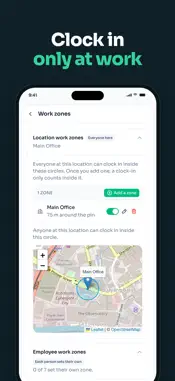
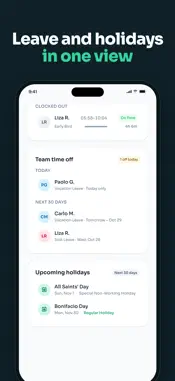
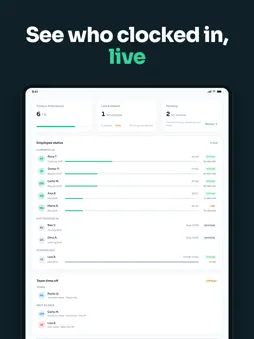
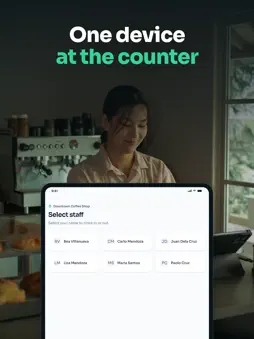
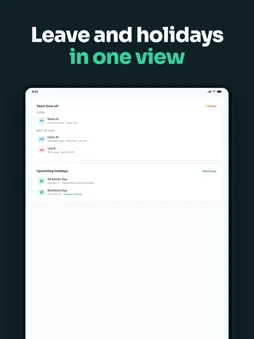
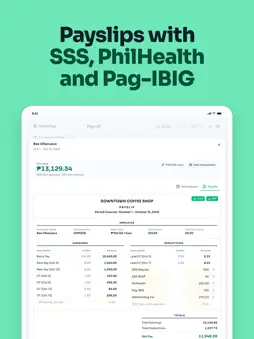
ClockTap records when your staff clock in and out, and adds up the hours for payroll. It is made for shops, cafés, clinics and teams of 6 to 50 people in the Philippines. TWO WAYS TO CLOCK IN • Shared Device: one phone or tablet stays at the counter. Each employee taps their name and clocks in. • Personal Login: each employee clocks in on their own phone. ClockTap checks that they are at work with the phone's location. SET UP A SHARED DEVICE IN SECONDS Open ClockTap on the tablet, scan the QR code from your owner screen with the camera, and the device is ready. SEE THE DAY • Who is in, who is late, and who has not come in yet • Late minutes, undertime and overtime, worked out from each shift • A daily time record (DTR) for every employee REQUESTS IN ONE PLACE Staff file leave, overtime and missed clock-ins from the app. You approve or reject them, and the hours change at once. TIMESHEETS FOR PAYROLL Pick the cut-off and export the hours to Excel or CSV. The file opens in the share sheet, so you can send it in Messenger, Viber or email. FOR OWNERS, MANAGERS AND STAFF Owners see every location. Managers see only the locations they run. Staff see only their own hours and requests. You need a ClockTap account to use the app. Owners create one in the app with "Set up your team". Staff get an invite from their employer.
What's New
Version 1.0.3 2026-11-12
Bug fixes and improvements. Technical Analysis
Package Overview Basic metadata
Bundle ID
app.clocktap Current Version 1.0.3
Minimum iOS 15.0
Package Size App Store Size
Package Metadata 0 / 0 version records
Detailed binary, privacy manifest, framework, and Info.plist results have not been indexed for this package yet. The verified App Store and archive metadata above remains available.
Developer Information
Known Version Records
0 version records with stored package metadata
Stored metadata does not guarantee a package is currently available to download.
| Details | Version / IDs | Version date | Action |
|---|