
Preview




Description
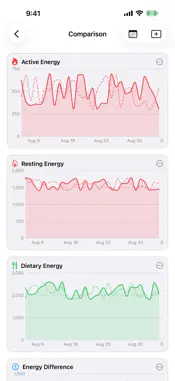
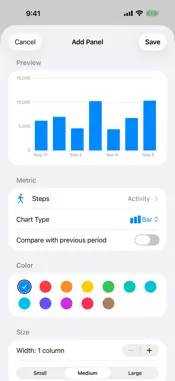
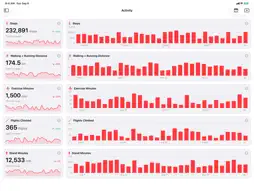
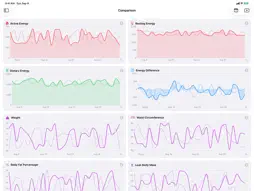
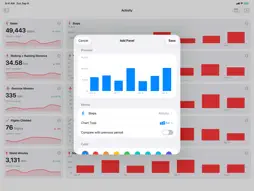
See all your health data, exactly the way you want. Health Mosaic turns your Apple Health data into beautiful, fully customizable dashboards. Pick the metrics that matter to you, choose how they're visualized, and get the big picture of your health at a glance — on iPhone and Mac. BUILD YOUR OWN DASHBOARDS • Create as many dashboards as you like — one for training, one for sleep, one for heart health • Add panels for any metric and arrange them in a flexible grid • Choose chart type, statistic, color, and size per panel • Line, bar, and area charts, min–max range bands, stat cards with sparklines, sleep-stage and state timelines, and Fitness-style workout lists 120+ HEALTH METRICS Activity, Body Measurements, Cycle Tracking, Hearing, Heart, Mental Wellbeing, Mobility, Nutrition, Respiratory, Sleep, Vital Signs, Workouts, and more — including derived insights like Energy Difference (energy burned vs. consumed). EXPLORE YOUR TRENDS • Switch the time range for all panels at once — from a single day to a full year • Compare supported charts with the previous period to spot changes over time • Scrub or hover charts for exact values, dates, and sleep-stage durations • Tap a workout for detailed per-activity stats: pace, speed, heart rate, elevation, and more WORKOUT CHARTS Turn selected workout types into line, area, bar, or stat-card panels. Choose from 19 measurements, including duration, distance, energy, heart rate, pace, and power. See heart-rate and cycling-power zones in workout details when zone data is available from Apple Health on iOS 27 or later. WIDGETS AT A GLANCE Show supported panels on your iPhone Home Screen or Mac desktop, with compact summaries on the iPhone Lock Screen. Pick a panel and one of five time ranges, then open that panel directly from the widget. Widgets show data prepared by the app, not live Health readings. PRIVATE BY DESIGN Your health data belongs to you. Health Mosaic never uploads your health data to iCloud or any server — it syncs directly between your own devices over an encrypted connection on your local network. Keep the iPhone app open on the same network and your Mac shows your latest data. Your dashboards and settings sync through your personal, private iCloud database. No additional accounts, no tracking, no third-party services. You can export your data anytime as JSON or CSV. MORE • Metric or imperial units, switchable anytime • Available in English, German, French, Italian, Spanish, and Portuguese • Sensible default dashboards to get you started in seconds • Open dashboards and panels, or change the time range for all dashboards with Siri and Shortcuts Health Mosaic requires access to Apple Health on iPhone. Please note: only the iPhone app can read data from Apple Health — the Mac app shows health data mirrored directly from your iPhone over your local network. The iPhone app must be open on the same network to update the Mac's health data.
What's New
Version 1.1.0 2026-09-22
• Widgets for iPhone and Mac: Put supported panels on your Home Screen or Mac desktop, or show a compact summary on your iPhone Lock Screen. Choose from five ti... Technical Analysis
Package Overview Basic metadata
Bundle ID
de.ricoberger.HealthMosaic Current Version 1.1.0
Minimum iOS 26.5
Package Size App Store Size
Package Metadata 0 / 0 version records
Detailed binary, privacy manifest, framework, and Info.plist results have not been indexed for this package yet. The verified App Store and archive metadata above remains available.
Developer Information
Known Version Records
0 version records with stored package metadata
Stored metadata does not guarantee a package is currently available to download.
| Details | Version / IDs | Version date | Action |
|---|