Preview


Description
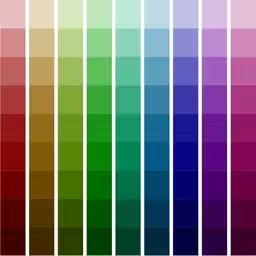
Palettes is a powerful productivity tool for creating and maintaining color palettes. Great for creating color schemes. Now you can create a color palette anywhere at anytime. Grab colors from a photograph, a website, or add colors using any one of 5 color models. Quickly find matching colors with support for many different color schemes. You may create and store any number of palettes. This application runs at one of three levels: Free, Basic, and Pro. The initial free version runs at the Pro level for a limited time allowing you to fully test the application. It will then revert back to the Free level. Use the included in-application purchasing to upgrade to either the Basic or Pro level at any time. Key features include: • Single universal application works on all your iOS devices including iPhone, iPad, and iPod Touch. • Quickly create a color palette from a web site, image, camera, or color scheme. • Unlimited number of palettes (Free only supports 3). • 25 colors per palette (Free and Basic allows 5). • Undo/Redo support. • Import/Export palettes from/to Adobe Photoshop, Illustrator and Fireworks, GIMP, Paintshop Pro, Procreate, and OS X Color Chooser. (Pro) • Import/Export palettes via email. Team development made easy with one click import. (Pro) • Backup and restore your Palettes data directly to/from your own computer, iCloud, Dropbox, Google Drive, Box, or FTP servers. (Basic, Pro) • Import and export palette files directly to/from your own computer, iCloud, Dropbox, Google Drive, Box, FTP servers, or another app. (Pro) • Email color palettes to friends and co-workers. (Pro adds more options) • Pick colors from: • RGB, HSV (HSB), HSL, CMYK, or Gray scale sliders • Standard colors lists (SVG, Web Safe, HTML, Java, Apple) or other palettes. • A website URL (webpage, image, CSS file, 3rd party palette file (Pro)). • An image or camera. • Any valid CSS3 color representation. • Create colors via: • Color blending (Pro adds using 1 of 4 color models). • Color schemes (monochromatic (Pro), analogous, triadic, complementary (Pro), split complementary (Pro)). • Review color information: • Details (integer, hex, percent, decimal, CSS). • As both a foreground and background color. • "Palette Flow" (not on iPad) • Display a color full screen to compare against a real world item (press and hold color briefly). • Palette preview screen. • Backup a palette as an image in your photo library for later restore. • Rename, reorder, or delete palettes. • Sort palette colors by RGB, HSV/B, HSL, CMYK, or Gray color model. • All work is saved as you go. • Always remembers where you left off last. • Built in context sensitive help system. • Preferences can be set from within the application. (Basic, Pro) • Excellent customer support. Palettes can be used to create color palettes for: • Web site design • Marketing campaigns • Home decorating • Wardrobe • Artists • Color coordinating • Anywhere colors are needed - just use your imagination Please visit http://www.maddysoft.com/iphone/palettes to see a more complete set of screen shots and additional information on the features of "Palettes". The website includes contact information for leaving feedback, asking questions, or reporting any issues. NOTE: Known limitation - this version is unable to import binary OS X palette files (.clr) from ~/Library/Colors. NOTE: Screenshots are after upgrading to the Pro level.
What's New
Version 9.1 2018-09-21
Support for the new iPhone X models. Technical Analysis
Package Overview Basic metadata
Bundle ID
com.maddyhome.iphone.PalettesLite Current Version 9.1
Minimum iOS 8.1
Package Size Latest Recorded Package Size
Package Metadata 1 / 20 version records
3.6 / 5.0 (23 ratings)
Detailed binary, privacy manifest, framework, and Info.plist results have not been indexed for this package yet. The verified App Store and archive metadata above remains available.
Developer Information
Known Version Records
1 version record with stored package metadata • 20 known version records
Stored metadata does not guarantee a package is currently available to download.
| Details | Version / IDs | Version date | Action |
|---|---|---|---|
 12.08 MB | v9.1 App Store ID: 828590264Build: 9.1.2 | 2024-10-27 06:38:33 | Get Version |
| Not archived | App Store ID: 825637398 | Unknown | Request Version |
| Not archived | App Store ID: 825372462 | Unknown | Request Version |
| Not archived | App Store ID: 825328706 | Unknown | Request Version |
| Not archived | App Store ID: 821073650 | Unknown | Request Version |
| Not archived | App Store ID: 815032863 | Unknown | Request Version |
| Not archived | App Store ID: 727062690 | Unknown | Request Version |
| Not archived | App Store ID: 711912649 | Unknown | Request Version |
| Not archived | App Store ID: 26412634 | Unknown | Request Version |
| Not archived | App Store ID: 11578552 | Unknown | Request Version |
| Not archived | App Store ID: 4440385 | Unknown | Request Version |
| Not archived | App Store ID: 2925025 | Unknown | Request Version |
| Not archived | App Store ID: 2710846 | Unknown | Request Version |
| Not archived | App Store ID: 2218093 | Unknown | Request Version |
| Not archived | App Store ID: 2072574 | Unknown | Request Version |
| Not archived | App Store ID: 1998593 | Unknown | Request Version |
| Not archived | App Store ID: 1751693 | Unknown | Request Version |
| Not archived | App Store ID: 1474001 | Unknown | Request Version |
| Not archived | App Store ID: 1410886 | Unknown | Request Version |
| Not archived | App Store ID: 1142961 | Unknown | Request Version |