
Preview






Description
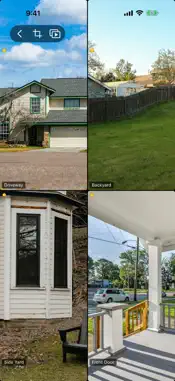
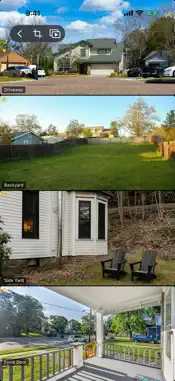
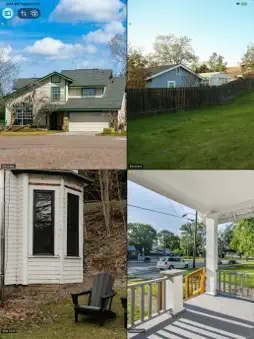
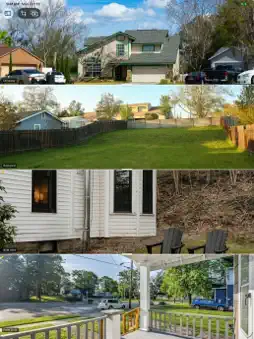
See all of your home's cameras at once. Multiple Camera Viewer shows the cameras you've set up in the Apple Home app side by side, live, in the layout that suits the moment: a grid, picture in picture, a split screen, or a full-screen tour. THREE LAYOUTS • Grid: one to four columns. Show each camera's whole picture, or switch to fill and every camera reaches the edges of the screen with no black bars. • Picture in Picture: one camera fills the screen and the others float in windows you can drag, resize and snap into place. Double-tap a window to swap it into the main view. • Split: stack cameras side by side or top to bottom, then drag the dividers to give each camera the space it needs. CAMERA TOUR Turn your phone, tablet or Mac into a monitor. Each camera takes the whole screen in turn, every 5 to 60 seconds, with a smooth crossfade. The next camera starts connecting before its turn, so it appears ready to watch. Tap to skip ahead, double-tap to switch between filling the screen and showing the whole picture, and drag or pinch to frame the shot. DOORBELL AND MOTION When someone rings a doorbell camera, that camera gets your attention: it takes the main view in Picture in Picture or a tour, gets a live stream, and is outlined with a "Doorbell" badge. Turn on motion too, and a camera that sees movement is brought forward the same way, without flipping back and forth every time the trees move. Works while the app is open. FRAME EACH CAMERA YOUR WAY Drag to reposition and pinch to zoom on any camera. Each camera remembers its framing, so the driveway stays centered on the driveway. SMART ABOUT LIVE STREAMS On iPad and Mac at home, every camera can stream live. iPhone, and any device away from home (where Apple allows two live streams at a time), keeps the cameras you're watching live and shows the rest as regularly refreshed snapshots. Tap any camera to bring it live. A colored dot on each camera shows whether it's live, a snapshot, connecting or offline. IPHONE, IPAD, MAC AND IPHONE DUO The same app runs on iPhone, iPad and Mac. On Mac, resize the window to any shape. On iPhone Duo, your cameras stay on screen as you fold and unfold, and in tabletop mode (half folded, standing on a table) the main camera fills the top half while the others wait as tiles on the bottom half. AND MORE • Live audio from any camera, one at a time • Keep the screen awake while you watch • Show or hide camera names, reorder cameras, and hide the ones you don't need • Built-in stream diagnostics to help troubleshoot a slow or stubborn camera PRIVATE BY DESIGN No account, no ads, no tracking and no analytics. Video goes straight from your cameras to your device through Apple's Home framework, and your layout is saved only on your device. FREE Multiple Camera Viewer is free, made by an independent developer. If you find it useful, there's an optional tip jar in the app. REQUIREMENTS Cameras set up in the Apple Home app. iOS 17, iPadOS 17 or macOS 14 or later.
What's New
Version 1.10 2026-10-28
• Layouts: save the current view as a layout, such as Night or Front of house, and switch to it with a tap. A layout remembers the arrangement, the main camera,... Technical Analysis
Package Overview Basic metadata
Bundle ID
com.homekit.camcrop.HomeKitCamCrop Current Version 1.10
Minimum iOS 17.0
Package Size App Store Size
Package Metadata 0 / 5 version records
Detailed binary, privacy manifest, framework, and Info.plist results have not been indexed for this package yet. The verified App Store and archive metadata above remains available.
Known Version Records
0 version records with stored package metadata • 5 known version records
Stored metadata does not guarantee a package is currently available to download.
| Details | Version / IDs | Version date | Action |
|---|---|---|---|
| Not archived | App Store ID: 886749688 | Unknown | Request Version |
| Not archived | App Store ID: 884553516 | Unknown | Request Version |
| Not archived | App Store ID: 884450399 | Unknown | Request Version |
| Not archived | App Store ID: 884388363 | Unknown | Request Version |
| Not archived | App Store ID: 884176905 | Unknown | Request Version |