
Preview


Description
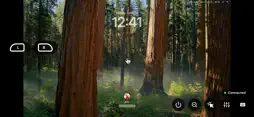
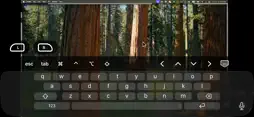
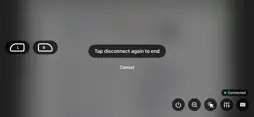
Qscreen is a modern VNC client built around touch, stylus support, and mobile workflows. Whether you’re managing files, controlling applications, or accessing a remote computer, Qscreen makes remote desktop control feel natural and intuitive. No account. No subscriptions. No companion app required. Simply connect to your VNC-compatible device and get to work. NATIVE STYLUS SUPPORT Use a compatible stylus for precise cursor control and navigation. MOBILE AND TABLET OPTIMIZED Designed for touch-first interaction on phones and tablets. AUTOMATIC COMPUTER DISCOVERY Instantly detect compatible devices available on your local network. MULTIPLE CURSOR MODES Choose the control style that fits your workflow. • Trackpad Mode • Direct Touch Mode • Stylus Mode EXTERNAL KEYBOARD SUPPORT Pair your favorite Bluetooth keyboard for a desktop-like experience. QUICK COMMAND CONTROLS Convenient on-screen keys for Command, Option, Control, Arrow Keys, and more. LEFT AND RIGHT MOUSE BUTTONS Dedicated mouse controls for accurate desktop interaction. ADJUSTABLE STREAMING QUALITY Switch between High and Low quality modes based on your network conditions. CONNECTION STATUS INDICATOR Always know when you’re actively connected and in control. INSTANT ZOOM OUT Quickly return to a full-screen view whenever you lose your place while zoomed in. SCREEN SAVER PROTECTION Reduce screen burn-in during long sessions with customizable timers from 30 seconds to 30 minutes. DISCONNECT CONFIRMATION Prevent accidental disconnects with a confirmation prompt before ending a session. NO COMPANION APP REQUIRED Connect directly to any VNC-compatible server, including macOS Screen Sharing and other standard VNC implementations. No additional software, background services, accounts, or cloud setup required. BUILT FOR TOUCH-FIRST REMOTE ACCESS Unlike traditional VNC clients that simply mirror a desktop, Qscreen is designed for touch-first interaction. Every feature is built to make remote access faster, simpler, and more intuitive. PRIVACY FIRST Qscreen never requires an account. Connections are established directly between your device and your VNC-compatible server, giving you complete control over your remote sessions. SUPPORTED DEVICES Connect to computers and devices running VNC-compatible servers, including: • macOS • Windows • Linux • Raspberry Pi • NAS systems • Home servers REQUIREMENTS • A VNC-compatible server • For macOS, Screen Sharing must be enabled • Local or remote network access • A compatible mobile device or tablet
What's New
Version 1.0.2 2026-07-09
Minor bug fixes Technical Analysis
Package Overview Basic metadata
Bundle ID
com.qscreen.app Current Version 1.0.2
Minimum iOS 16.0
Package Size App Store Size
Package Metadata 0 / 0 version records
Detailed binary, privacy manifest, framework, and Info.plist results have not been indexed for this package yet. The verified App Store and archive metadata above remains available.
Known Version Records
0 version records with stored package metadata
Stored metadata does not guarantee a package is currently available to download.
| Details | Version / IDs | Version date | Action |
|---|