
Preview



Description
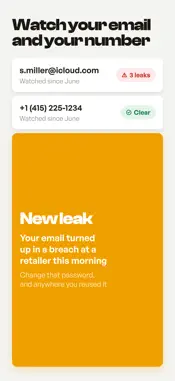
Got a text, a call, or an email that does not feel right? Ask Bewary. Paste it, take a picture of it, or just say out loud what happened, and you get a clear answer in seconds: scam, suspicious, or safe. One plain reason why, and exactly what to do next. No jargon. No guessing. Just a straight answer when you need one. Is this a scam? Just ask • Say it out loud: describe the call, or read the message, and Bewary checks what you said • Paste a text, a link, an email, or a phone number • Send a screenshot, a QR code, or a photo of what is happening in front of you • Or use the Share button in any app to send a link, a picture, or a contact card • A verdict in seconds, one plain-language reason, and simple steps for what to do next Already clicked, called, or paid? • When a check comes back scam or suspicious, tap "I already clicked or paid" • Pick what you did: tapped a link, sent money, gave a code, shared a password • Bewary builds a plan around your answers, most urgent step first • Who to call, what to change, where to report it, and the links to do it Scam texts, sent to junk • Bewary Protect sends scam texts from unknown numbers straight to junk • Fewer fake delivery, bank, and "you won a prize" messages • You switch it on once in your iPhone settings, and Bewary walks you through it Know which calls to ignore • Reported scam and spam numbers get a warning label when they ring • Spot the fake bank or government call before you pick up • Bewary never blocks a call for you, so you decide whether to answer Watch your email and your number • Bewary tells you if your email address turns up in a known data breach • It also checks whether your phone number is being reported as a scam number • Keep watch and get an alert when something new appears Look after the people you love • Add up to five people: parents, kids, or anyone you look out for • One subscription covers everyone you add, at no extra cost to them • See at a glance who may need a hand What is free, and what is not Every month you get free checks, and Bewary always shows how many you have left. You can watch one email address and one phone number for free. Bewary Protect adds unlimited checks, scam texts filed to junk, warning labels on scam calls, more addresses and numbers to watch, and the family hub. It is a monthly or yearly subscription and it renews until you cancel. Your privacy comes first Bewary is built to protect you, not track you. Location is used only to sharpen a check on a photo you take, never in the background and never stored. Your checks are used to keep you safe, never sold. Stay wary. Stay safe. Terms of Use (EULA): https://www.apple.com/legal/internet-services/itunes/dev/stdeula/
What's New
Version 1.5 2026-08-25
Typing a check is fixed. The keyboard used to cover the buttons at the bottom of the box, so there was no way to send what you had typed without closing it firs... Technical Analysis
Package Overview Basic metadata
Bundle ID
com.reply200.wary Current Version 1.5
Minimum iOS 18.0
Package Size App Store Size
Package Metadata 0 / 0 version records
Detailed binary, privacy manifest, framework, and Info.plist results have not been indexed for this package yet. The verified App Store and archive metadata above remains available.
Developer Information
Known Version Records
0 version records with stored package metadata
Stored metadata does not guarantee a package is currently available to download.
| Details | Version / IDs | Version date | Action |
|---|