
Preview











Description
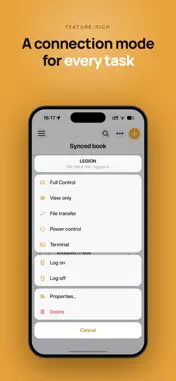
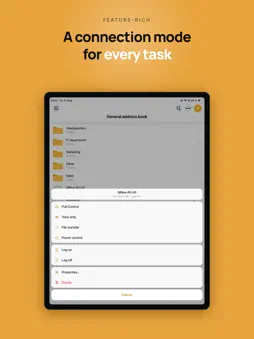
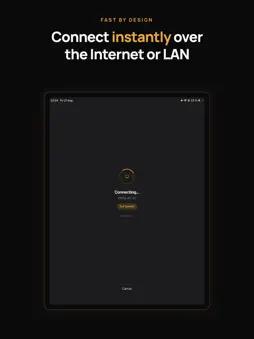
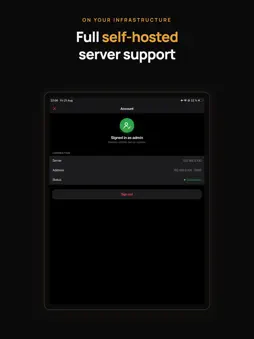
Remote Utilities gives you full remote access to your Windows, macOS and Linux computers from your iPhone or iPad — over the Internet or LAN, with zero network configuration. View the remote desktop, control the mouse and keyboard, transfer files and manage power, all from one app. Free for personal and business use alike — no ads. REMOTE CONTROL • Full Control and View modes with a convenient toolbar — quick actions and commands at hand • Two input methods in Full Control: Trackpad (mouse pointer, with optional cursor momentum) or Touch — choose what suits your habits • Multi-monitor support — switch to a single remote monitor or view all at once • Next-generation screen capture codec for faster performance, with the classic codec available as an option • Blank the remote screen and block remote input for privacy • Lock the remote computer and close the session in one step FILE TRANSFER • Copy and move files both ways between your device and the remote PC • Resume interrupted downloads and uploads POWER CONTROL • Shut down, restart, lock, sleep or hibernate the remote computer CONNECTIVITY & SECURITY • Connect directly by IP address or instantly via Internet-ID — no router or firewall setup needed • Three authentication modes: single password, login and password, or custom server security ADDRESS BOOK • Full-fledged address book with folders and per-connection properties • Set default connection properties as a template for new entries • Multiple address books of different types — local or synced • Full import, export and sync capabilities SELF-HOSTED SERVER • Complete support for your own Remote Utilities server: address book sync, server-based authentication and relay through your own infrastructure To connect, install the free Host module on the remote computer — available for Windows, macOS and Linux at https://www.remoteutilities.com
What's New
Version 14.3.0 2026-10-23
New: Terminal mode. A command line on the remote computer, right on your phone or tablet. Works with Host for Windows 7.9 and later (Command Prompt, PowerShell)... Technical Analysis
Package Overview Basic metadata
Bundle ID
mviewer Current Version 14.3.0
Minimum iOS 18
Package Size App Store Size
Package Metadata 1 / 18 version records
2.6 / 5.0 (25 ratings)
Detailed binary, privacy manifest, framework, and Info.plist results have not been indexed for this package yet. The verified App Store and archive metadata above remains available.
Developer Information
Known Version Records
1 version record with stored package metadata • 18 known version records
Stored metadata does not guarantee a package is currently available to download.
| Details | Version / IDs | Version date | Action |
|---|---|---|---|
 36.23 MB | v12.7.1 App Store ID: 868898606Build: 12.7.1 | 2024-09-12 19:07:48 | Get Version |
| Not archived | App Store ID: 852211483 | Unknown | Request Version |
| Not archived | App Store ID: 844522193 | Unknown | Request Version |
| Not archived | App Store ID: 841946735 | Unknown | Request Version |
| Not archived | App Store ID: 840853409 | Unknown | Request Version |
| Not archived | App Store ID: 831216302 | Unknown | Request Version |
| Not archived | App Store ID: 830574272 | Unknown | Request Version |
| Not archived | App Store ID: 828749020 | Unknown | Request Version |
| Not archived | App Store ID: 826322468 | Unknown | Request Version |
| Not archived | App Store ID: 821958037 | Unknown | Request Version |
| Not archived | App Store ID: 818945138 | Unknown | Request Version |
| Not archived | App Store ID: 813811907 | Unknown | Request Version |
| Not archived | App Store ID: 813582320 | Unknown | Request Version |
| Not archived | App Store ID: 813437083 | Unknown | Request Version |
| Not archived | App Store ID: 812120481 | Unknown | Request Version |
| Not archived | App Store ID: 720352646 | Unknown | Request Version |
| Not archived | App Store ID: 307623268 | Unknown | Request Version |
| Not archived | App Store ID: 288913258 | Unknown | Request Version |