
Preview




Description
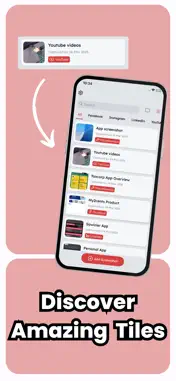
Are you tired of endlessly scrolling through your gallery just to find a single screenshot? With SS Diary, managing your screenshots has never been easier. Whether you're capturing important information, saving memorable moments, or keeping track of online purchases, SS Diary helps you instantly organize and access your screenshots without the hassle of manual searching. With SS Diary, every screenshot you take can be categorized the moment you capture it. Simply share the screenshot with SS Diary, and it will be neatly arranged in the right place for you. No more cluttered galleries or disorganized images—just a seamless, intuitive way to manage all your visual content. But that’s not all. You can also go back and organize your existing screenshots, making sure everything is sorted just the way you like it. Whether you prefer categorizing them into folders, tagging them with relevant labels, or simply keeping them in an easily accessible timeline, SS Diary gives you full control over your screenshot collection. The app is designed with simplicity in mind, ensuring that you can navigate and manage your screenshots effortlessly. Its clean and modern interface makes it easy to find what you need when you need it. Plus, with secure backup options, you never have to worry about losing your important images. Whether you're a student saving lecture notes, a professional keeping track of work-related documents, or just someone who takes a lot of screenshots, SS Diary is the perfect tool to keep your digital life organized.
What's New
Version 1.0.6 2025-07-28
Bug fix, and update premium packages. Technical Analysis
Package Overview Basic metadata
Bundle ID
com.umair.ssSaver Current Version 1.0.6
Minimum iOS 12.0
Package Size App Store Size
Package Metadata 1 / 4 version records
Detailed binary, privacy manifest, framework, and Info.plist results have not been indexed for this package yet. The verified App Store and archive metadata above remains available.
Known Version Records
1 version record with stored package metadata • 4 known version records
Stored metadata does not guarantee a package is currently available to download.
| Details | Version / IDs | Version date | Action |
|---|---|---|---|
| 44.5 MB | v1.0.6 App Store ID: 876745605Build: 1.0.6 | 2025-07-28 23:15:08 | Get Version |
| Not archived | App Store ID: 875218545 | Unknown | Request Version |
| Not archived | App Store ID: 873328684 | Unknown | Request Version |
| Not archived | App Store ID: 873074939 | Unknown | Request Version |