Preview





Description
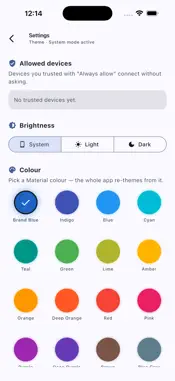
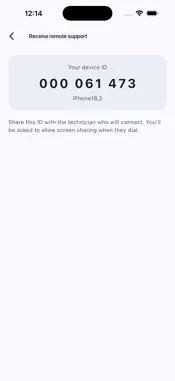
RemoteViewer PRO is a fast, secure, pure-P2P remote desktop app. Connect your iPhone or iPad to any Windows, Mac, or Linux computer running RemoteViewer PRO — view the desktop, send files, and hand off control to a friend or technician, all over an encrypted peer-to-peer link. WHY REMOTEVIEWER PRO • Pure peer-to-peer — your screen data goes directly between devices. No relay servers, no cloud middlemen, no "we route your traffic through Frankfurt". • End-to-end encrypted using WebRTC's DTLS-SRTP — the same encryption Zoom, Google Meet, and WhatsApp calls use. • No account required — a 9-digit Device ID is all you need to connect. No signup, no email verification. • Free forever on the core feature set. Unlimited session length, full quality, no watermarks. • Cross-platform — connect between iPhone, iPad, Mac, Windows, and Linux in any combination. HOW IT WORKS 1. Install RemoteViewer PRO on the computer you want to reach. 2. Note the 9-digit Device ID shown on that computer. 3. On your iPhone or iPad, tap Connect by Device ID, enter the 9 digits, and connect. 4. The host approves the connection with one tap — from then on, you see and control their desktop. TWO ROLES IN ONE APP • Connect to a computer — view and control a remote Windows, Mac, or Linux desktop. • Receive remote support — share your iPhone/iPad screen so a technician can see what you're seeing (they cannot control your device without your permission). SECURITY AND PRIVACY • Peer-to-peer means the two devices talk directly. There is no server that sees your screen or your files. • Every session is DTLS-SRTP encrypted end-to-end. • The host must approve every incoming connection. • You can revoke trusted devices any time from Settings → Allowed devices. WHO USES REMOTEVIEWER PRO • IT professionals supporting remote users. • Freelancers accessing a workstation from an iPad. • Families helping less-tech-savvy relatives. • Small businesses that want professional-class functionality without a subscription. REQUIREMENTS • iPhone or iPad on iOS 13 or later. • The remote computer must also run the free RemoteViewer PRO desktop app (available for Windows, macOS, and Linux). • A working internet connection on both ends. Mobile data or Wi-Fi both work.
What's New
Version 0.4.70 (164) 2026-07-26
Fixes connections between Mac and Windows on different networks. Fixes a black screen when connecting to an idle Mac, and improves connection reliability. Technical Analysis
Package Overview Basic metadata
Bundle ID
in.reevtech.remoteviewerpro Current Version 0.4.70 (164)
Minimum iOS 13.0
Package Size App Store Size
Package Metadata 0 / 0 version records
Detailed binary, privacy manifest, framework, and Info.plist results have not been indexed for this package yet. The verified App Store and archive metadata above remains available.
Developer Information
Known Version Records
0 version records with stored package metadata
Stored metadata does not guarantee a package is currently available to download.
| Details | Version / IDs | Version date | Action |
|---|