Preview


Description
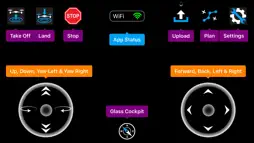
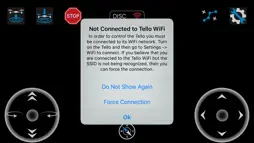
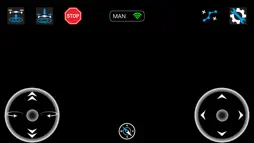
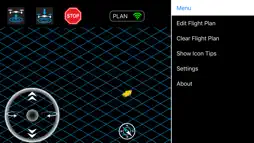
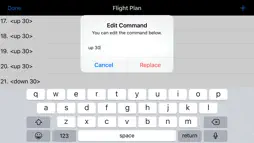
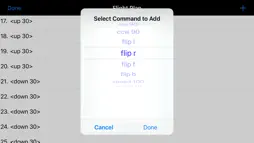
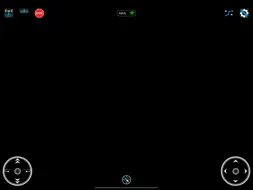
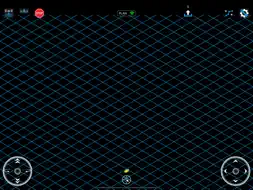
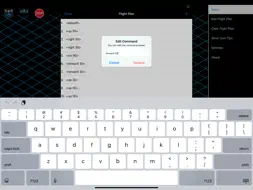
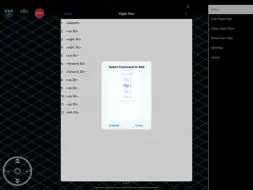
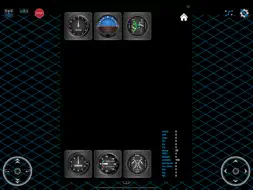
This app allows you to visually program a flight plan for the Tello Drone and then upload it to the drone for execution. You can also fly the drone manually with the app if you wish. Real time telemetry from the drone is displayed on the glass cockpit. Tello is a mini drone equipped with a HD camera that is manufactured by Ryze Robotics and includes a flight controller with DJI smarts. We access the Tello API by connecting to the airframe via a WiFi UDP port. Once a connection is in place, the drone is controlled using simple text commands. So before using the app, make sure that your Tello drone is on and the iPhone is connected to the Tello WiFi. You can check this by going to Settings -> WiFi. The first time that you use the app it will request your permission to use Location Services. This is required to allow the app to determine the SSID of the WiFi connection so we know when you are connected to the drone. The app doesn't use location services for anything else. The app has two modes of operation: manual and planning / auto pilot. The app status is shown in the top centre panel. This panel also indicates whether WiFi is connected or not. It may take a few seconds for a change in WiFi status to be displayed. If you are connected to the Tello and in manual mode, then tapping the take off icon will cause the drone to auto take off and hover. Tapping land will auto land. Only tap emergency stop if necessary as it will immediately stop all four motors and the drone will fall out of the sky! Tapping the plan button toggles the app state between planning mode and manual mode. In planning mode a grid (representing the ground) and yellow arrow (representing the drone), will appear. The arrow direction indicates the front of the drone. In planning mode, you can enter the sequence of commands which will be transmitted to your drone for execution. Start with take off or you will receive a warning message. When you are finished with your flight plan tap land. The arrow will simulate the position of the drone but is not to scale. Tapping the upload icon will send your flight plan to the Tello and execute it. While the plan is being flown, the app will display the glass cockpit. Real time telemetry from the drone is displayed on the glass cockpit. This includes pitch, roll, yaw, velocity (x, y, z), temperature, time of flight (tof), height, battery percentage, motor on time, barometric pressure, and acceleration (x, y, z). A full description of how the app operates is provided at our website (reefwing.com.au). FlightPlan is a refined version of another that I described in an article called "Programming the Tello Drone using Swift." (https://medium.com/@reefwing/programming-the-tello-drone-using-swift-f9122fd4aeb8?). You can refer to this article to understand how the app operates and create your own version.
Technical Analysis
Package Overview Package analysis available
Bundle ID
au.com.reefwing.FlightPlan Current Version 1.0
Minimum iOS 12.2
Package Size App Store Size
Package Metadata 1 / 1 version records
CocoaAsyncSocket
org.cocoapods.CocoaAsyncSocket v7.6.3iOS 8.0+260.89 KB
Reachability
org.cocoapods.Reachability v4.3.1iOS 8.0+103.87 KB
SideMenu
org.cocoapods.SideMenu v6.4.2iOS 10.0+252.37 KB
TipSee
org.cocoapods.TipSee v1.4.0iOS 9.0+174.89 KB
Developer Information
Known Version Records
1 version record with stored package metadata
Stored metadata does not guarantee a package is currently available to download.
| Details | Version / IDs | Version date | Action |
|---|---|---|---|
| 7.08 MB | v1.0 App Store ID: 831532975Build: 1.0 | 2019-12-30 15:00:56 | Get Version |