
Preview





Description
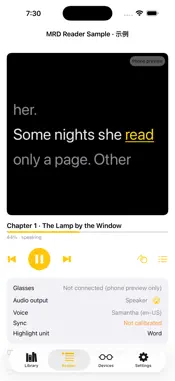
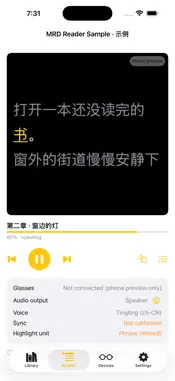
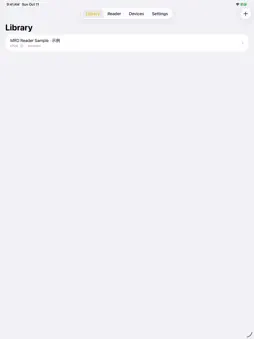
Glass Book Reader reads your own e-books aloud with the voices built into iOS and, if you own Meta Ray-Ban Display glasses, shows the previous, current and next line on the glasses with the spoken word highlighted. • Import DRM-free EPUB, text PDF and TXT files, or start with the built-in sample. • Reading uses the system voices on your iPhone — nothing is sent to the cloud. • Three lines on the glasses: the line being read in the middle, the word being spoken highlighted. • Control reading from headphones, AirPods or the glasses touchpad: play/pause, next and previous page. • Resume where you left off; pick a voice, speed and reading area; adjust audio/text sync. • English and Simplified Chinese text and interface. Meta glasses are optional: without them, Glass Book Reader reads on the phone with a three-line preview. Showing text on glasses requires the Meta AI app and a one-time approval of Glass Book Reader in it. No accounts, no analytics, no servers. Your books stay on your phone.
What's New
Version 0.2.0 2026-10-29
New: word-by-word translation on the glasses. When you pause reading, the glasses menu highlights the current word and shows its translation; the word buttons s... Technical Analysis
Package Overview Basic metadata
Bundle ID
com.redshore.mrdreader.MRDReader Current Version 0.2.0
Minimum iOS 17.2
Package Size App Store Size
Package Metadata 0 / 0 version records
Detailed binary, privacy manifest, framework, and Info.plist results have not been indexed for this package yet. The verified App Store and archive metadata above remains available.
Known Version Records
0 version records with stored package metadata
Stored metadata does not guarantee a package is currently available to download.
| Details | Version / IDs | Version date | Action |
|---|