
Preview




Description
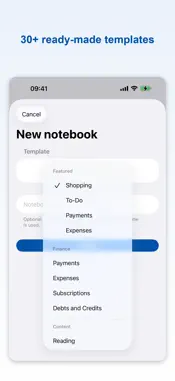
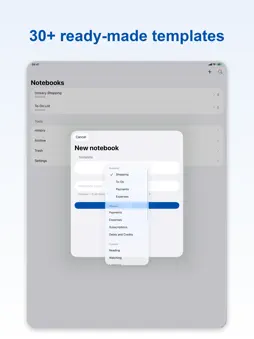
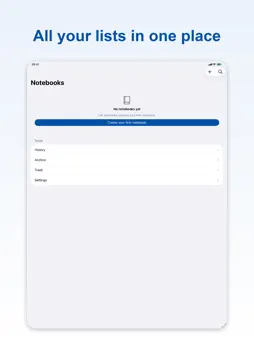
Folio turns anything you need to keep track of into a notebook you can actually use: groceries and errands, bills and subscriptions, medication and habits, books to read. Over 30 ready-made templates, each with its own fields, statuses and reminders — and every screen works perfectly with Siri and VoiceOver. READY-MADE TEMPLATES • Finance: Payments, Expenses, Subscriptions, Debt/Credit • Content: To Read, To Watch, To Listen • Special Days & Travel: Birthdays, Places to Go, Packing • Routines: Habits, Chores, Maintenance, Plant Care, Pet Care, Exercise • Processes: Applications, Project Tracking, Awaiting, Orders, Loans • Personal Tracking: Inventory, Meal Plan, Courses, Goals, Attendance, Vaccinations • Shopping, To-Do, and a completely blank notebook to start from scratch HANDS-FREE WITH SIRI • "Add to Folio": Siri asks which notebook and what to add, then keeps going with "Anything else?". • "What's on tomorrow in Folio", "What's next in Folio", "What did I do yesterday in Folio". • "When did I last do it in Folio" — perfect for medication, watering plants or feeding pets. • "Read what's left in Folio": long lists are read five at a time. • Every command is listed in Settings > Siri & Shortcuts > All Siri commands. DESIGN IT YOUR WAY • Customize each notebook's fields, statuses, and order with the Field Designer. • Build your own templates, then use or remove them from the template picker. • Organize notebooks into folders, pin the ones that matter most. DATES, REMINDERS & RECURRENCE • Add a date, time, and reminder to any item. • Set daily, weekly, monthly, yearly, or completion-based recurrence rules. • Overdue items automatically surface to the top. FULL VOICEOVER SUPPORT • Folio was designed from day one for VoiceOver users — every screen and action is announced clearly. • Status changes, delete/undo, and list updates are announced instantly. • Haptic and sound feedback are fully customizable in Settings. HISTORY & ARCHIVE • Save a snapshot of completed lists to history and review them anytime. • Deleted notebooks and items wait in Trash for a while before you decide. ICLOUD SYNC, NO ACCOUNT NEEDED • Folio doesn't ask you to create an account — it just uses the iCloud account already on your device. • Your notebooks sync automatically across your devices; nothing is stored on Folio's own servers. Your first 2 notebooks are free forever, fully editable — no payment info, no time limit. Need more? Unlock unlimited notebooks, custom templates, folders, and full JSON backup with monthly, yearly, or one-time Lifetime Folio Pro; plain text and CSV export are always free. Terms of Use (EULA): https://www.apple.com/legal/internet-services/itunes/dev/stdeula/
What's New
Version 1.2.2 2026-10-29
This is a bug fix update: • Fixed the app freezing or closing when opening a notebook or folder (especially on iOS 26 and iOS 27). • Fixed a crash when opening ... Technical Analysis
Package Overview Basic metadata
Bundle ID
com.recepgur.folio Current Version 1.2.2
Minimum iOS 17.0
Package Size App Store Size
Package Metadata 0 / 0 version records
Detailed binary, privacy manifest, framework, and Info.plist results have not been indexed for this package yet. The verified App Store and archive metadata above remains available.
Known Version Records
0 version records with stored package metadata
Stored metadata does not guarantee a package is currently available to download.
| Details | Version / IDs | Version date | Action |
|---|