Preview








Description
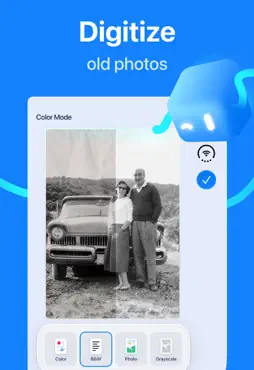
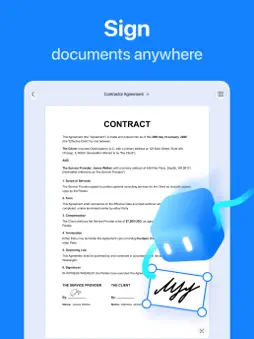
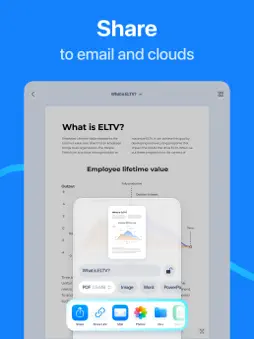
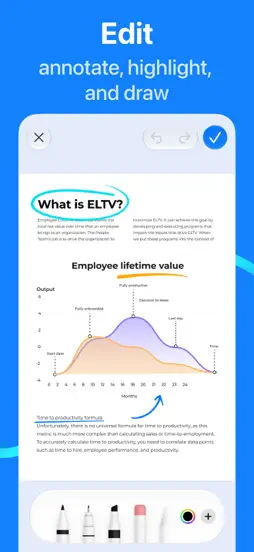
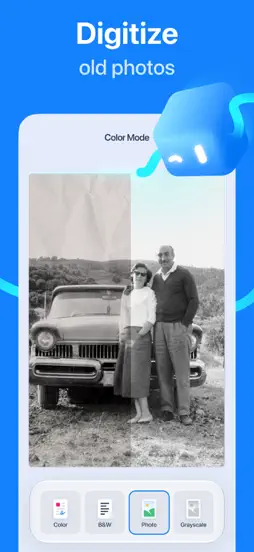
Scanner Pro is a professional document scanner that turns your iPhone or iPad into a portable scan-to-PDF tool. Scan agreements, receipts, IDs, books, and more — Scanner Pro automatically detects borders, corrects perspective, and removes shadows to produce clean, ready-to-share PDFs in seconds. DOCUMENT SCANNER - Scan documents, receipts, pictures, IDs, books, and photos with automatic edge detection and perspective correction - Digitize and restore old photos in color, black & white, or grayscale - Highlight, write, and draw directly on your scanned documents CONVERT & EXPORT - Convert any scan into a searchable PDF in seconds - Export scans as PDF, Word, PowerPoint, or JPG - Merge multiple pages into a single PDF document - Add a password to protect sensitive PDFs, or remove one when no longer needed SIGN DOCUMENTS - Add your signature to any scanned document or PDF in seconds - Fill out forms and place text, checkmarks, and initials anywhere on a document - Send signed documents directly by email or to any app OCR & FULL-TEXT SEARCH - Turn scanned text into editable text with built-in OCR - Search across the text inside your scans instantly - Highlight important sections and copy text directly from your scans QR CODE SCANNER - Scan and decode QR codes instantly from the camera screen — point, capture, done SHARE & SYNC - Access every scan on all your devices with iCloud sync - Automatically export and upload scans to Dropbox, Evernote, Google Drive, Box, iCloud Drive, OneDrive, OneNote, or any WebDAV-enabled storage - Share unlimited scans by email or with any app, completely free - Translate scanned text into other languages You can also fax documents directly from your device. Scanner Pro supports 25+ languages, including English, French, German, Italian, Spanish, Portuguese, Dutch, Russian, Ukrainian, Turkish, Japanese, and Simplified and Traditional Chinese. Download Scanner Pro today for a fast, professional way to scan, organize, and share documents wherever you are. Share your feedback and comments at http://readdle.com/contact Privacy Policy: https://readdle.com/scannerpro/legal/privacy Terms of Service: https://readdle.com/scannerpro/legal/terms
What's New
Version 9.0.6 2026-11-24
This update includes several behind-the-scenes technical improvements to keep your app running smoothly. We're always working to make it better — feel free to s...This update includes several behind-the-scenes technical improvements to keep your app running smoothly. We're always working to make it better — feel free to share your thoughts at [email protected]. Version 9.0.5 2026-11-19
This update improves how contacts work in Fax for a smoother faxing experience. Enjoying the app? Leave us a rating, and if you have any questions, write to rds...This update improves how contacts work in Fax for a smoother faxing experience. Enjoying the app? Leave us a rating, and if you have any questions, write to [email protected]! Version 9.0.4 2026-11-04
A fresh update for a fresher experience! We’ve ironed out a few technical wrinkles to keep your workflow uninterrupted. Let us know how we’re doing at rdsupport...A fresh update for a fresher experience! We’ve ironed out a few technical wrinkles to keep your workflow uninterrupted. Let us know how we’re doing at [email protected]. Version 9.0.3 2026-10-23
Scanner Pro is ready for iPhone Duo! Scan, save, and share documents on your new device from the very first day. Update and tell us what you think at rdsupport...Scanner Pro is ready for iPhone Duo! Scan, save, and share documents on your new device from the very first day. Update and tell us what you think at [email protected]! Version 9.0.2 2026-10-15
We’ve polished the app's technical performance to ensure your workflow remains smooth and uninterrupted. Questions or suggestions? Contact us at rdsupport@readd...We’ve polished the app's technical performance to ensure your workflow remains smooth and uninterrupted. Questions or suggestions? Contact us at [email protected]. Version 9.0.1 2026-09-27
Scanner Pro has a whole new look this update – sleeker, smoother, and more polished throughout, with new Liquid Glass transitions that make moving between scree...Scanner Pro has a whole new look this update – sleeker, smoother, and more polished throughout, with new Liquid Glass transitions that make moving between screens feel effortless. It now fully supports iOS 27, with improved performance and stability overall. Update now and see for yourself! Version 9.0 2026-09-14
Scanner Pro has a whole new look this update – sleeker, smoother, and more polished throughout. It now fully supports iOS 27, with improved performance and stab...Scanner Pro has a whole new look this update – sleeker, smoother, and more polished throughout. It now fully supports iOS 27, with improved performance and stability overall. Update now and see for yourself! Version 8.39 2026-08-27
Scanner Pro is now ISO 27001 certified, reflecting our continued commitment to protecting your data. This update also introduces Auto Name, which automatically ...Scanner Pro is now ISO 27001 certified, reflecting our continued commitment to protecting your data. This update also introduces Auto Name, which automatically names your scans based on their content, making documents easier to organize and find. Update Scanner Pro and share your feedback with us! Version 8.38.1 2026-08-06
We’ve made a round of technical refinements in this update to keep your document management smooth and stable. As always, we're listening — drop us a note at rd...We’ve made a round of technical refinements in this update to keep your document management smooth and stable. As always, we're listening — drop us a note at [email protected]. Version 8.38 2026-07-19
Smart filters are here in Scanner Pro! Now your scans are automatically organized by type and date, so you can find receipts, IDs, cards, finance documents, and...Smart filters are here in Scanner Pro! Now your scans are automatically organized by type and date, so you can find receipts, IDs, cards, finance documents, and other files faster than ever. Update Scanner Pro now and share your feedback with us. App Store User Reviews
TheNewGuyHere 2024-08-20
Updated 5-Star Review
Readdle Scanner Pro— Good news: Still a great scanning app! Bad news: As the app is updated each year, a few more controls are added, that aren’t immediately...Readdle Scanner Pro— Good news: Still a great scanning app! Bad news: As the app is updated each year, a few more controls are added, that aren’t immediately noticeable. What happens is that suddenly it appears that the updated app doesn’t work as well as it once did. Well, it does work as well, but you have to closely examine it for new settings, then adjust them for how and what YOU are scanning. In other words, Readdle Scanner Pro now allows more granular settings. Some new controls are hard to spot. I wish Readdle would have a “simplified setting for dummies”, so it could work like it once did. It took an in-app complaint from me (that was answered within 24-hours) for me to learn about the new controls. Then I had to play with Scanner Pro for a few days, to use it as I once did, so it was again quick and easy for my daily needs. So I am rating it as 5-Stars again. I love the app, I use it every day, but I love it slightly less than before, because I had to relearn and practice with it. It’s still the best scanner app I’ve found, but the gap between it and others is narrowing. Please add a single “Preset for Dummies” for those of us who don’t need so many granular settings. Or add an obvious link to a simple graphical users guide, showing what settings are where, now. Don’t discourage us. We just want to make a good scan, quickly. We don’t want to relearn how to use the app. Thanks.
kcezz 2025-05-27
Truly one of the best scanners out there!
Like many people, I don’t write reviews much. But I really do enjoy this app. I use it to help me with my homework, as in this digital age, teachers will give y...Like many people, I don’t write reviews much. But I really do enjoy this app. I use it to help me with my homework, as in this digital age, teachers will give you a paper assignment but then you will have to scan it to Google Classroom. It is so much better to use this than to take a picture, as it crops to only your homework and it will find the edges really nicely. In case you wrote some annotations of a document really close to the edge of the paper, no worries! You can manually adjust the cropping. I also love that it corrects for slanted angles, meaning don’t have to retake the photo over and over again because my hand wasn’t straight, it is also another reason why this app is better than just taking a photo. It also saves it into a separate folder in my files, meaning I can access it anywhere anytime, and it’s not just cluttered with all my other files. I use it pretty much every day for my homework, and while a lot of people use it for receipts and other stuff, there are countless uses for this scanner app. I highly recommend it and I feel like anyone could find a good use for it! Give it a try! Thank you to the developers for also making this app really easy to use and keeping things simple. It’s very hard to find apps like that nowadays, everything has to have bells and whistles and flashing lights and it’s so annoying. Thank you for not being like that!
Ipad4me2 2025-06-19
Used to be great
I have been using this app for … 11 years and was extremely happy with it. The feature I loved was ability to create workflows and make them rename my scans and...I have been using this app for … 11 years and was extremely happy with it. The feature I loved was ability to create workflows and make them rename my scans and upload to online storage. First the renaming feature stopped working and instead produced an error and now my carefully created numerous workflows entirely disappeared from the app. I recreated a new workflow to test if renaming works but no it still did not. No way to recover lost workflows either. No settings backup function. As if this wasn’t enough the newly created workflow mysteriously disappeared from the app the following day. What a … mess this app has become!!! Rolling down the hill quickly after stellar 11 years…. If it ain’t broken don’t fix it rule did not gain much traction with the developer. As of today I can’t really recommend this app. Too bad… in fact if you are looking for an app that does more than just basic scanning (that iOS notes does already) look elsewhere. This is no longer an app I can rely on. ———— Update: new version fixed the scan renaming failure and test workflow works now and was not automatically deleted the following day. The old workflows are still gone and no settings backup function exists. Step in right direction though - more work ahead.
MarshallBrown 2019-10-02
I use this App Everyday!
I love Scanner Pro. It is so easy to use. I use it to scan and send documents nearly everyday because it automatically straightens and aligns them to all four c...I love Scanner Pro. It is so easy to use. I use it to scan and send documents nearly everyday because it automatically straightens and aligns them to all four corners, removing all distortion seen in every regular photo. It saves lots of time. The image size can be adjusted after the scan to any standard document size before printing. The scans can be named and renamed again later as needed since no two files can have the same name within the same folder. The date can even be added to the name with one simple click. Scans can be grouped together in one file or placed in multiple files for ease of locating or sending. Any image can be rescanned and replaced with a new image, or discarded altogether. After scanning, you can edit the image in several ways to clean it up oftentimes making it more legible than the original. You can easily scan color or black and white photos, text, full pages, text and images, or even handwriting such as old recipe cards. I find that indirect sunlight is the best light for scanning with this app. You can save any image in color or black & white, in either low or high resolution. Get Scanner Pro-you won’t regret it!
Blues Junkie 2021-12-08
Incredibly good
Update: I frequently have an issue with this app not uploading files to the cloud. I have to manually upload selected files very often. This may occur if I don’...Update: I frequently have an issue with this app not uploading files to the cloud. I have to manually upload selected files very often. This may occur if I don’t have a connection to the internet at the time of recording the file, but I’m not certain. If so, you would thing the app would upload once a connection is established. I hope this is addressed in an update soon. This is very inconvenient, but I still like the app enough to use it multiple times each day. I use this primarily to document all business receipts at the time of purchase. It has almost eliminated the need for my desktop scanner. I really like that I can set it to upload files to multiple cloud storage options (including Google Drive, iCloud and One Drive). At the time of recording the image, I amend the default file name to correspond with the filing system I use on my desktop. When I'm in the office, the files are already synced to the cloud sync file on my hard drive. I simply select all and drag them into the expense receipts folder for that month. Done. I also use this to record notes, business card info, etc. The app can be formatted to share files though any email program as well. Great way to convert something to a PDF and email it quickly.
amberfhayes 2024-07-14
Easily worth 5 stars
This app is amazing! I have been using Scanner Pro for at least 6 years and don’t have a single complaint. I’ve used it for work and but mostly for my own perso...This app is amazing! I have been using Scanner Pro for at least 6 years and don’t have a single complaint. I’ve used it for work and but mostly for my own personal benefit. This app helps me keep track of all sorts of paperwork without having to keep up with the actual paper. I have scanned stuff for my teenager for school, instructions for my toddlers toys, forms for my husbands job, medical/vehicle/financial paperwork, handwritten notes (and transcribed them to text to be sent via text message or email), forms to be emailed, and so much more. I used to have to scan in documents for work and upload them to patient files, and with this app I was able to do that from literally anywhere, instead of just from my desk in the office. I did briefly have the paid version but the free version is still 100% beneficial beyond expectation. I have checked out a few similar apps just to see if I’d find a different one that I liked and ended up coming back to this one every time. 10 out of 10 suggest this app to anyone looking to install a scanner app.
J. Blake Coco 2026-11-19
From Amazing and Incredibly Useful to Garbage
I’ve used this app for more than a decade. I’ve scanned so many pages and made so many PDFs. I paid for the full app and recommended passionately to people who ...I’ve used this app for more than a decade. I’ve scanned so many pages and made so many PDFs. I paid for the full app and recommended passionately to people who complained about scanning things. Today, I need to scan documents for the first time this year and I find for the first time that what was once easy now requires multiple steps: deleting a scan. First, I couldn’t even figure out how to delete a page, then I discovered “Delete page” was moved from being a simple trash can icon when the pages was selected to a button buried in the “Tools” menu. So now the workflow is: swipe to the page you don’t want, tap “Tools”, scroll down, tap “Delete page”. What a waste of time! What kills the experience even more is the ‘dock’ at the bottom now have things I do not need and is not customizable. Good UI design would allow me to put the delete page function where tue signatures tool is and move the unused tools into the blackhole “Tools” menu. Instead, I am stuck with tools I don’t need, won’t use, and definitely won’t subscribe for front and center. I’m not sure what my next move is, but I know I don’t want to spend more than a few seconds deleting a few bad scans from a batch of scans. I’ll say that this once great app should now be avoided as there are surely more sane options to use.
Scordra 2021-03-12
Crashes Unexpectedly & Continually UnSynchs
I LOVED this app at first launch and a few years forward. The past year however has been PROBLEM AFTER PROBLEM to where it’s no longer a viable solution for pe...I LOVED this app at first launch and a few years forward. The past year however has been PROBLEM AFTER PROBLEM to where it’s no longer a viable solution for personal and professional use. I have the same problems other users are reporting. Primarily frustrating is the constant unsynching from icloud. I toggle the button to synch, wait for things to “move”, and then a few minutes later find it unsynched again. This program used to work lightning fast and everything was there, right when the app was opened. The second most frustrating experience is the unexpected crashes of the app. Nobody wants to lose pages of scans and to start back at the beginning again. But that’s what happens now. Whoever “fixed” or “upgraded” this original masterpiece should be FIRED. Whoever kept it up and running so well in the initial days should be REHIRED with added pay and benefits. Unfortunately, I’m moving on and I now warn others against an app that I cheered used to cheer for. Goodbye Scanner “Pro”
( ˘⌣˘)づ)˚з°) 2021-01-21
Owned for years; New update is nice
Can’t say that I’m surprised to see folks complaining about the new update, as this seems to be the trend whenever something gets a makeover. Many times the neg...Can’t say that I’m surprised to see folks complaining about the new update, as this seems to be the trend whenever something gets a makeover. Many times the negative reviews are warranted (Fantastical, Airmail — although these two screwed themselves for reasons in addition to their update rendering the apps into hot garbage). This time around, I can say that I’m not disappointed. All the claims regarding new (or kinda new) functions seem to be accurate enough, and I’m enjoying the refreshed interface, which brings the experience up to date and able to aesthetically compete with its peers. To that end, I do have one feature request, which I would be surprised to learn wasn’t already in the works: it would be great to have the ability to change the color scheme/themes, especially with many people utilizing dark mode. Multiple options would be excellent, but even seeing an option to change out blue for grey tones and/or a dark mode would make me a happy camper. Anyways, cheers to the folks over at Readdle. Keep up the good work!
韩旭旭旭旭旭 2018-11-26
Some suggestions and questions
I am one of your users and I am using Scanner pro on my iPhone. I have some suggestions and questions. 1. When I finish my scanning and I want to send the file ...I am one of your users and I am using Scanner pro on my iPhone. I have some suggestions and questions. 1. When I finish my scanning and I want to send the file to others directly using my iPhone, I cannot find the option "using the Airdrop" which I think is the most convenient way connected iPhones. This is question #1. 2. As a new comer to this app, I sometimes deleted files by mistake. Although the app can upload files onto the cloud storage, I still think there should be a place where we can find the files we've already deleted just like other products of yours, like PDF Expert. This can be really helpful especially when I have some important files. 3. The uploading works in a strange way sometimes that I can't understand. I always find the folders missing in my Onedrive and iCloud drive, and the files that supposed to be in those missing folders turns out to be in the primary folder. It's easy for me to delete some file in this way. 4. Still the problem of uploading. I think it better to let the files on my iPhone completely conform to ones on the Cloud disk. Sometimes I may scan one file several times to get the best one, and those files are all uploaded on to my iCloud so that I can't tell which one is the best when I open my iCloud. So the best way is that when I delete some files from my phone, they will also be deleted from my Cloud storage at the same time. I'll appreciate it if you can improve some of the problems in the next version.
Technical Analysis
Package Overview Package analysis available
Bundle ID
com.readdle.Scanner Current Version 9.0.6
Minimum iOS 18.0
Package Size App Store Size
Package Metadata 7 / 301 version records
AppsFlyerLib
com.appsflyer.sdk.lib v1.0iOS 9.0+39.29 KB
BrazeKit
com.braze.BrazeKitnoresources v9.3.0iOS 100.0+39.34 KB
FBAEMKit
com.facebook.sdk.FBAEMKit v1.0iOS 11.0+39.34 KB
FBSDKCoreKit
com.facebook.sdk.FBSDKCoreKit v1.0iOS 11.0+39.38 KB
FBSDKCoreKit_Basics
com.facebook.sdk.FBSDKCoreKitBasics v1.0iOS 11.0+39.42 KB
Intercom
io.intercom.com.Intercom v19.2.1iOS 15.0+7.13 MB
Log4Cocoa
com.readdle.Log4Cocoa v1.0iOS 16.0+263.86 KB
RDArchiver
com.readdle.RDArchiver-iOS v1.0iOS 16.0+1.34 MB
RDGeometry
com.readdle.RDGeometry v1.0iOS 16.0+147.08 KB
RDHTTP
Readdle.RDHTTP v1.0iOS 11.0+164.49 KB
RDScanFontDetector
com.readdle.RDScanFontDetector v1.0iOS 11.0+638.06 KB
RDSOnlineClientFoundation
com.romanv.project.RDSOnlineClientFoundation v1.0iOS 16.0+651.53 KB
RDUIKit
com.readdle.RDUIKit v1.0iOS 16.0+1.05 MB
RDUniversalCharDetector
com.readdle.RDUniversalCharDetector-iOS v1.0iOS 16.0+213.74 KB
ReaddleLib
Readdle.ReaddleLib v1.0iOS 16.0+1.13 MB
tflite tflite_langid.tflite
308.12 KB tflite rpn_text_detector_mobile_space_to_depth_quantized_v2.tflite
92.52 KB Related Apps


More by Readdle Technologies Limited


Developer Information
Known Version Records
7 version records with stored package metadata • 301 known version records
Stored metadata does not guarantee a package is currently available to download.
| Details | Version / IDs | Version date | Action |
|---|---|---|---|
 Not archived | App Store ID: 8902452 | Unknown | Request Version |
| Not archived | App Store ID: 7619268 | Unknown | Request Version |
| Not archived | App Store ID: 7484640 | Unknown | Request Version |
| Not archived | App Store ID: 7309032 | Unknown | Request Version |
| Not archived | App Store ID: 3616767 | Unknown | Request Version |
| Not archived | App Store ID: 3453148 | Unknown | Request Version |
| Not archived | App Store ID: 3217586 | Unknown | Request Version |
| Not archived | App Store ID: 3179221 | Unknown | Request Version |
| Not archived | App Store ID: 3156651 | Unknown | Request Version |
| Not archived | App Store ID: 3085234 | Unknown | Request Version |
| Not archived | App Store ID: 2796646 | Unknown | Request Version |
| Not archived | App Store ID: 2738718 | Unknown | Request Version |
| Not archived | App Store ID: 2685421 | Unknown | Request Version |
| Not archived | App Store ID: 2621986 | Unknown | Request Version |
| Not archived | App Store ID: 2584654 | Unknown | Request Version |
| Not archived | App Store ID: 2467839 | Unknown | Request Version |
| Not archived | App Store ID: 2230437 | Unknown | Request Version |
| Not archived | App Store ID: 2133431 | Unknown | Request Version |
| Not archived | App Store ID: 2069465 | Unknown | Request Version |
| Not archived | App Store ID: 2038321 | Unknown | Request Version |
| Not archived | App Store ID: 2009431 | Unknown | Request Version |