
Preview






Description
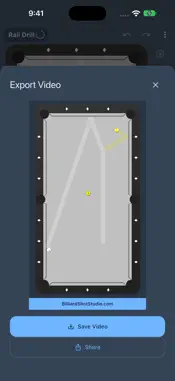
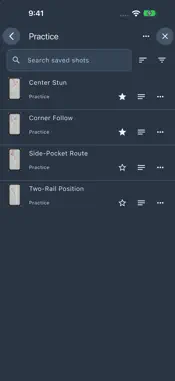
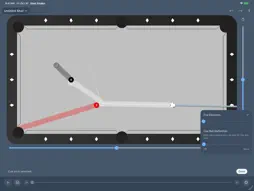
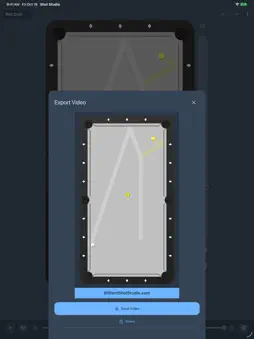
Design a shot. See how it plays. Take it to the table. Billiard Shot Studio helps players and coaches explore shot ideas, understand cue ball movement, and build a personal practice library. Set up the balls, adjust the stroke, and watch the simulation show how each change affects the shot. EXPLORE MORE TABLES Set up shots on 7-, 8-, and 9-foot pool tables, Heyball, 10- and 12-foot snooker tables, or a pocketless carom table. Choose cloth colors to make the workspace your own. SEE EVERY DETAIL • Play, pause, scrub, and step through shots frame by frame. • Change playback speed from 2× down to 1/32× to see exactly how the balls react. • Turn on the Spin Indicator to see the cue ball's sidespin, follow, and draw as it travels. • Add Playback Effects: motion trails and flashes at the cue strike, ball contacts, cushion hits, and pocket drops. • Choose a cue ball style (Classic, Measle, Two-tone, or Two caps) and watch it roll. • Follow ball paths, see where balls make contact, and continue from where the balls stop. DIAL IN THE SHOT • Position balls precisely and zoom in up to 4×. • Fine-tune aim, speed, spin, cue elevation, and cue ball deflection. • Try ideas freely with undo and redo. • Drag the Aim, Cue tip, and cue stick popups out of the way to keep your shot visible. • Use portrait or landscape on iPad, resize windows, or fold and unfold iPhone Duo without losing your work. PLAN YOUR NEXT SHOT Tap a pocket to line up a direct pot, show a Shape Zone to plan position, or turn on Pocket Aim Lock to keep the pot on target as you adjust the shot. All free. Find Positioning Shot searches for a shot that pockets the selected ball and sends the cue ball toward your chosen destination. Then drag the destination target to explore nearby positions. Your first successful Find Positioning Shot each day is free; more require Premium. SAVE AND SHARE • Share a shot with a link or QR code. Anyone with Billiard Shot Studio can open it and load the exact setup, no account needed. Creating links requires sign-in. • Export shot images and videos. Videos can include the Spin Indicator and Playback Effects. • Save shots to your Shot Library with Premium, then organize them with collections, favorites, notes, search, sorting, and filters. The Library requires sign-in. FREE AND PREMIUM Core editing, simulation, playback, image and video export, Shot Links, Shape Zones, Pocket Aim Lock, and the first two object balls are free. Premium adds more object balls, saving new shots, creating collections, copying saved shots, random shots and layouts, break setups, watermark removal, and more than one successful Find Positioning Shot per day. Terms of Use: https://www.apple.com/legal/internet-services/itunes/dev/stdeula/
What's New
Version 3.1.0 2026-10-20
• Optimized for iPhone Duo • New tables: 7- and 9-foot pool, snooker, carom, and Heyball • Share shots with a link or QR code • Export shot videos, plus smoothe... Technical Analysis
Package Overview Basic metadata
Bundle ID
com.razorpool.ShotDesigner Current Version 3.1.0
Minimum iOS 15.0
Package Size App Store Size
Package Metadata 1 / 6 version records
4.9 / 5.0 (22 ratings)
Detailed binary, privacy manifest, framework, and Info.plist results have not been indexed for this package yet. The verified App Store and archive metadata above remains available.
Developer Information
Known Version Records
1 version record with stored package metadata • 6 known version records
Stored metadata does not guarantee a package is currently available to download.
| Details | Version / IDs | Version date | Action |
|---|---|---|---|
| 35.79 MB | v2.0.0 App Store ID: 879309944Build: 2.0.0 | 2025-11-06 19:02:32 | Get Version |
| Not archived | App Store ID: 878910732 | Unknown | Request Version |
| Not archived | App Store ID: 878348003 | Unknown | Request Version |
| Not archived | App Store ID: 870869833 | Unknown | Request Version |
| Not archived | App Store ID: 869333524 | Unknown | Request Version |
| Not archived | App Store ID: 866654231 | Unknown | Request Version |