Preview






Description
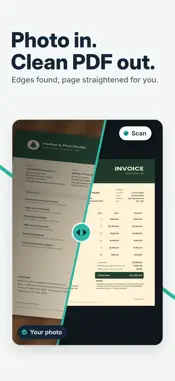
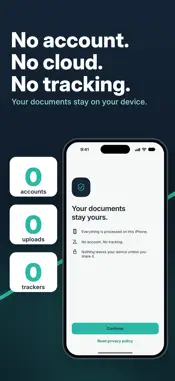
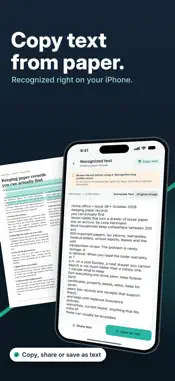
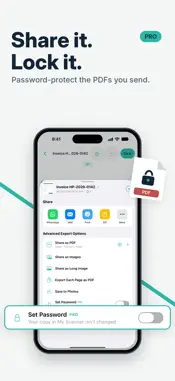
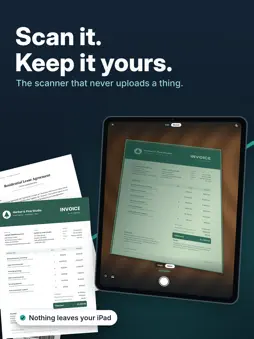
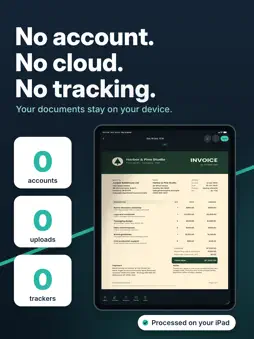
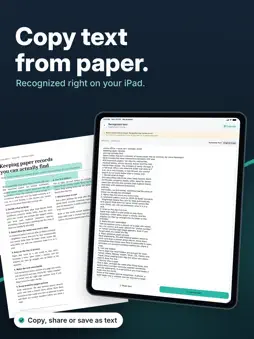
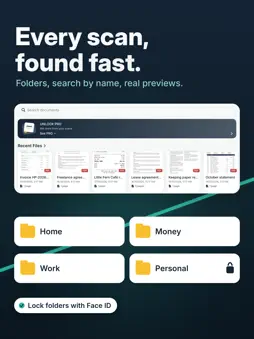
The document scanner that never uploads a thing. Turn paper, receipts and IDs into clean PDFs in seconds, sign them, and keep every page on your iPhone. No account. No cloud. No tracking. Most scanner apps want you to sign up and send your documents to their servers. My Scanner doesn't. Scanning, editing, signing and text recognition all happen right on your device, even in airplane mode. SCAN ANYTHING TO PDF • Open the app and tap Scan document. That's it. • Auto edge detection finds the page and straightens it for you • Batch mode: scan many pages into one document • ID cards (front and back on one page) and passports • Crop, rotate, straighten, adjust brightness and apply filters that make text sharp and paper white • Turn photos and files into PDFs FREE TOOLS OTHERS CHARGE FOR • Sign documents: draw your signature once, save it, and place it on any page • Unlock PDFs: remove the password from PDFs you own • Copy text from paper: on-device text recognition for any scan or photo • Read QR codes safely: see what's inside before you open it, including Wi-Fi, contacts and links • UPI QR codes: see who you're paying and how much, then open your UPI app WORKS FROM ANY APP • Sign with My Scanner: in Files, Mail or WhatsApp, tap Share and sign a PDF in seconds • Edit with My Scanner: send any PDF or image straight into the editor • Long-press the app icon to scan, import or search in one tap STAY ORGANIZED • Folders for home, money, work and family • Favorites: star important documents and find them in one place • Select all to move, share or delete many documents at once • Add files straight into any folder • Search your documents by name, with real page previews SHARE THE WAY YOU NEED • Share as PDF, images, one long image or a PDF per page • Save to Photos, print, ZIP or send by Mail and WhatsApp • Choose page size and quality (A4, Letter and more) MY SCANNER PRO • Lock the whole app with Face ID or your passcode • Lock individual folders • Password-protect the PDFs you share • Restore anything from Trash for 30 days Start with a 7-day free trial on the yearly plan. PRIVATE BY DESIGN • Your documents stay on your device. We never see them. • No sign-up, no login, no account to hack • No analytics, no trackers • Works fully offline Built for anyone who handles important paper: freelancers signing contracts, students scanning notes, families keeping IDs, tax papers and warranties safe, and small businesses filing receipts. Scan it. Sign it. Keep it yours. PRO subscription: payment is charged to your Apple Account at confirmation of purchase. Subscriptions renew automatically unless cancelled at least 24 hours before the end of the current period. Manage or cancel in Settings > Apple Account > Subscriptions. Any unused part of a free trial ends when you buy a subscription. PRO Lifetime is a one-time purchase. Privacy Policy: https://myscanner-4074f.web.app/privacy Terms of Use: https://myscanner-4074f.web.app/terms
What's New
Version 1.0.15 2026-11-07
Smarter text, safer deletes, and a fresh new icon. • Copy text from every page at once: page by page or the whole document • PDF to Text now works on your save...Smarter text, safer deletes, and a fresh new icon. • Copy text from every page at once: page by page or the whole document • PDF to Text now works on your saved scans and imported PDFs • Retake a page and it stays in the same spot • Share many documents at once from Files • Deleting? Choose: delete permanently, or keep it in Trash for 30 days (restore with PRO) • Confirmation before deleting a page • Better ID card and passport scans • A new app icon • Dark Mode polish and many small fixes Your documents still never leave your device. Enjoying My Scanner? A rating helps a lot. Technical Analysis
Package Overview Basic metadata
Bundle ID
com.easy.scan Current Version 1.0.15
Minimum iOS 17.0
Package Size App Store Size
Package Metadata 0 / 0 version records
Detailed binary, privacy manifest, framework, and Info.plist results have not been indexed for this package yet. The verified App Store and archive metadata above remains available.
Developer Information
Known Version Records
0 version records with stored package metadata
Stored metadata does not guarantee a package is currently available to download.
| Details | Version / IDs | Version date | Action |
|---|