
Preview



Description
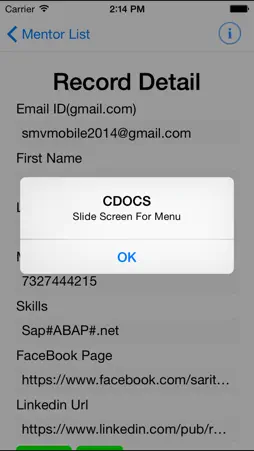
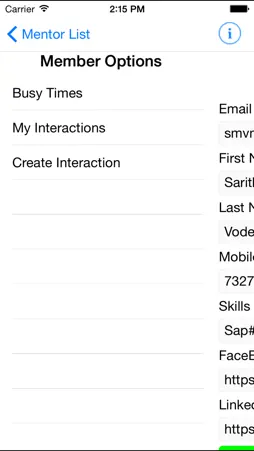
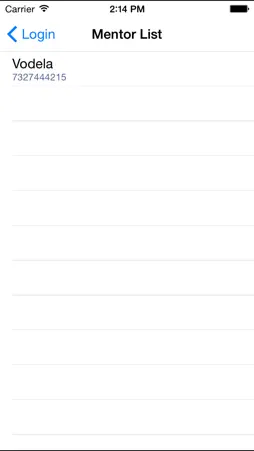
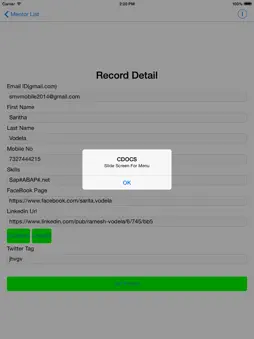
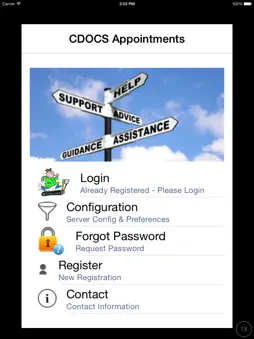
The App is for Mentors/Members to Create Interactions to be raised by members and resolved by Mentors. A Mentor can Teacher,Tutor,Attorney doctors or anybody who can advise members who seek advise guidance so that members can resolve the issues they are facing by a simple app for creating google Calendar appointments for Registered Mentors. A Member Registers in the App - A List of Mentors is displayed - Choose a Registered Mentor and Post and Interaction with Image and Text. When The Mentor Logs in - Responds to the interaction Posted and responses by SMS, Call or update the interaction text from the app until the interaction is closed. A Group of Mentors can set up their own private database so that the app will work for their members alone. This can be done by sending email to smvmobile2014@gmail,com - When the database is setup a url will be provided which should replace the url in the app in the configuration option. To use the app 1) Download and install the app 2) Choose Configuration Option - Enter the information - do not change the url. Enter all the information in the screen and save it. (one time setting for each device ) 3)Choose Register Option - Enter all the information and Register - username and password will be transferred from 2 4) Choose Login Option - The username and password from 2 will be transferred from 2. Click on Login A list of Mentors will be displayed (Currently there is only one Mentor) - Select A mentor 5) Slide the screen from left to right to display the menu options which are A) My Interactions will list all your interactions that you created in the app B) Create Interaction - With this option you can choose to create Interaction with the selected Mentor - Enter all the information Take or attach a picture and text that you want the mentor to review and submit. When A Mentor Logins they will review the appointments and interactions posted to them and update the information or close the interaction with update text. This app allows Mentors and Members to communicate by images and text - A mentor can Look at the interaction and call members from the app.
Technical Analysis
Package Overview Basic metadata
Bundle ID
com.smvmobile2104.A1 Current Version Initial
Minimum iOS 6.0
Package Size App Store Size
Package Metadata 0 / 0 version records
Detailed binary, privacy manifest, framework, and Info.plist results have not been indexed for this package yet. The verified App Store and archive metadata above remains available.
Known Version Records
0 version records with stored package metadata
Stored metadata does not guarantee a package is currently available to download.
| Details | Version / IDs | Version date | Action |
|---|